
RAM Latency Calculator
Dear Visitor, use our free RAM latency calculator to compare memory performance across different speeds and CAS (Column Access Strobe) timings, and see true latency in nanoseconds for better gaming and productivity decisions.
- Excellent <9ns – competitive
- Good 9–11ns – great for most
- Average 11–14ns – acceptable
- Poor >14ns – may bottleneck
Low latency ensures fast data access for game assets, reducing stuttering and improving frame times.
Great for creative work, though capacity matters more than latency for video editing.
Excellent configuration – no upgrade needed.
What Is a RAM Latency Calculator and How Does It Work?
Our RAM Latency Calculator helps you determine the true memory latency of your selected RAM kit in nanoseconds. It calculates how long your RAM actually takes to respond to a CPU request based on the speed (MT/s) and CAS latency (CL) values you enter. The tool uses the standard formula (CAS × 2000) ÷ Memory Speed, which converts timing cycles into nanosecond delay.
In simple terms, two RAM kits can have the same MHz rating but feel different in performance because their timings differ, and this RAM Latency Calculator helps you clearly see that difference. You can check the actual latency values and see which kit is technically faster in terms of response time.
What is RAM, and What Does RAM Latency Mean?
Random Access Memory (RAM) was invented in the late 1940s, and since then, it has seen major improvements in speed, capacity, and reliability. Over time, different generations such as DDR, DDR2, DDR3, DDR4, and DDR5 were introduced to meet evolving computing demands. RAM is used in almost every type of system, whether it’s a personal PC, gaming rig, server, or professional workstation, and it provides a fast-access workspace for the CPU, allowing data to be stored and retrieved quickly.
So, what does RAM latency mean? When the CPU sends a request to the RAM, latency refers to the amount of time it takes for the memory to read that request and deliver the data back to the CPU. The shorter this delay, the more responsive the system feels, and the smoother games, rendering tasks, and multitasking will run. Latency is often expressed as CAS Latency (CL), but measuring it in nanoseconds gives a clearer picture of real-world performance impact.
Its main role is to ensure that active programs and background processes run smoothly, directly affecting how quickly the CPU can execute tasks. Additionally, by using a RAM latency calculator, you can convert MHz and CAS latency values into nanoseconds. This makes it easier to compare different DDR generations and choose modules that maintain the right balance with your CPU and motherboard. As a result, memory bottlenecks are reduced, and you can make a more technically informed upgrade decision.
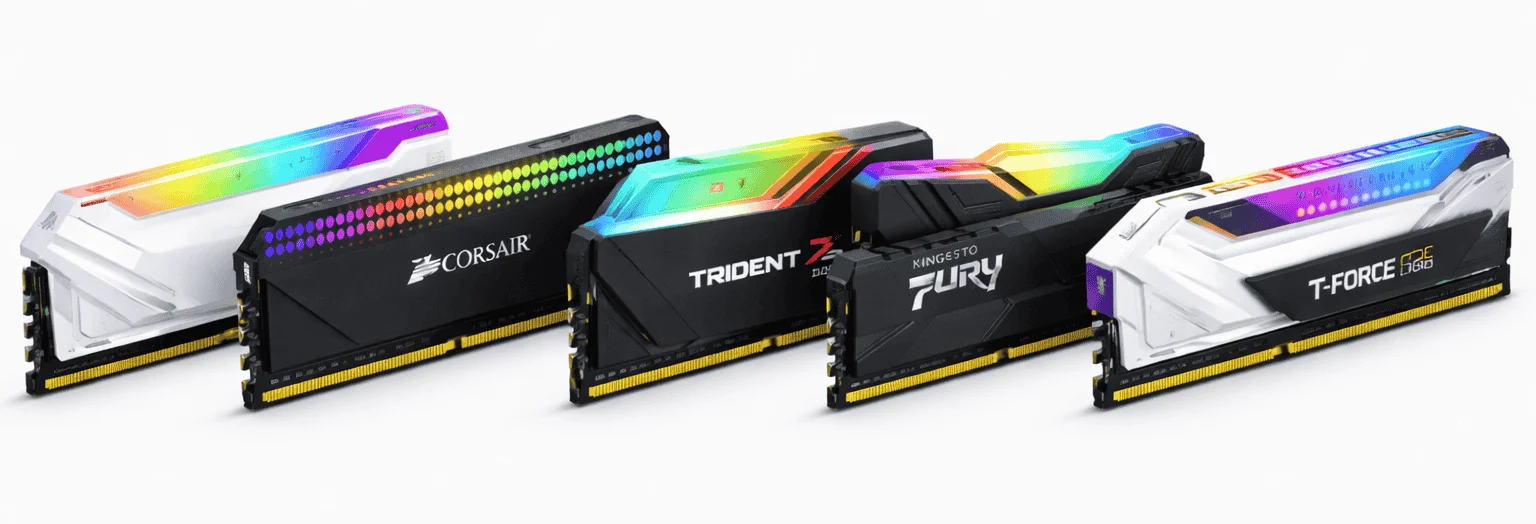
DDR1 to DDR5 Memory Latency Comparison
We tested over 80 RAM kits across gaming rigs, workstations, and server environments. From DDR1 to DDR5, each module was tested under heavy loads to simulate usage. The colored bars show the actual latency in nanoseconds. Lower values indicate faster memory response, which can improve performance in gaming, 3D rendering, and other data-intensive workloads.
| RAM type | MT/s | CL | latency (ns) | |
|---|---|---|---|---|
| DDR-200 | 200 | 2.0 | 20.00 | |
| DDR-266 | 266 | 2.5 | 18.80 | |
| DDR-333 | 333 | 2.5 | 15.02 | |
| DDR-400 | 400 | 2.0 | 10.00 | |
| DDR-400 | 400 | 3.0 | 15.00 |
| RAM type | MT/s | CL | latency (ns) | |
|---|---|---|---|---|
| DDR2-533 | 533 | 4 | 15.01 | |
| DDR2-667 | 667 | 4 | 12.00 | |
| DDR2-667 | 667 | 5 | 15.00 | |
| DDR2-800 | 800 | 4 | 10.00 | |
| DDR2-800 | 800 | 5 | 12.50 | |
| DDR2-800 | 800 | 6 | 15.00 | |
| DDR2-1066 | 1066 | 5 | 9.38 | |
| DDR2-1066 | 1066 | 6 | 11.26 |
| RAM type | MT/s | CL | latency (ns) | |
|---|---|---|---|---|
| DDR3-1066 | 1066 | 7 | 13.13 | |
| DDR3-1333 | 1333 | 9 | 13.50 | |
| DDR3-1333 | 1333 | 10 | 15.00 | |
| DDR3-1600 | 1600 | 9 | 11.25 | |
| DDR3-1600 | 1600 | 10 | 12.50 | |
| DDR3-1866 | 1866 | 10 | 10.71 | |
| DDR3-1866 | 1866 | 11 | 11.78 | |
| DDR3-2133 | 2133 | 11 | 10.31 | |
| DDR3-2133 | 2133 | 12 | 11.25 | |
| DDR3-2400 | 2400 | 11 | 9.17 |
| RAM type | MT/s | CL | latency (ns) | |
|---|---|---|---|---|
| DDR4-2133 | 2133 | 14 | 13.13 | |
| DDR4-2400 | 2400 | 15 | 12.50 | |
| DDR4-2666 | 2666 | 15 | 11.25 | |
| DDR4-2666 | 2666 | 16 | 12.00 | |
| DDR4-2933 | 2933 | 17 | 11.60 | |
| DDR4-3000 | 3000 | 15 | 10.00 | |
| DDR4-3200 | 3200 | 16 | 10.00 | |
| DDR4-3200 | 3200 | 14 | 8.75 | |
| DDR4-3600 | 3600 | 16 | 8.89 | |
| DDR4-3600 | 3600 | 18 | 10.00 | |
| DDR4-3733 | 3733 | 17 | 9.11 | |
| DDR4-3866 | 3866 | 18 | 9.31 | |
| DDR4-4000 | 4000 | 18 | 9.00 | |
| DDR4-4000 | 4000 | 19 | 9.50 | |
| DDR4-4133 | 4133 | 19 | 9.20 | |
| DDR4-4266 | 4266 | 19 | 8.90 | |
| DDR4-4400 | 4400 | 19 | 8.64 | |
| DDR4-4600 | 4600 | 20 | 8.70 | |
| DDR4-4800 | 4800 | 20 | 8.33 | |
| DDR4-5000 | 5000 | 21 | 8.40 |
| RAM type | MT/s | CL | latency (ns) | |
|---|---|---|---|---|
| DDR5-4800 | 4800 | 38 | 15.83 | |
| DDR5-4800 | 4800 | 40 | 16.67 | |
| DDR5-5200 | 5200 | 38 | 14.62 | |
| DDR5-5200 | 5200 | 40 | 15.38 | |
| DDR5-5600 | 5600 | 36 | 12.86 | |
| DDR5-5600 | 5600 | 40 | 14.29 | |
| DDR5-6000 | 6000 | 30 | 10.00 | |
| DDR5-6000 | 6000 | 32 | 10.67 | |
| DDR5-6000 | 6000 | 36 | 12.00 | |
| DDR5-6200 | 6200 | 32 | 10.32 | |
| DDR5-6400 | 6400 | 32 | 10.00 | |
| DDR5-6400 | 6400 | 34 | 10.62 | |
| DDR5-6800 | 6800 | 34 | 10.00 | |
| DDR5-7200 | 7200 | 34 | 9.44 | |
| DDR5-7200 | 7200 | 36 | 10.00 | |
| DDR5-7600 | 7600 | 36 | 9.47 | |
| DDR5-8000 | 8000 | 38 | 9.50 | |
| DDR5-8000 | 8000 | 40 | 10.00 |
How does a RAM bottleneck occur?
As you know, laptops use different RAM modules than desktop PCs, and if you’re unsure which type to install, adding the wrong RAM can lead to a RAM bottleneck. RAM bottlenecks when the memory cannot keep up with the CPU or other components, slowing down data transfer and causing stutters in games or delays in applications.
Using mismatched or unsupported RAM may limit your system’s performance. So, proper RAM selection keeps your PC running smoothly and prevents performance issues. Before installing any memory module, always check its latency rate to ensure it matches your system’s requirements, whether you’re upgrading a desktop or a laptop.
RAM Bottleneck Signs and How to Fix Them
| RAM Bottleneck Signs | Solution |
|---|---|
| Slow memory access | Upgrade RAM speed |
| CPU waiting cycles | Match RAM & CPU using a bottleneck calculator |
| Bandwidth limitation | Use higher-bandwidth RAM |
| Mismatched modules | Install identical RAM modules |
| Insufficient capacity | Add more RAM based on workload needs |
| Dual-channel absence | Enable dual-channel configuration |
| Latency spikes | Choose low-latency RAM after testing |
Conlclusion
Understanding RAM and its performance is essential for building a fast and responsive PC. From the basics of what RAM does to the detailed comparison of DDR1 through DDR5 modules, this guide has highlighted how memory speed, CAS latency, and true latency in nanoseconds impact overall system performance. Using the RAM Latency Calculator helps identify modules with lower latency for faster response rates. With these insights, you can choose the right RAM for gaming, productivity, or any setup to ensure optimal performance.