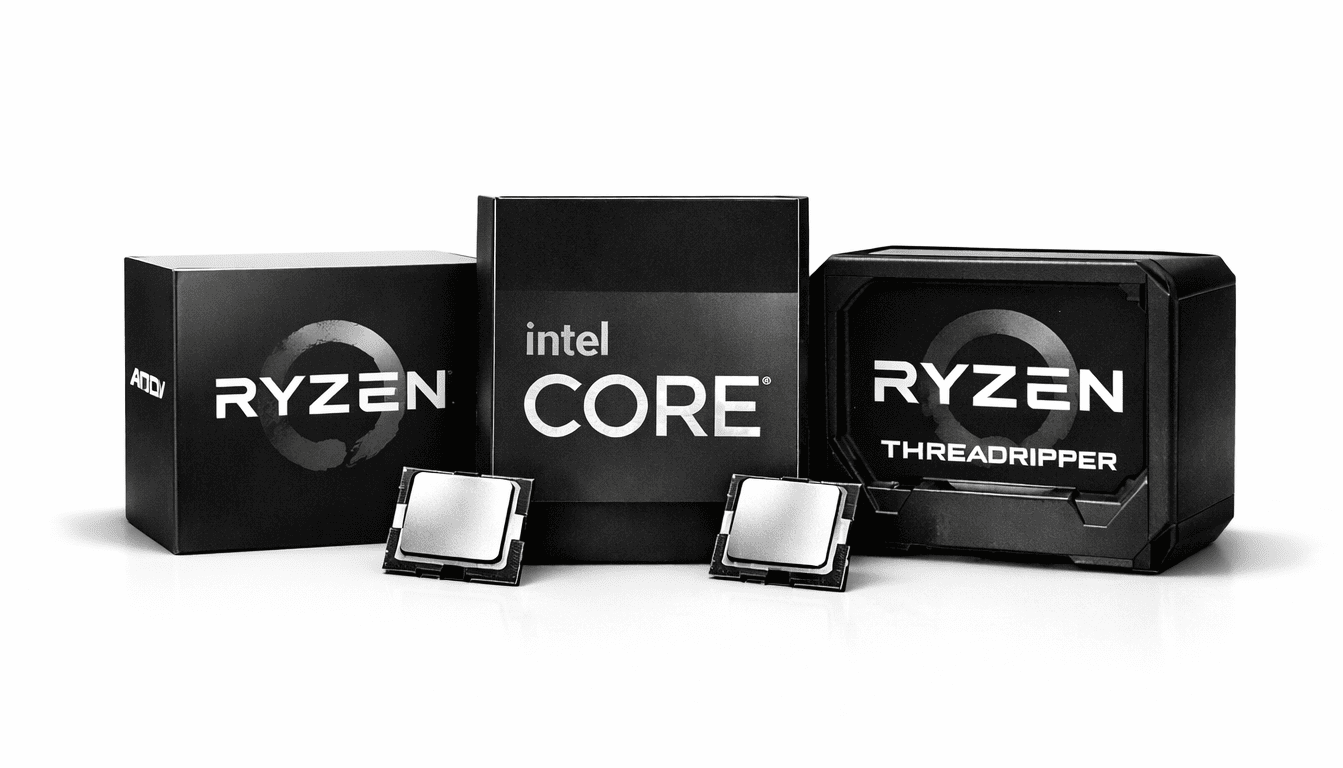
Best Thermal Paste for CPU 2026 | Application Tips & Recommendations
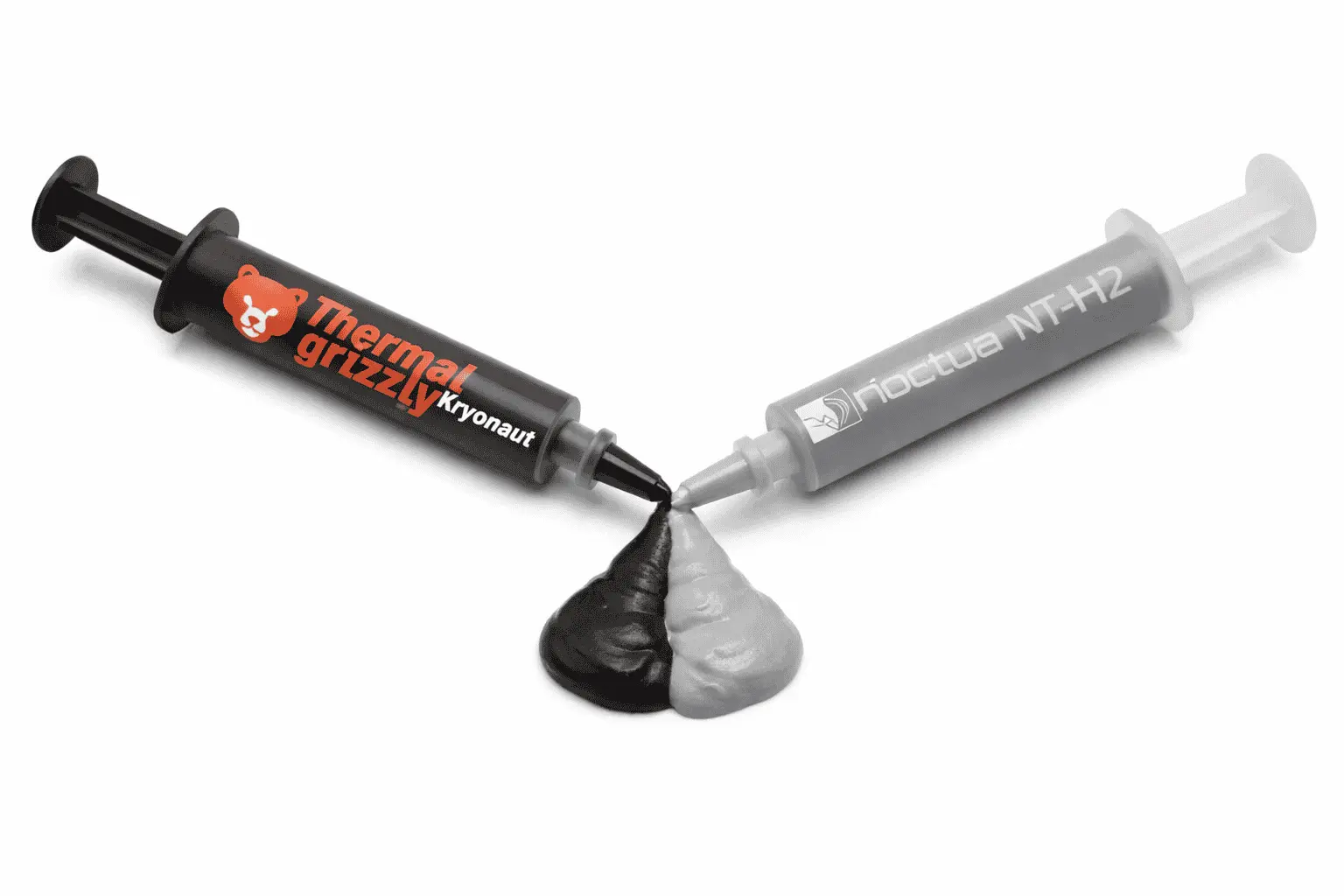
When a CPU is under load, it generates a large amount of heat in a minimal area without efficient heat transfer. It may cause thermal throttling, unstable boost clocks, and hardware degradation. This is where thermal paste for CPU acts as an interface material that fills microscopic gaps between the CPU and the cooler’s cold plate. These gaps normally trap air, which is a poor heat conductor.
Thermal paste fills these gaps and creates a consistent thermal path, allowing heat to flow out of the processor more effectively. The result is lower operating temperatures, stable clock behavior, and reliable CPU performance under sustained workloads. Unlike graphics cards, CPUs do not come with a permanently integrated cooling solution. This means the processor relies entirely on an external air cooler or liquid cooler to stay within safe temperature limits.
What Is Thermal Paste?
Thermal paste is a heat-conductive material applied between a CPU and its cooler. It is also called thermal compound, thermal grease, heat paste, thermal gel, or thermal interface material (TIM). Its main purpose is to help heat move efficiently from the CPU’s integrated heat spreader (IHS) to the cooler’s cold plate. It is typically made from a silicone or synthetic base compound mixed with thermally conductive fillers such as ceramic, metal, or carbon-based particles.
During testing, we applied thermal paste from different brands on various CPU and GPU models. It helps to stabilize temperatures and reduce overheating without requiring new hardware. Here are some key benefits of using thermal paste:
Top 10 Tested Thermal Paste for CPU (Comparison 2026)
The specifications shown to you have all been taken from the official sites of these products. However, each of them has been properly tested so that we can provide users with reliable information. Based on this, we have added our remarks. This comparison and analysis will make it easier for you to choose the best thermal paste for CPU.
| # | Model Name | Price | Type | Available Size |
|---|---|---|---|---|
| 1 | ARCTIC MX-6 | $5 – $15 | Thermal Paste | 2g / 4g / 8g |
| 2 | Noctua NT-H2 | $10 – $18 | Thermal Paste | 3.5g |
| 3 | Thermal Grizzly Kryonaut | $8 – $20 | Thermal Paste | 1g / 1.5ml / 3ml / 10ml |
| 4 | Corsair XTM70 | $20 – $25 | Thermal Paste | 3g |
| 5 | ARCTIC MX-4 | $3 – $15 | Thermal Paste | 2g / 4g / 8g / 20g / 45g |
| 6 | GELID GC-Extreme | $8 – $12 | Thermal Paste | 1g / 3.5g / 10g |
| 7 | Honeywell PTM7950 | $15 – $35 | Phase-Change TIM | Pad sheets (0.25mm) |
| 8 | Corsair TM30 | $6 – $10 | Thermal Paste | ~3g |
| 9 | Be quiet! IC-7 | $10 – $15 | High-Performance TIM | ~3–4g |
| 10 | DeepCool Z5 | $4 – $8 | Thermal Paste | 3g |
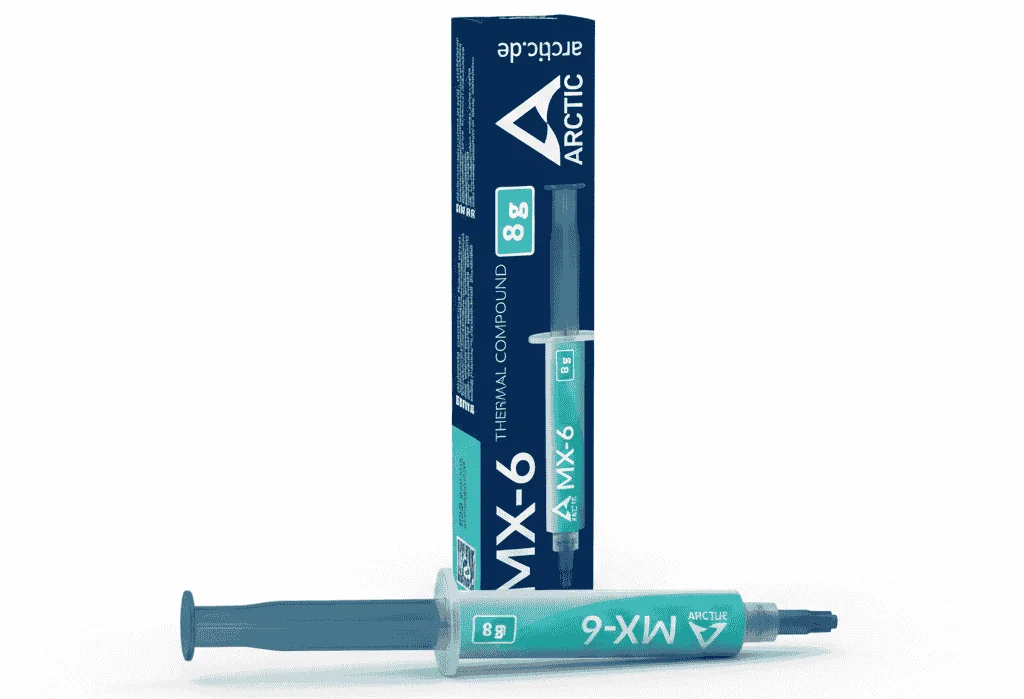
1. ARCTIC MX-6 Thermal Paste
| Specification | Details |
|---|---|
| Product Name | ARCTIC MX-6 Thermal Paste |
| Thermal Paste Type | High-performance, non-conductive TIM |
| Base Material | Silicone gel (carrier compound) |
| Thermal Resistance | ~20% lower than ARCTIC MX-4 |
| Electrical Conductivity | Non-conductive, non-capacitive |
| Viscosity | High viscosity (thick consistency) |
| Application Method | Pressure-based (spatula spreading not recommended) |
| Burn-In Time | None (full performance immediately) |
| Pump-Out Resistance | Yes (designed to resist pump-out effect) |
| Drying / Bleeding | Non-drying, non-bleeding |
| Compatible Use Cases | Desktop CPUs, laptops, GPUs, direct-die cooling |
| Revision Updates | Rev. 2 → Rev. 4 (performance + consistency improvements) |
| Available Sizes | 2g, 4g, 8g syringes |
| Extra Options | MX Cleaner (100% biodegradable limonene) |
| Authenticity Check | ARCTIC authenticity verification supported |
Remarks-
Its thick, non-runny texture makes application clean and controlled, and once the cooler is mounted, the paste spreads evenly under pressure without needing manual spreading. In practical testing on a desktop CPU like the Intel Core i7-12700K, temperatures remained stable during long gaming and rendering sessions, with fewer sudden spikes compared to older pastes such as MX-4.
The paste does not dry out or bleed over time, which makes it suitable for long-term use in desktops, laptops, and GPUs. Because MX-6 is non-conductive and non-capacitive, it is safe to use even in tight or direct-die applications, and it delivers full performance immediately with no burn-in period.
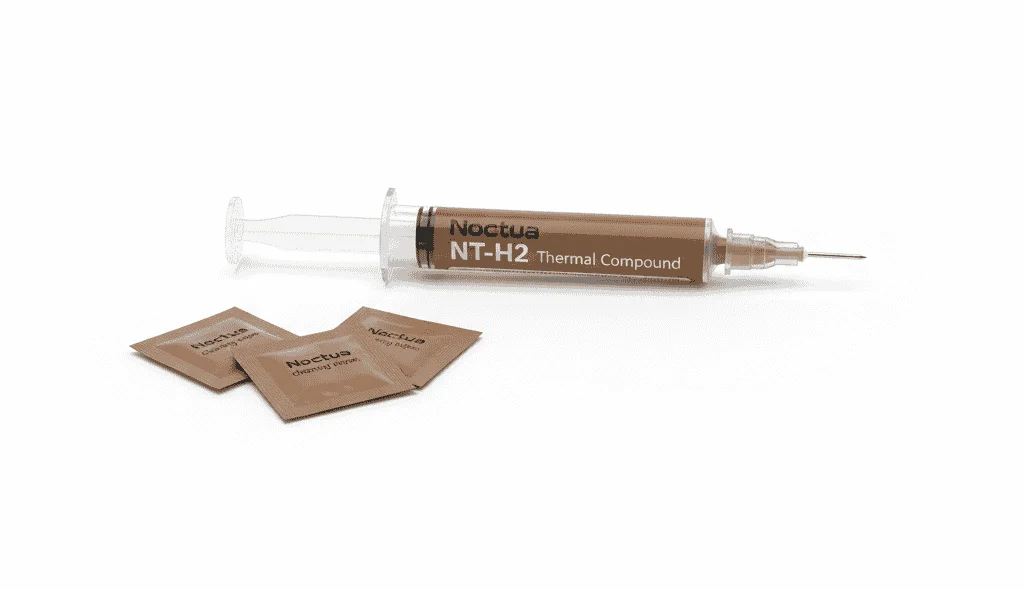
2. Noctua NT-H2 Thermal Paste
| Specification | Details |
|---|---|
| Product Name | Noctua NT-H2 Thermal Paste |
| Thermal Paste Type | Premium hybrid thermal compound (TIM) |
| Base Composition | Fine-tuned metal oxide micro-particles |
| Thermal Resistance | Lower than NT-H1 (improved bond-line thickness) |
| Electrical Conductivity | Non-conductive |
| Corrosion Risk | Non-corroding (safe for copper, aluminum, nickel) |
| Application Method | Pressure-based (no manual spreading required) |
| Burn-In / Cure Time | None (instant full performance) |
| Long-Term Stability | Excellent (resists drying, bleeding and pump-out) |
| CPU Usage Life | Up to 5 years |
| Storage Life (Unused) | Up to 3 years |
| Operating Temperature | −50°C to +200°C |
| Density | 2.81 g/cm³ |
| Color | Grey |
| Package Size | 3.5 g (≈ 1.2 ml) |
| Included Accessories | 3× NA-CW1 isopropyl cleaning wipes |
| Applications (Large CPUs) | ~3 (e.g., TR4) |
| Applications (Medium CPUs) | ~15 |
| Applications (Small CPUs) | ~20 |
| Supported Use Cases | CPUs, GPUs, air cooling, liquid cooling |
| Optional Accessories | NA-SCW1 wipe pack (20 wipes) |
Remarks-
NT-H2 spreads evenly under mounting pressure, so manual spreading is not required. During use, this paste smooths out temperature spikes, which are quite common with the aggressive boost behavior of modern CPUs. For long-term systems, its non-drying nature is a practical advantage.
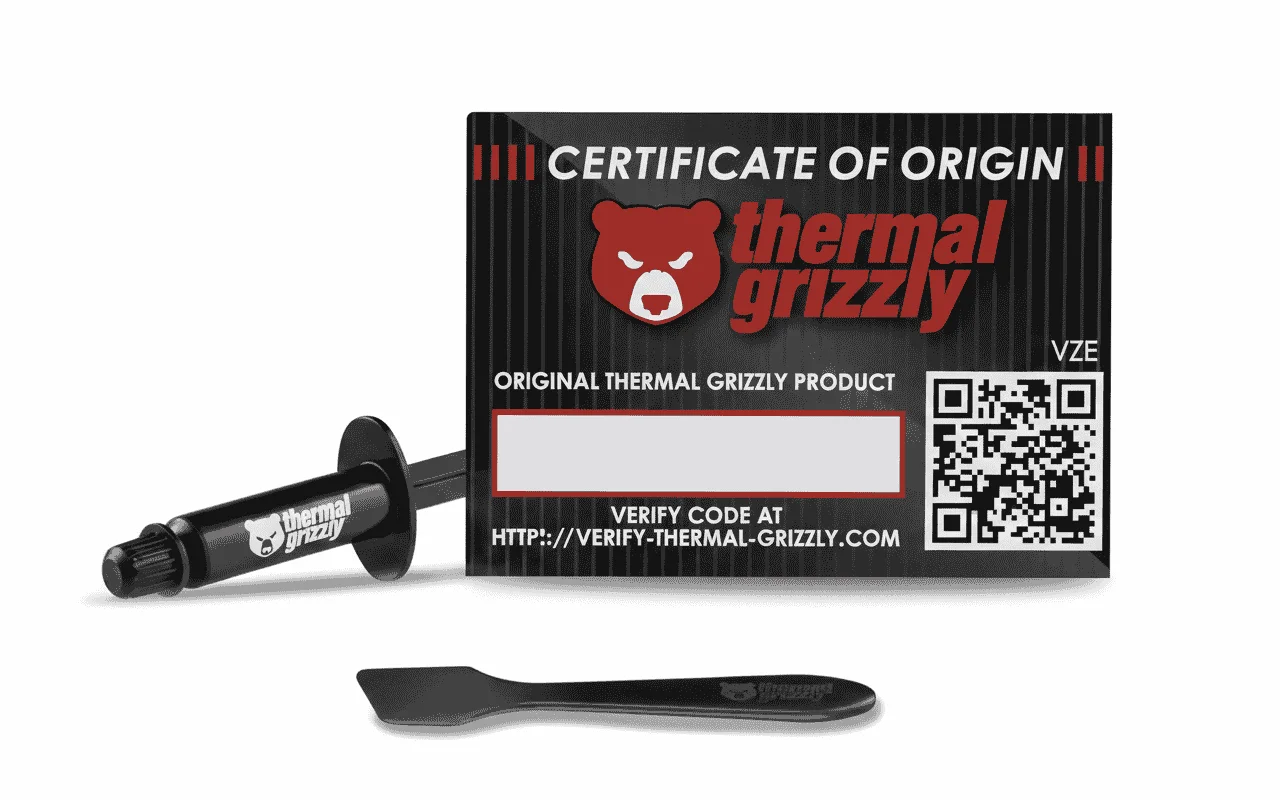
3. Thermal Grizzly Kryonaut Thermal Paste
| Specification | Details |
|---|---|
| Product Name | Thermal Grizzly Kryonaut Thermal Paste |
| Thermal Paste Type | Enthusiast / extreme-performance TIM |
| Intended Use | Overclocking, high-TDP CPUs, and industrial cooling |
| Base Composition | Nano-aluminum & zinc oxide particles |
| Thermal Conductivity | Very high (optimized for extreme loads) |
| Electrical Conductivity | Non-conductive (0 pS/m) |
| Curing / Burn-In | None |
| Dry-Out Resistance | Stable up to ~80°C (carrier structure limits drying) |
| Operating Temperature | −250°C to +350°C |
| Viscosity | 130–170 Pa·s |
| Density | 3.7 g/cm³ |
| Color | Silver (matte) |
| Application Method | Pressure-based (manual spreading optional) |
| Available Sizes | 1 g, 1.5 ml, 3 ml, 10 ml |
| Typical Use Cases | Overclocked CPUs, delidded CPUs, GPUs, LN2 setups |
| MPN | TG-K-001-RS |
Remarks-
Kryonaut is known for its high thermal conductivity, which allows fast heat transfer in dedicated CPUs. In overclocked or high-voltage configurations, this paste helps keep CPU temperatures below the throttling point. Its response time is noticeable under high-load scenarios.
4. CORSAIR XTM70 Thermal Paste
| Specification | Details |
|---|---|
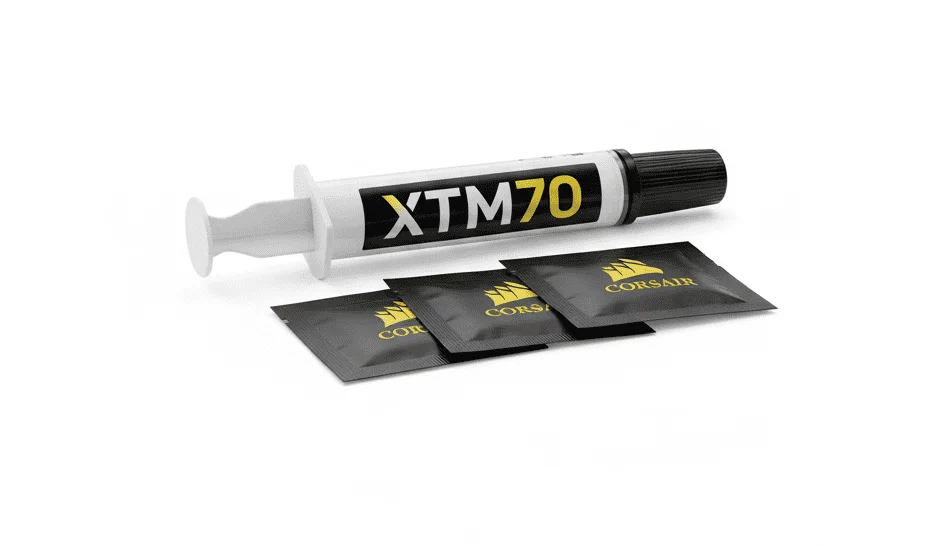
| Product Name | CORSAIR XTM70 Thermal Paste |
| Product Type | Extreme-performance thermal interface material (TIM) |
| Intended Use | High-TDP CPUs, GPUs, consoles, and overclocked systems |
| Thermal Performance | Very high thermal transfer (enthusiast-grade) |
| Electrical Conductivity | Non-conductive |
| Drying / Cracking | Resistant to drying and cracking |
| Curing / Burn-In | Not required |
| Paste Quantity | 3 g |
| Application Method | Applicator-assisted, even layer spread |
| Included Accessories | Applicator kit + 3 cleaning wipes |
| Socket Compatibility | Intel LGA 115x / 1200 / 1700, AMD AM4 / AM5 |
| Noise Impact | Helps reduce fan speed by lowering temperatures |
| Typical Use Scenarios | Gaming PCs, workstations, liquid-cooled builds |
| Product Length | 20.1 mm |
| Product Width | 15.5 mm |
| Product Height | 135 mm |
| Gross Weight | 0.04 kg |
| SKU | CT-9010010-WW |
Remarks-
The XTM70 formula is designed for high-TDP processors where heat density is higher. During use, this paste keeps CPU temperatures lower and reduces the load on the cooling system, so fan speeds do not need to be overly aggressive. The applicator helps apply a uniform layer, resulting in better thermal contact.
5. ARCTIC MX-4 Thermal Paste
| Specification | Details |
|---|---|
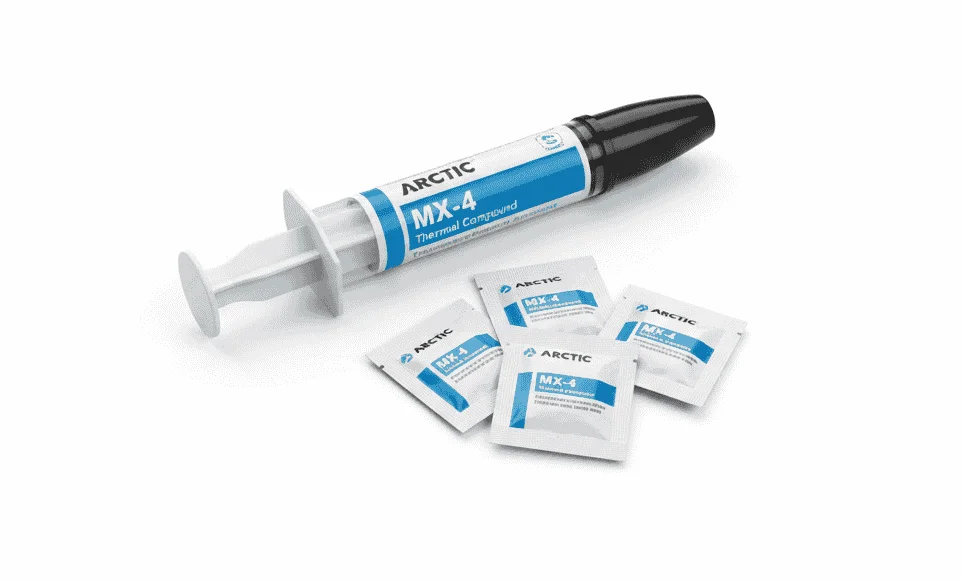
| Product Name | ARCTIC MX-4 Thermal Paste |
| Product Type | Metal-free Thermal Interface Material (TIM) |
| Typical Use | CPU & GPU cooling |
| Colour | Grey |
| Density | 2.5 g/cm³ |
| Viscosity | 31,600 Poise |
| Operating Temperature | −50°C to +150°C |
| Electrical Conductivity | Non-conductive |
| Volume Resistivity | 3.8 × 10¹³ Ω·cm |
| Drying / Bleeding | Non-drying, non-bleeding |
| Curing / Burn-In | Not required |
| Application Difficulty | Easy (beginner-friendly) |
| Packaging Type | Resealable syringe |
| Authenticity Protection | ARCTIC authenticity check |
| Environmental Note | Recyclable packaging |
Remarks-
MX-4 focuses on ease of application and predictable thermal behavior. This paste effectively fills air gaps without being electrically conductive. Under normal to moderately high CPU loads, it maintains stable temperatures, which is sufficient for daily-use systems.
6. GELID Solutions GC-Extreme Thermal Paste
| Specification | Details |
|---|---|
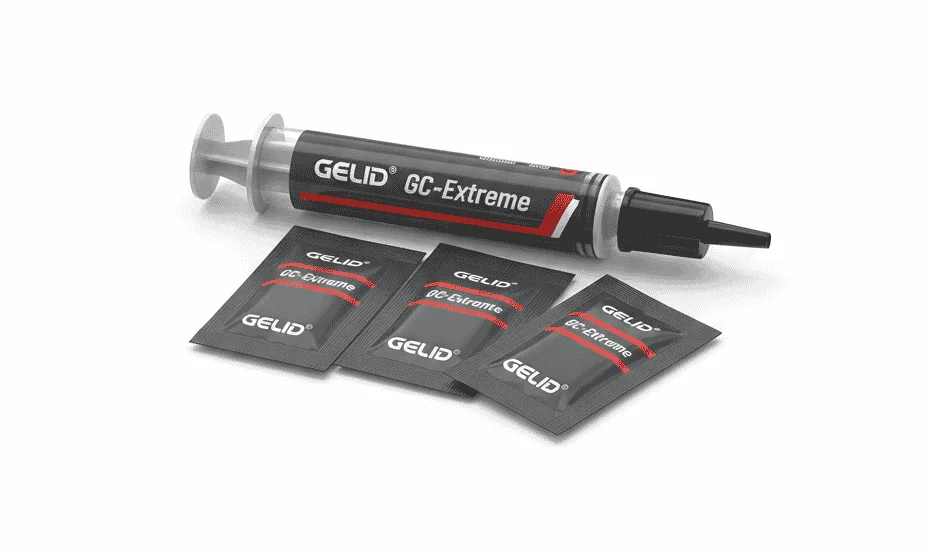
| Product Name | GELID Solutions GC-Extreme Thermal Paste |
| Product Type | High-performance thermal interface material (TIM) |
| Intended Use | CPUs, GPUs, chipsets, extreme overclocking |
| Thermal Conductivity | 8.5 W/m·K |
| Density | 3.73 g/cm³ |
| Viscosity | 85,000 cP |
| Electrical Conductivity | Non-electrically conductive |
| Corrosion / Toxicity | Non-corrosive, non-toxic |
| Curing / Burn-In | Not required |
| Bleeding / Dry-Out | No bleeding, long-term stable |
| Operating Temperature Range | −45°C to +180°C |
| Application Method | Pressure-based (GELID applicator included) |
| Typical Use Scenarios | High-TDP CPUs, GPUs, sub-zero cooling |
| Category | Award-winning thermal compound |
Remarks-
GC-Extreme comes with high viscosity, which reduces the pump-out effect after mounting. During stress tests and prolonged workloads, temperatures remain consistent, indicating that the paste handles thermal cycling well. In performance-focused builds, it becomes a reliable option.
7. Honeywell PTM7950 (PCTP)
| Specification | Details |
|---|---|
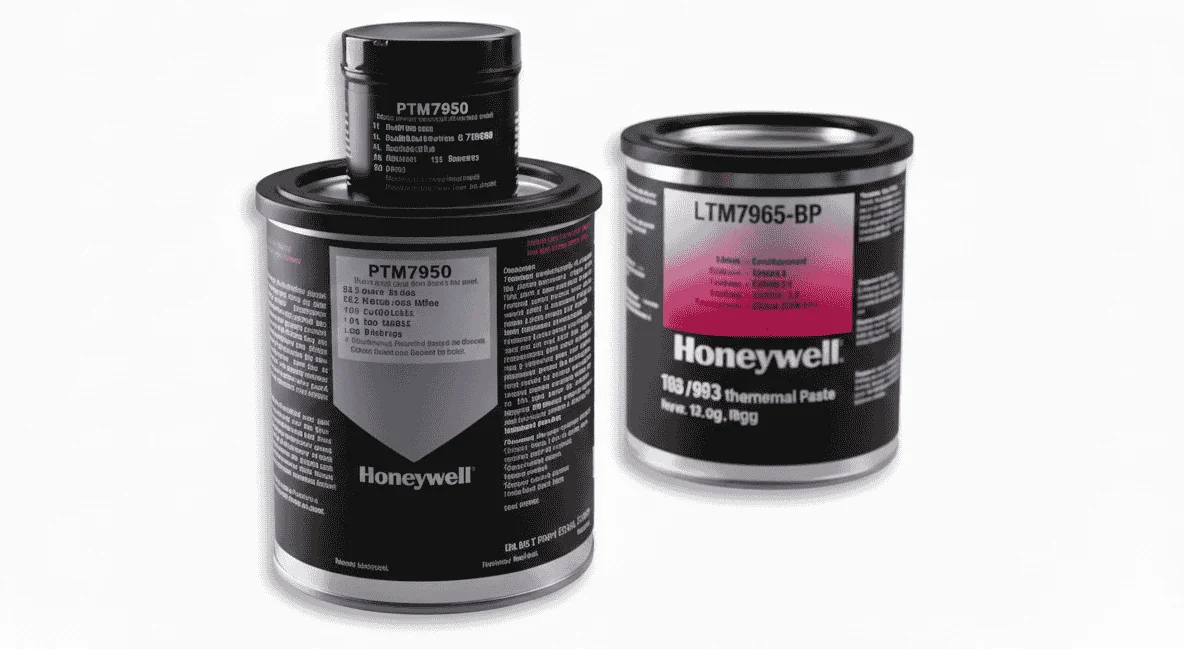
| Product Name | Honeywell PTM7950 (PCTP) |
| Product Type | Phase-Change Thermal Interface Material (PCM pad) |
| Material System | Polymer-based phase-change silicone compound |
| Intended Use | Pre-cut thermal pad/sheet |
| Thermal Conductivity | 8.5 W/m·K |
| Thermal Impedance | ≤ 0.04 °C·cm²/W |
| Thickness | 0.25 mm (fixed) |
| Electrical Conductivity | Non-conductive |
| Chemical Safety | No high-concern chemicals |
| Phase-Change Requirement | Yes (requires operating temperature to activate) |
| Bond Line Thickness (Optimal) | < 0.038 mm (1.5 mil) |
| Application Method | Pressure-mounted (pad format) |
| Reliability Testing | 150°C bake (1000h), temp cycling (1000 cycles) |
| Long-Term Stability | Maintains impedance after thermal cycling |
| Form Factor | Pre-cut thermal pad / sheet |
| Typical Use Scenarios | Laptops, direct-die CPUs, long-life systems |
Remarks-
PTM7950 uses a phase-change material instead of traditional thermal paste, which softens at operating temperature and conforms to the surface. In laptops and compact PCs, where repeated reapplication is not practical, this solution improves thermal contact over time. Its maintenance-free behavior is its key advantage.
8. CORSAIR TM30 Thermal Paste
| Specification | Details |
|---|---|
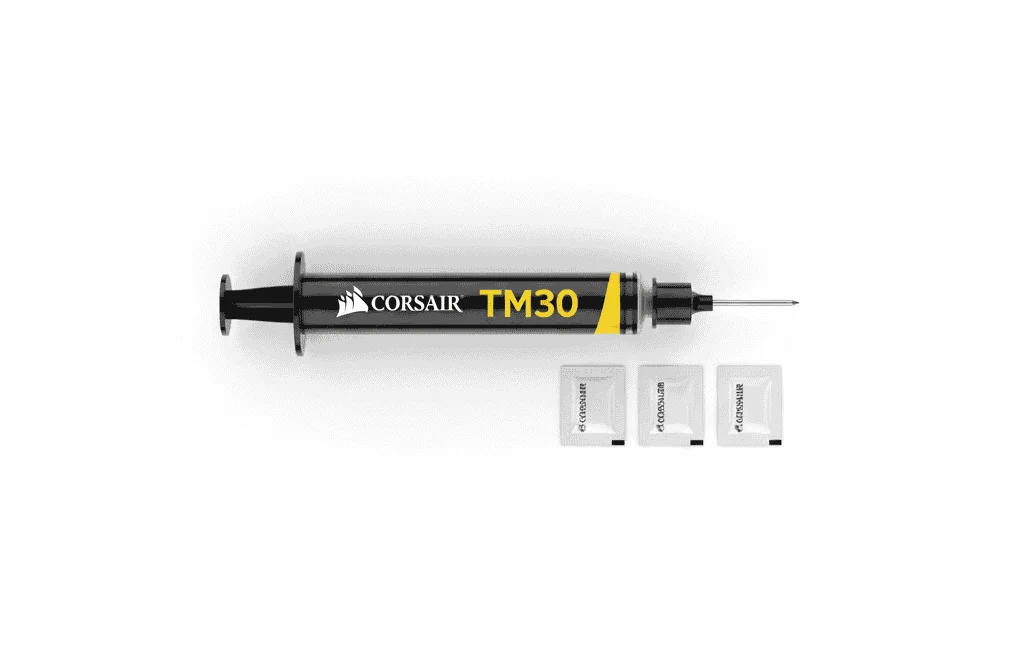
| Product Name | CORSAIR TM30 Thermal Paste |
| Product Type | Performance thermal interface material (TIM) |
| Base Material | Zinc oxide–based compound |
| Intended Use | CPUs & GPUs (mainstream to enthusiast systems) |
| Thermal Performance | Lower thermal impedance than standard pastes |
| Viscosity | Low viscosity (easy spread & gap filling) |
| Electrical Conductivity | Non-conductive |
| Volatile Compounds | None (safe formulation) |
| Drying / Cracking | Resistant to drying and cracking |
| Curing / Burn-In | Not required |
| Long-Term Stability | Maintains consistency for years |
| Application Difficulty | Very easy (beginner-friendly) |
| Color | Gray |
| Paste Weight | ~3 g |
| Net Weight | 0.02 kg |
| SKU | CT-9010001-WW |
Remarks-
TM30 uses a low-viscosity zinc oxide compound that easily fills microabrasions between the IHS and the cold plate. During the use test, this paste efficiently manages the thermal output of stock and mid-range CPUs. Its thermal impedance remains acceptable for entry-level and budget systems.
9. Be Quiet! Thermal Compounds
| Specification | DC1 | DC2 | DC2 Pro (Liquid Metal) |
|---|---|---|---|
| Product Type | Thermal Paste | Thermal Paste | Liquid Metal TIM |
| Intended Use | Standard to performance | High-performance | Extreme overclocking |
| Thermal Conductivity | ~7.5 W/m·K | Higher than DC1 | ~80 W/m·K |
| Electrical Conductivity | Non-conductive | Non-conductive | Conductive (Liquid Metal) |
| Corrosion Risk | Low | Low | High (avoid aluminum) |
| Application Difficulty | Easy | Moderate | Advanced only |
| Best For | General & gaming PCs | High-end CPUs | Extreme overclocking users |
Remarks-
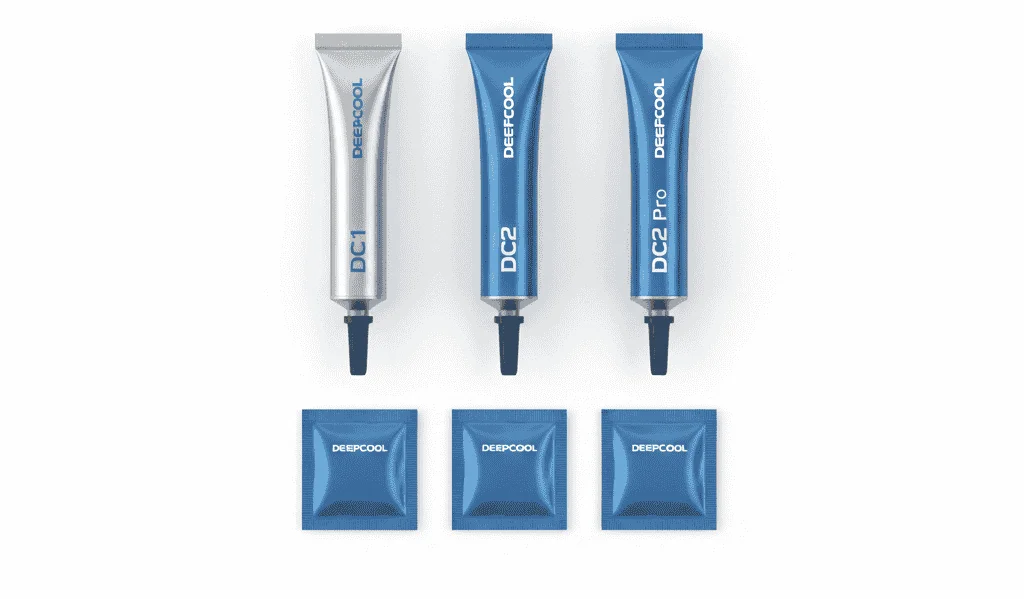
The misconception around “Be Quiet! IC-7” mostly comes from name similarity with IC Diamond 7 Carat. For Be Quiet! branded TIMs, DC1 offers reliable performance, DC2 steps up for high-TDP CPUs, and DC2 Pro for extreme overclocking with liquid metal conductivity. Avoid confusing brand names to choose the right product for your cooling needs.
10. Z5 Thermal Gel Thermal Paste
| Specification | Details |
|---|---|
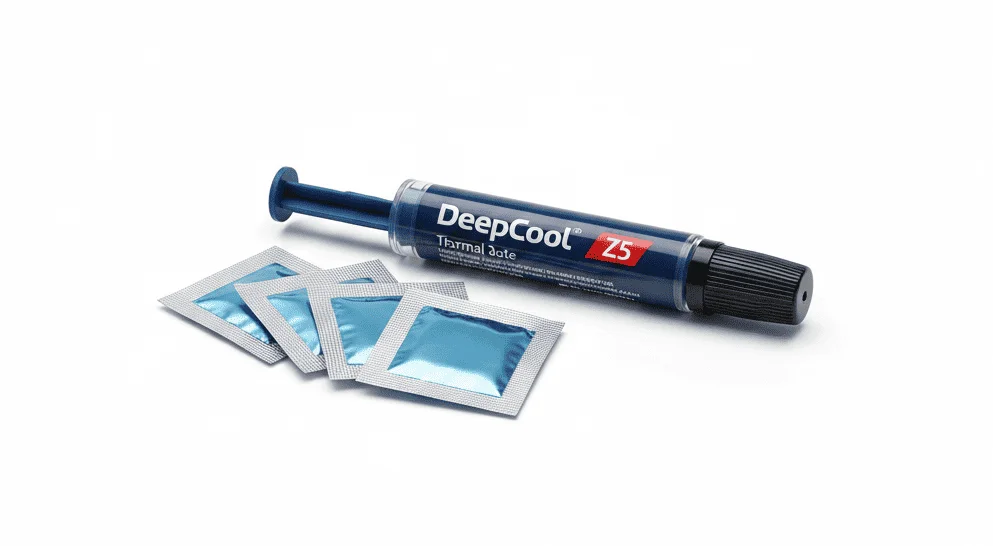
| Product Name | Z5 Thermal Gel Thermal Paste |
| Product Type | Thermal Gel / Thermal Interface Material (TIM) |
| Intended Use | CPUs with high-performance air or liquid coolers |
| Thermal Conductivity | > 3.5 W/m·K |
| Thermal Impedance | < 0.159 °C·in²/W |
| Operating Temperature | −50°C to +220°C |
| Electrical Conductivity | Non-conductive (electrically insulating) |
| Dielectric Constant | > 6 |
| Viscosity | 76 cps |
| Color | Silver gray |
| Net Weight | 3.0 g |
| Gross Weight | 7 g |
| Compatibility | Polished CPU cooler cold plates |
| Application Type | Paste (easy spread thermal gel) |
| Safety Feature | Prevents electrical damage |
| EAN | 6933412700043 |
| Part Number (P/N) | DP-TIM-Z5-2 |
Remarks-
Z5 offers basic thermal conductivity that is sufficient for normal CPUs. This paste helps prevent overheating during standard workloads and short-term maintenance use, but it is not intended for high-TDP or overclocked setups. In replacement scenarios, it remains a cost-effective solution.
How to Apply Thermal Paste on CPU?
Ensure the CPU is clean by removing any old thermal paste with isopropyl alcohol. Gather your CPU cooler and all necessary tools before beginning the installation process.
Check whether your cooler has pre-applied thermal paste. If it does, you can skip the paste application step. If not, proceed with caution to apply the paste correctly.
Place a small pea- or rice-sized drop of thermal paste at the center of the CPU’s Integrated Heat Spreader (IHS).
Position the cooler’s base-plate or waterblock directly over the CPU and apply gentle downward pressure to begin spreading the paste evenly.
Fasten screws diagonally in a crisscross pattern to ensure uniform pressure distribution and proper thermal paste spread across the CPU surface.
Check for any thermal paste spillage or cooler misalignment. Ensure the cooler is firmly seated without any movement.
Power on the system and monitor CPU temperatures using software tools to confirm proper heat transfer and cooling efficiency.
Tips for Thermal Paste Application
Thermal Paste Recommendations for Intel & AMD Processors
While recommending thermal paste for CPU, we tested a large number of AMD and Intel models. We analyzed their performance before and after applying the paste and also noted the temperature changes, which you will clearly see in the chart.
In the table, one side lists the CPU models, and next to them is the recommended best thermal paste. As you click on a thermal paste, you will clearly see the models it has been tested on, allowing you to analyze them in the most effective way.
| CPU Model | Recommended Thermal Paste |
|---|
Conclusion
Thermal paste for CPU is not just an accessory but a critical part of CPU cooling. It fills the microscopic air gaps between the CPU and the cooler, making heat transfer more efficient. If the selection, amount, or application method of thermal paste is wrong, even the best CPU cooler cannot deliver its full performance.
In this blog, we have technically analyzed different types of CPU thermal paste, their behavior, application techniques, and long-term stability. With high-TDP processors, sustained workloads, and modern boost algorithms, the role of thermal paste has become even more important. If you want to improve your CPU’s temperature stability, boost clocks, and lifespan, using the correct thermal paste and applying it properly is essential.