Key Things to Know About DDR RAM in Modern IT Hardware
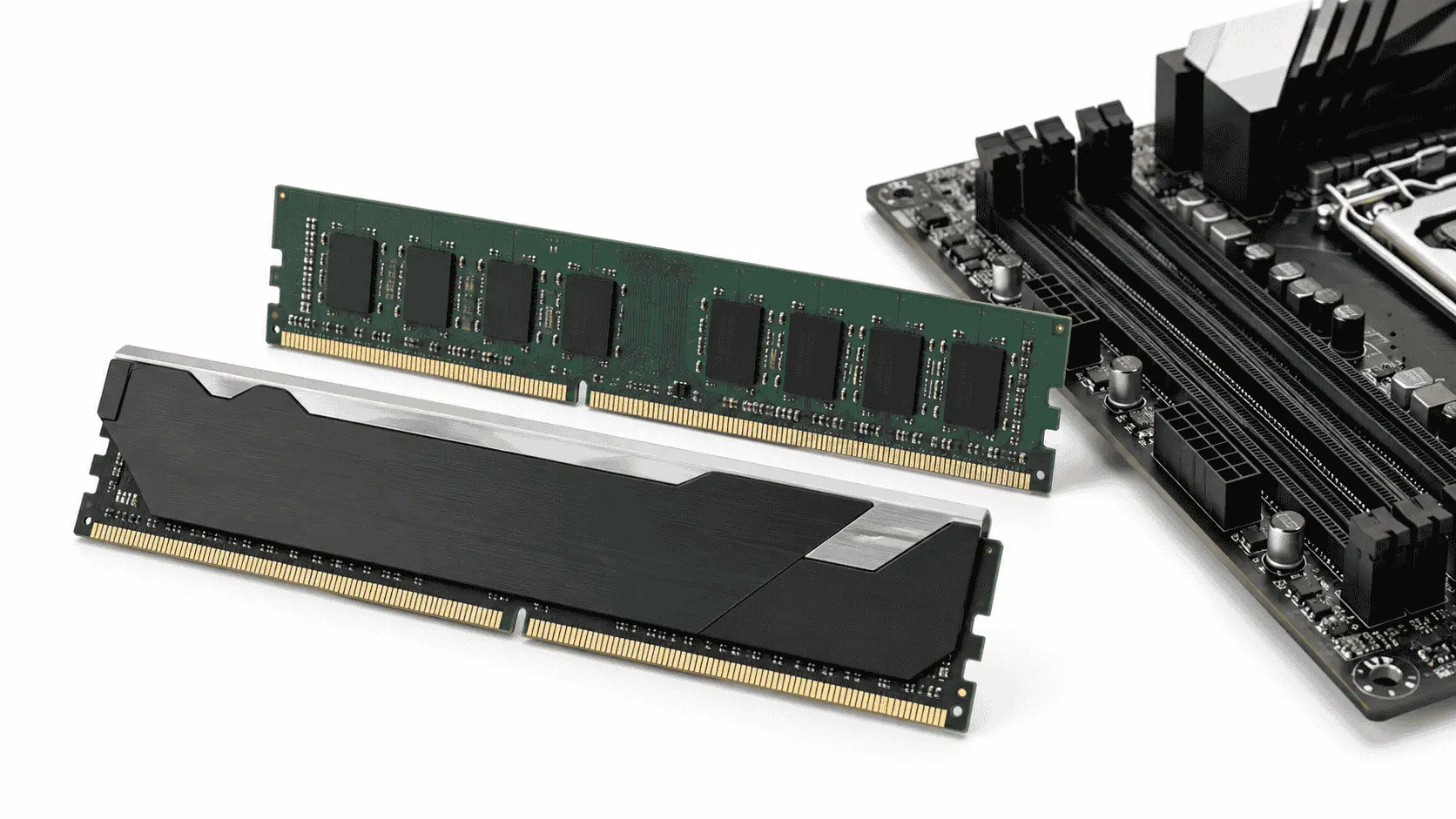
DDR RAM provides the working memory that a computer needs to run software and process active data. The processor uses RAM to access operating-system files, application data, game assets, browser sessions, and background processes without repeatedly reading them from slower storage.
A computer with insufficient memory may become slow when several applications are open. The operating system starts Big Data Supply between RAM and storage, which can cause delayed responses, application pauses, and unstable performance during demanding workloads.
DDR5 is now the standard choice for current desktop computers, laptops, workstations, and servers. DDR4 remains useful for existing systems because it is affordable, widely available, and capable of supporting many business and gaming workloads.
How DDR RAM Works?
RAM temporarily stores data that the processor may need again. When an application opens, important files are copied from the storage drive into memory. The processor can access this data from RAM much faster than it can retrieve the same information from an SSD or hard drive.
RAM is volatile memory, which means its stored data disappears after the computer loses power. An SSD keeps files permanently, while RAM holds active data only while the system is running.
The amount of installed memory controls how much active data a computer can manage without relying on storage paging. The memory transfer rate controls how quickly that data can move between RAM and the processor. Capacity and speed serve different purposes, so a high-speed kit cannot compensate for a serious capacity shortage.
DDR4 vs DDR5 RAM in 2026
DDR5 Builds on DDR4 with higher bandwidth, improved power management, and stronger reliability features. These advances help support demanding applications such as content creation, data processing, virtualization, AI workloads, and high-performance computing.
DDR5 provides higher transfer rates, greater bandwidth, improved channel efficiency, better capacity scaling, and module-level power management. DDR4 offers lower purchase costs and remains suitable for compatible computers that already provide enough processing performance.
Standard DDR4 generally operates from 2133 to 3200 MT/s. DDR5 starts at 4800 MT/s and now reaches much higher standardized and overclocked rates. High-end consumer kits may be advertised above 8000 MT/s, but the rated figure does not guarantee that every processor and motherboard can run the kit at that speed.
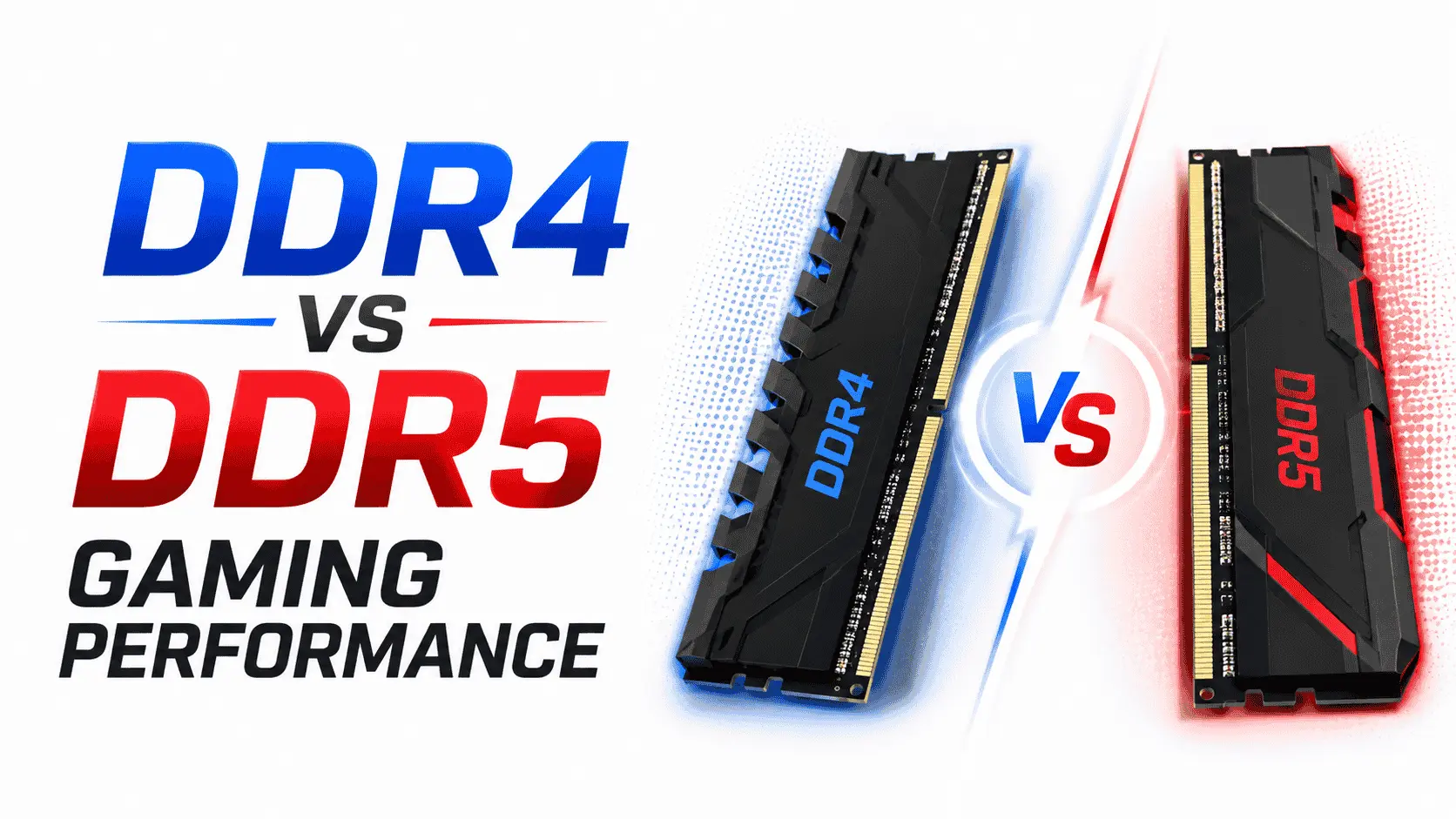
Readers who want a gaming-focused comparison can review the detailed breakdown of DDR4 versus DDR5. That comparison covers frame rates, frame consistency, capacity requirements, and the value of both generations for current gaming computers.
DDR4 and DDR5 cannot be installed in the same motherboard. Although desktop versions of both generations use 288-pin modules, their notch positions and electrical designs differ. The motherboard determines which generation a computer can use.
Understanding DDR5 Speed Ratings
Memory speed should be written in megatransfers per second, or MT/s. Many product listings use MHz when they are actually referring to the effective transfer rate.
DDR memory transfers data on both edges of its clock signal. DDR5-6000, for example, provides 6000 million transfers per second while using a 3000 MHz memory clock. MT/s provides a more accurate description of how much data the module can transfer.
DDR5 modules commonly start at 4800 MT/s. Current desktop kits are widely available at 5600, 6000, 6400, 7200, 8000 MT/s, and higher advertised rates. The best option depends on processor support, motherboard quality, BIOS maturity, module count, and the stability of the memory controller.
A faster rating does not guarantee an equal improvement in every application. Software must place enough pressure on memory bandwidth before a higher transfer rate can produce a useful gain.
How Memory Bandwidth Is Calculated
A standard desktop memory channel has a 64-bit data width, which equals eight bytes. The theoretical bandwidth of one channel can be estimated by multiplying the transfer rate by eight.
DDR5-4800 provides up to 38.4 GB/s per 64-bit channel. DDR5-5600 increases that figure to 44.8 GB/s, while DDR5-6400 reaches 51.2 GB/s. A dual-channel DDR5-6400 configuration can provide up to 102.4 GB/s of theoretical bandwidth.
Actual throughput is lower because memory commands, refresh operations, controller behavior, latency, and software access patterns consume part of the available bandwidth.
Bandwidth becomes more important when the processor frequently moves large datasets. Integrated graphics, databases, virtualization platforms, software compilation, rendering, scientific calculations, and some AI operations can place greater pressure on system memory than light office applications.
DDR5 Uses Two Independent Subchannels
A standard non-ECC DDR4 DIMM uses one 64-bit data channel. A DDR5 DIMM divides the same total width into two independent 32-bit subchannels.
This change allows the memory controller to process smaller requests more efficiently. It can access one subchannel without waiting for the entire 64-bit module path to become available.
The subchannel design does not mean that one DDR5 module creates a complete desktop dual-channel configuration. Desktop memory channels are controlled by the processor and motherboard. Two correctly installed DIMMs are still normally required to use both physical channels on a mainstream dual-channel platform.
DDR5 Voltage and Power Management
Standard DDR5 operates at 1.1V, while standard DDR4 operates at 1.2V. The lower voltage can reduce the energy required per transferred bit, which becomes valuable across laptops and servers containing many memory modules.
DDR5 also moves voltage regulation from the motherboard to a Power Management Integrated Circuit located on the module. The PMIC gives the DIMM closer control over the voltages required by its memory chips.
A lower standard voltage does not mean that every DDR5 kit consumes less total power than every DDR4 kit. High-speed XMP and EXPO profiles may apply additional voltage. Higher-capacity modules also contain more memory components and can generate more heat.
Strong case airflow remains useful when high-speed modules operate under sustained loads. Heat spreaders can help distribute thermal energy, but they cannot replace adequate airflow around the processor and memory area.
On-Die ECC Is Not Full ECC Memory
DDR5 memory chips include on-die error correction. This feature detects and corrects certain errors inside each DRAM chip before data leaves the chip.
On-die ECC improves internal reliability as memory density increases. It does not protect the full data path between the DIMM and processor, and it does not provide the reporting capabilities expected from server-grade ECC memory.
Full ECC modules include additional memory bits that allow a supported memory controller to detect and correct errors across the wider memory path. A system needs compatible ECC modules, a supporting processor, a suitable motherboard, and correct firmware support.
Standard consumer DDR5 should not be described as server-grade ECC memory simply because it contains on-die correction. Servers handling databases, financial records, virtualization, scientific data, or other integrity-sensitive workloads may still require proper ECC RDIMMs or ECC UDIMMs.
RAM Capacity Matters More Than Peak Speed in Many Systems
Memory speed receives a great deal of attention, but capacity often has a larger effect on daily performance. A computer with insufficient RAM must move active data to storage, which creates a far greater delay than the difference between two reasonable memory speeds.
A 32GB DDR5-5600 system may perform better than a 16GB DDR5-7200 system when an application needs more than 16GB. The faster kit loses its advantage once the operating system begins paging data to storage.
Users should measure memory use during their heaviest normal workload. If usage remains close to the installed limit or applications report insufficient memory, adding capacity should take priority over buying a faster kit.
RAM Requirements for Everyday Computing
A computer used for browsing, office software, video meetings, email, and routine business work should have at least 16GB in 2026. This capacity allows the operating system, browser, communication software, and office applications to remain active without constant storage paging.
An 8GB system can still handle light use, but it has limited headroom for current operating systems and browser-heavy workflows. Several browser tabs, a video meeting, cloud synchronization, and security software can consume most of the available memory.
A 32GB configuration suits heavier business users, developers, analysts, and people who keep many applications open. It also provides room for future software updates without requiring an early upgrade.
Gaming Performance and DDR RAM
RAM affects gaming by supplying data to the processor. This data can include physics instructions, map information, non-player character behavior, cached assets, and background application data.
DDR5 can improve frame rates in games that are limited by processor or memory performance. It may also improve low-percentile frame rates, which helps reduce short frame drops and uneven motion.
The benefit becomes smaller when the graphics card is already the main limitation. At higher resolutions and demanding graphics settings, the GPU often carries more of the workload. A faster memory kit cannot correct weak graphics performance or insufficient video memory.
A balanced gaming computer should avoid CPU bottlenecks as well as memory shortages. CPU performance, GPU power, RAM configuration, storage speed, cooling, and software settings work together to determine the final result.
Sixteen gigabytes can still run many games, but 32GB is a stronger starting capacity for a new gaming computer. It provides room for newer games, browsers, launchers, voice communication, recording software, and other background applications.
RAM for Content Creation
Photo editing, video production, motion graphics, 3D rendering, and audio software can use substantial amounts of memory. Project resolution is only one factor. Codec type, layer count, effect complexity, texture size, preview quality, and the number of open applications also influence consumption.
Basic photo editing and lighter 1080p projects may operate well with 16GB. A 32GB configuration is more suitable for common 4K editing, large image files, and several creative applications. Complex 4K projects, motion graphics, 3D scenes, and larger production workloads may require 64GB or more.
Professionals choosing a mobile workstation should consider maximum supported capacity and whether the memory is replaceable. Some content creator laptops use soldered memory that cannot be expanded after purchase.
Insufficient capacity can cause slow previews, delayed application switching, longer renders, and frequent use of storage as temporary working space. Capacity should be selected before comparing small differences in memory speed.
RAM for Development and Virtual Machines
Software development systems may run an editor, browser, local database, containers, test services, and background build processes simultaneously. A light development setup may work with 16GB, while container-heavy projects and local servers commonly benefit from 32GB or 64GB.
Virtual machines require memory for each guest operating system as well as the host. A system with 32GB cannot safely allocate all 32GB to virtual machines because the host operating system still needs enough memory to remain stable.
Memory planning should account for the number of active guests, workload size, expected growth, and host requirements. High transfer rates can improve data movement, but capacity remains the first concern when several virtual machines are active.
DDR5 in Servers and AI Systems
Modern server processors use more memory channels than desktop processors. AMD EPYC 9005 platforms, for example, support up to 12 DDR5 channels per socket and can reach DDR5-6400 in supported configurations.
A high channel count allows the processor to access several modules in parallel. Installing high-capacity DIMMs in only a few channels may satisfy capacity requirements while leaving much of the available bandwidth unused.
Server builders must follow the manufacturer’s population rules. Correct channel placement can have a direct effect on database performance, virtual-machine density, analytics, and CPU-based AI workloads.
GPU accelerators usually use dedicated high-bandwidth memory for model execution. System RAM still handles dataset preparation, application services, virtualization, orchestration, CPU inference, and transfers between storage and accelerators. More information about these configurations is available in the AI server hardware overview.
Enterprise systems should also account for module type. Registered DIMMs, multiplexer-combined rank DIMMs, ECC unbuffered modules, and standard consumer UDIMMs serve different platforms. A server motherboard will not necessarily support every DDR5 module simply because the physical slot looks similar.
Memory Latency and CAS Values
Transfer rate measures how much data memory can move, while latency measures the delay before requested data becomes available. Both values affect performance.
CAS latency is commonly shown as CL30, CL36, CL40, or another number. A lower CL value is not automatically better when comparing kits with different transfer rates.
Approximate CAS latency can be calculated by multiplying the CL value by 2000 and dividing the result by the transfer rate. DDR5-6000 CL30 has an approximate CAS delay of 10 nanoseconds. DDR5-6000 CL40 has an approximate delay of 13.3 nanoseconds.
Overall memory performance also depends on secondary latency values, processor cache, memory-controller design, and application behavior. Buyers should compare capacity, transfer rate, CAS latency, compatibility, and price together.
XMP and EXPO Memory Profiles
Intel XMP and AMD EXPO profiles store tested speed, latency, and voltage settings on the memory kit. A motherboard can read the profile and apply those settings through its BIOS.
A DDR5-6400 kit may initially operate at a lower standard rate until its profile is enabled. Activating XMP or EXPO is considered memory overclocking because the selected settings may exceed the processor’s official specification.
A profile can fail when the processor’s memory controller cannot sustain the selected rate, the motherboard has weak memory traces, the BIOS lacks suitable support, or several modules place too much load on the controller.
Users who value stability should test the system after enabling a profile. Memory errors can cause application crashes, corrupted files, failed software installations, and unexplained operating-system errors.
Why Four DIMMs May Run Slower
Installing more DIMMs increases the electrical load on the processor’s memory controller. A platform that supports a high rate with two modules may use a lower official rate when all four slots are occupied.
The AMD Ryzen 9 9950X officially supports DDR5-5600 with two single-rank or two dual-rank modules. The official specification falls to DDR5-3600 with four installed modules.
This does not mean that every four-module system must run at DDR5-3600. Many combinations can operate above the official value, but those settings depend on overclocking capability and cannot be guaranteed across all hardware.
A two-module kit is usually the safer option for a mainstream dual-channel computer. A 2×16GB kit provides 32GB, while a 2×32GB kit provides 64GB without placing the same load on the controller as four modules.
Choosing Compatible DDR Memory
DDR compatibility begins with the processor and motherboard. Both components influence the supported memory generation, capacity, module type, channel count, and official transfer rate.
Someone building an AMD gaming computer should confirm the memory support listed for the chosen AM5 motherboard. A board may advertise DDR5-8000 or higher, but this number generally describes an overclocked ceiling rather than guaranteed performance with every processor and kit.
The motherboard’s Qualified Vendor List identifies modules tested by the manufacturer. A kit that does not appear on the list may still work, but a validated kit reduces uncertainty when using high speeds or large capacities.
Laptop owners should confirm whether the device uses SODIMMs or soldered memory. Some models contain one soldered section and one available slot, while others provide no upgradeable memory.
How to Select and Install RAM
Memory installation is a genuine sequence, so the following numbered process is suitable.
- Identify the motherboard or laptop model and confirm whether it supports DDR4 or DDR5.
- Check the maximum system capacity, supported capacity per slot, module format, official memory rate, and ECC requirements.
- Review the processor specification because the memory controller is located inside the processor on modern systems.
- Check the motherboard’s Qualified Vendor List and choose a matched kit with the required capacity.
- Install two modules in the recommended paired slots. Many desktop boards use A2 and B2, but the motherboard manual should provide the final instruction.
- Start the computer and confirm that the BIOS detects the full capacity.
- Enable XMP or EXPO only when the kit, processor, and motherboard support the selected profile.
- Run a proper memory test before relying on the system for important work.
- If errors appear, update the BIOS, return to standard settings, reseat the modules, or reduce the transfer rate.
- Confirm memory capacity, channel mode, and operating rate inside the BIOS or a trusted system-information utility.
Why Matched Memory Kits Are Safer
A packaged 2×16GB or 2×32GB kit contains modules validated to operate together. Two separately purchased modules with the same product name can use different memory chips, circuit-board revisions, or programmed settings.
Mixed modules usually operate at the settings of the slowest installed part. In less stable combinations, the motherboard may disable the preferred profile, apply looser latency values, or fail to start correctly.
Matched modules also make balanced channel operation easier. Balanced capacity across both channels helps the processor access memory efficiently and prevents one channel from carrying an uneven workload.
When DDR4 Is Still Worth Upgrading
A DDR4 upgrade can provide good value when the existing processor and motherboard still meet the user’s needs. Moving from 8GB to 16GB or from 16GB to 32GB may resolve memory pressure without requiring a complete platform replacement.
Changing from DDR4 to DDR5 requires a compatible motherboard and processor. RAM alone cannot convert a DDR4 computer into a DDR5 system.
A complete upgrade makes more sense when the existing computer also lacks adequate CPU performance, modern connectivity, required security support, or suitable storage options. Readers planning broader PC hardware upgrades should compare the benefit of RAM against processor, graphics, storage, and cooling improvements.
Some performance problems can also be corrected through configuration changes. Before purchasing hardware, users can check common system bottlenecks involving background software, thermal throttling, disabled memory profiles, storage pressure, and driver problems.
Selling or Recycling Replaced RAM
Working memory modules may retain resale value after an upgrade. High-capacity DDR4 kits, DDR5 modules, ECC memory, and registered server DIMMs may still be useful to refurbishers, repair businesses, data centers, and secondary-market buyers.
The module’s manufacturer, part number, capacity, transfer rate, ECC status, rank layout, and operating condition should be recorded before sale. Matched kits should remain together because buyers often value tested pairs more than separate modules.
Store memory in antistatic packaging and handle it by its edges. Although RAM does not normally retain user files after losing power, company asset labels and inventory markings should be handled according to the organization’s disposal policy.
Send modules with no practical resale or reuse value to an approved electronics recycler. RAM contains circuit boards, chips, and metals that should not be placed in general waste.
Conclusion
DDR5 is the better foundation for most new computers in 2026 because it provides higher bandwidth, improved module capacity, lower standard voltage, and broader support across current platforms.
DDR4 remains a sensible upgrade for a working DDR4 computer when additional capacity can solve the performance problem. Replacing the processor, motherboard, and RAM only to gain a higher memory rate may provide poor value if the existing platform already handles its workload well.
Capacity should be selected first, followed by compatibility, channel configuration, transfer rate, and latency. A stable 32GB or 64GB matched kit usually provides more practical value than a smaller kit chosen only for its highest advertised speed.
The best memory configuration is not the one with the largest number printed on the package. It is the configuration that supplies enough capacity, uses the available memory channels correctly, runs reliably on the selected platform, and matches the software the computer actually operates.