Best Motherboard for Ryzen 7 9800X3D in 2026 (X870E, X870 & B650E Picks)
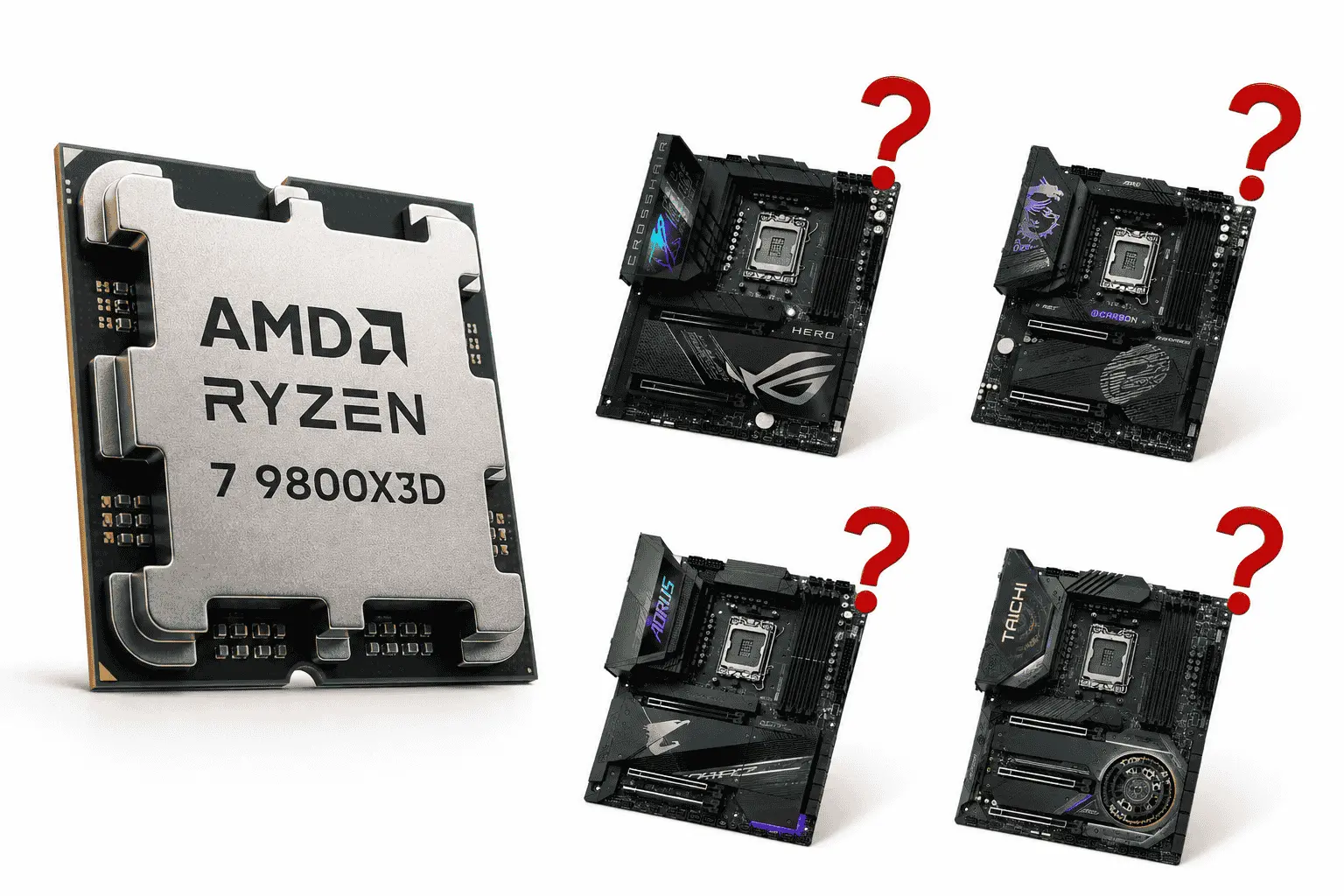
If you’re looking for the best motherboard for the Ryzen 7 9800X3D, some of the strongest options currently available include the ASUS ROG Crosshair X870E Hero, MSI MPG X870E Carbon WiFi, Gigabyte X870E AORUS Master, ASRock X870E Taichi, and ASUS TUF Gaming X870-Plus WiFi. These motherboards offer excellent compatibility, reliable power delivery, modern connectivity features, and enough headroom to get the most out of AMD’s flagship gaming processor.
The good news is that the Ryzen 7 9800X3D works well with a wide range of modern AM5 motherboards chips. Most of the latest X870E, X870, B650E, and B650 boards can handle this CPU without issues. However, some models stand out because of their stronger VRMs, better cooling, more expansion options, and overall value.
Our Recommended Best Motherboard for Ryzen 7 9800X3D
While the Ryzen 7 9800X3D is compatible with a wide range of AM5 motherboards, not every board receives the same level of attention from builders and enthusiasts. Based on current market popularity, feature sets, user feedback, and overall value, these are the motherboards that consistently stand out as the most recommended options for pairing with the Ryzen 7 9800X3D.
| Motherboard Model | View on Amazon | Chipset | Max DDR5 Support |
|---|---|---|---|
| ASUS ROG Crosshair X870E Hero | Check Latest Price | X870E | DDR5 8200+ |
| MSI MPG X870E Carbon WiFi | Check Latest Price | X870E | DDR5 8400+ |
| Gigabyte X870E AORUS Master | Check Latest Price | X870E | DDR5 8600+ |
| ASRock X870E Taichi | Check Latest Price | X870E | DDR5 8200+ |
| ASUS TUF Gaming X870-Plus WiFi | Check Latest Price | X870 | DDR5 8000+ |
| MSI MAG X870 Tomahawk WiFi | Check Latest Price | X870 | DDR5 8400+ |
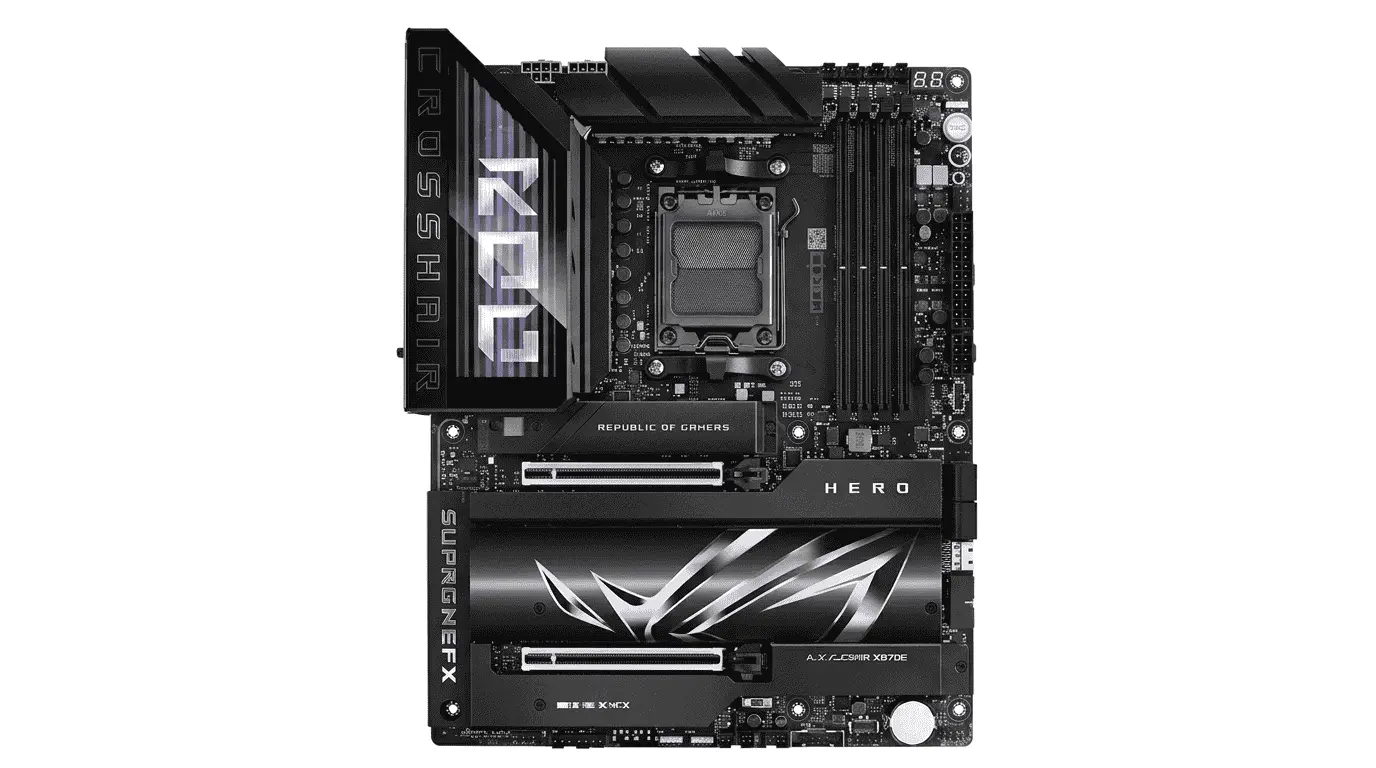
1. ASUS ROG Crosshair X870E Hero
Specification Details
| Feature Category | Details |
|---|---|
| Socket | AM5 |
| Chipset | AMD X870E |
| CPU Support | AMD Ryzen 7000, 8000 & 9000 Series |
| Form Factor | ATX |
| Power Design | 18+2+2 Power Stages |
| Memory Support | DDR5 up to 192GB |
| Memory Speed | DDR5 8200+ (OC) |
| PCIe Slots | 2 x PCIe 5.0 x16 |
| M.2 Slots | 5 x M.2 |
| PCIe 5.0 M.2 | 3 Slots |
| SATA Ports | 4 x SATA 6Gb/s |
| Networking | Wi-Fi 7, 5Gb Ethernet, 2.5Gb Ethernet |
| USB Ports | Dual USB4, USB 20Gbps Type-C |
| Audio | SupremeFX Audio |
| Overclocking Features | AI Overclocking, Core Flex, Dynamic OC Switcher |
The ASUS ROG Crosshair X870E Hero is one of the strongest motherboard for Ryzen 7 9800X3D. AMD’s X3D processors are not heavily dependent on manual core overclocking, but they still require stable voltage delivery, fast memory communication, and efficient thermal control. This is exactly where the Hero separates itself from many standard AM5 boards.
One of the most important components inside this motherboard is its 18+2+2 power stage VRM design. The VRM is responsible for converting power from the PSU into clean and usable voltage for the CPU. When the Ryzen 7 9800X3D starts boosting during gaming workloads, the VRM continuously adjusts power delivery to maintain clock stability. A weak VRM can create voltage fluctuations, but the Hero’s high-end power stages keep the processor supplied with consistent power even during long gaming sessions.
The PCB layout also plays a major role in overall performance. ASUS uses a premium multi-layer PCB design that improves signal integrity between the CPU, memory, storage devices, and expansion slots. This becomes especially useful when running high-speed DDR5 kits. The Ryzen 7 9800X3D benefits from lower memory latency, and the Hero’s memory trace optimization helps maintain stable communication between the memory controller and DDR5 modules.
Storage connectivity is another area where this motherboard excels. The board includes multiple PCIe 5.0 M.2 slots that connect through the CPU’s available PCIe lanes. PCIe 5.0 provides significantly more bandwidth than PCIe 4.0, allowing next-generation SSDs to reach extremely high transfer speeds. While gaming performance is usually GPU-dependent, faster storage improves game installation times, file transfers, and asset loading in large open-world titles.
The PCIe 5.0 x16 graphics slot is reinforced and designed to handle modern high-end GPUs without bandwidth limitations. When paired with the Ryzen 7 9800X3D and cards like the RTX 4080 Super or RTX 4090, the motherboard provides a direct high-speed communication path between the processor and graphics card. This helps reduce bottlenecks in demanding gaming workloads.
Thermal management is another reason why this board works so well with AMD’s latest processors. Large heatsinks cover the VRM sections and M.2 storage areas. These heatsinks absorb and disperse heat generated by power components and SSD controllers. Lower temperatures allow the motherboard to maintain stable electrical performance under continuous load.
The inclusion of Wi-Fi 7, dual high-speed networking options, USB4 connectivity, and advanced BIOS tuning tools makes the Hero suitable for enthusiasts who want a premium AM5 platform without compromising on features. For users building a flagship Ryzen 7 9800X3D gaming system, the ASUS ROG Crosshair X870E Hero remains one of the most complete motherboard options currently available.
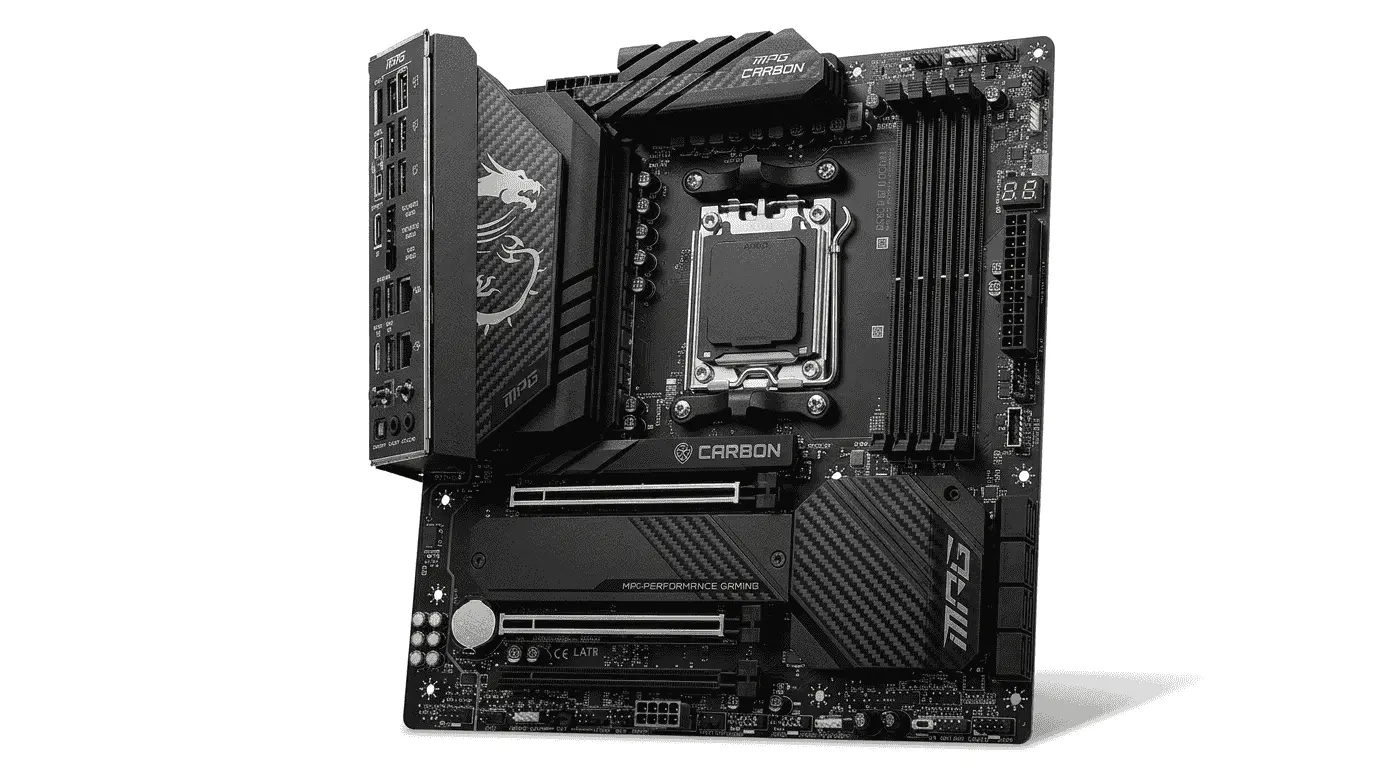
2. MSI MPG X870E Carbon WiFi
Specification Details
| Feature Category | Details |
|---|---|
| Socket | AM5 |
| Chipset | AMD X870E |
| CPU Support | AMD Ryzen 9000, 8000 & 7000 Series |
| Form Factor | ATX |
| Power Design | 18+2+1 Duet Rail Power System (110A SPS) |
| Memory Support | Up to 256GB DDR5 |
| Memory Speed | DDR5 8400+ MT/s (OC) |
| PCIe Slots | 1 x PCIe 5.0 x16, 1 x PCIe 5.0 x4, 1 x PCIe 4.0 x16 |
| M.2 Slots | 4 x M.2 |
| Gen5 M.2 Slots | 2 x PCIe 5.0 M.2 |
| SATA Ports | 4 x SATA 6Gb/s |
| Networking | Wi-Fi 7, 5G LAN, 2.5G LAN |
| USB Connectivity | Dual USB4 40Gbps, USB 20Gbps Type-C |
| Audio | Audio Boost 5 |
| PCB Design | 8-Layer Server-Grade PCB with 2oz Copper |
| Cooling Features | Frozr Guard Heatsinks, M.2 Shield Frozr |
The MSI MPG X870E Carbon WiFi takes a slightly different approach compared to many flagship AM5 motherboards. Instead of focusing only on raw power delivery, MSI has put significant attention into signal quality, memory stability, and data bandwidth management. These areas matter more than many users realize when pairing a motherboard with the Ryzen 7 9800X3D.
One of the strongest parts of this board is its memory architecture. Ryzen X3D processors rely heavily on fast communication between the CPU cores, cache, and system memory. While the 3D V-Cache handles a large portion of gaming workloads internally, memory latency still affects overall responsiveness. MSI’s Memory Boost design improves signal transmission between the DIMM slots and the CPU’s integrated memory controller. Cleaner signal paths reduce transmission errors when running high-frequency DDR5 kits, especially when EXPO profiles are enabled.
The board’s 8-layer PCB also contributes to memory performance. Every layer inside the PCB carries different electrical pathways for power and data transmission. MSI uses thicker copper layers to improve electrical efficiency and reduce interference between high-speed components. This becomes important when multiple PCIe devices, DDR5 modules, and Gen5 SSDs are operating simultaneously.
Another area where the Carbon stands out is lane distribution and expansion management. Modern Ryzen processors provide a limited number of direct CPU PCIe lanes, and motherboard manufacturers must decide how those lanes are allocated. MSI has designed the Carbon to balance graphics bandwidth, storage bandwidth, and expansion flexibility without creating major bottlenecks. This allows the Ryzen 7 9800X3D to maintain fast communication with both high-end GPUs and PCIe 5.0 storage devices.
Storage implementation is particularly well thought out. The Gen5 M.2 slots connect through extremely high-bandwidth pathways that allow next-generation SSD controllers to operate without saturation. Large game libraries, texture-heavy titles, and content creation workloads benefit from these faster storage channels because data can move between storage and system memory more efficiently.
The networking hardware is another component worth mentioning. Instead of relying on a single controller, MSI includes both 5G LAN and 2.5G LAN alongside Wi-Fi 7. Each controller handles network traffic independently. This design provides better flexibility for users running local servers, NAS systems, high-speed internet connections, or large file transfers across a home network.
Thermal engineering also plays an important role here. The Frozr Guard cooling system covers the VRM area, chipset region, and M.2 drives with large heatsinks connected through extended heat dissipation surfaces. Components such as MOSFETs, power chokes, and SSD controllers generate heat continuously during operation. If temperatures rise too high, performance consistency can drop. MSI’s cooling design helps these components maintain stable operating conditions during long gaming sessions and sustained workloads.
For Ryzen 7 9800X3D users who want strong memory support, modern connectivity, fast storage integration, and a cleaner balance between gaming and productivity features, the MSI MPG X870E Carbon WiFi is one of the most well-rounded X870E motherboards currently available.
3. Gigabyte X870E AORUS Master
Specification Details
| Feature Category | Details |
|---|---|
| Socket | AM5 |
| Chipset | AMD X870E |
| CPU Support | AMD Ryzen 9000, 8000 & 7000 Series |
| Form Factor | E-ATX |
| Power Design | 18+2+2 Digital VRM Design |
| Memory Support | Up to 256GB DDR5 |
| Memory Speed | DDR5 8600+ (OC) |
| PCIe Slots | 1 x PCIe 5.0 x16, 2 x PCIe 3.0 x16 |
| M.2 Slots | 4 x M.2 |
| PCIe 5.0 M.2 | 3 Slots |
| SATA Ports | 4 x SATA 6Gb/s |
| Networking | Wi-Fi 7, 5GbE LAN |
| USB Connectivity | Dual USB4 Type-C |
| Audio | ALC1220-VB Audio Codec |
| PCB Design | 8-Layer Server-Grade PCB |
| Cooling System | VRM Thermal Armor Advanced, M.2 Thermal Guards |
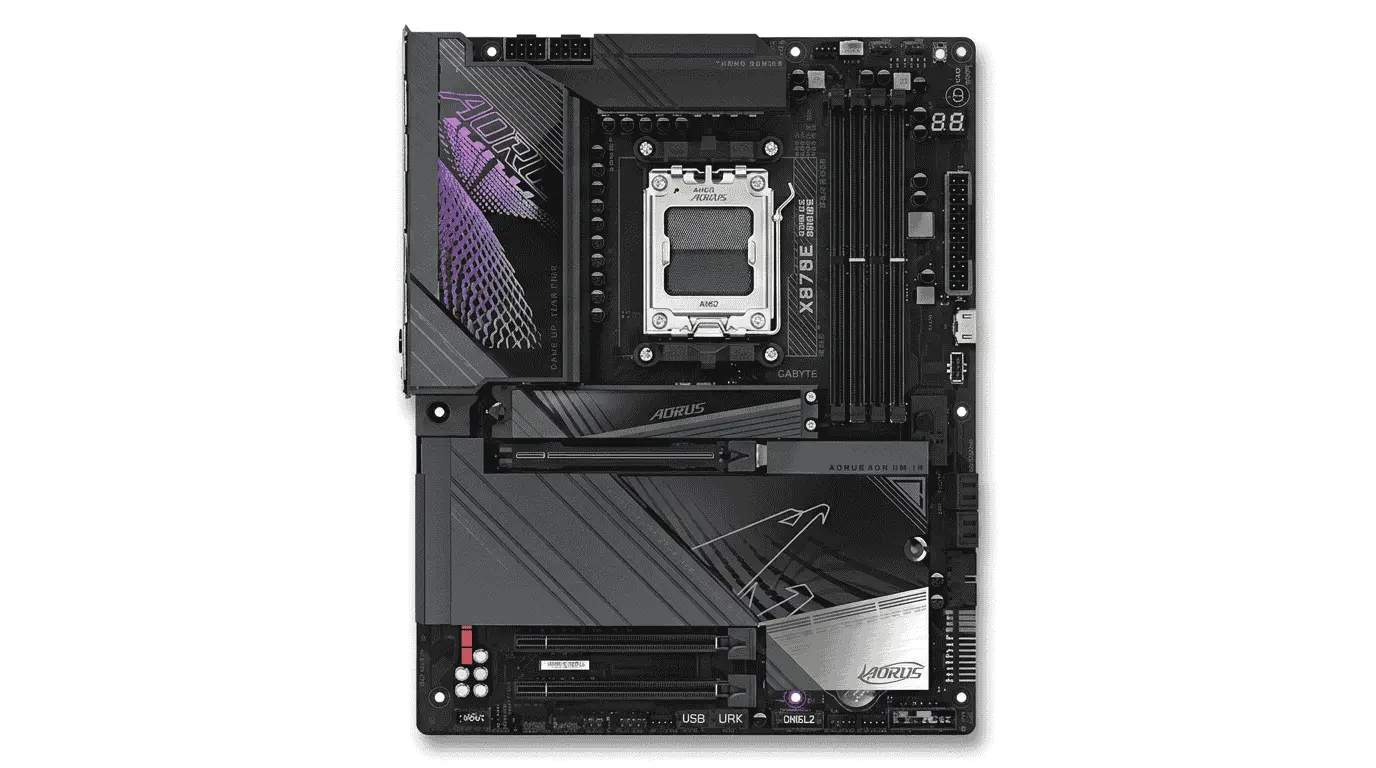
The Gigabyte X870E AORUS Master is designed for users who want maximum hardware communication bandwidth without running into platform limitations later. Instead of concentrating only on power stages or overclocking features, Gigabyte has focused heavily on expansion architecture, storage routing, and high-speed component integration. These areas make a noticeable difference when pairing the board with a processor like the Ryzen 7 9800X3D.
One of the strongest parts of the AORUS Master is how it handles PCIe connectivity. Modern gaming systems no longer depend only on the graphics card. High-speed SSDs, capture cards, expansion devices, and networking hardware all consume PCIe resources. The motherboard’s lane routing determines how efficiently these devices communicate with the processor. Gigabyte has structured the X870E platform in a way that keeps bandwidth distribution balanced even when multiple high-performance devices are installed.
The Ryzen 7 9800X3D benefits from this because its gaming performance depends on fast data movement between storage, memory, and the processor’s large 3D V-Cache structure. When a game loads textures, assets, shaders, or world data, the motherboard acts as the communication bridge between these hardware components. Cleaner routing and reduced bandwidth congestion help maintain smooth data flow during demanding workloads.
Storage implementation is another area where the board feels more engineered than simply feature-packed. The inclusion of three PCIe 5.0 M.2 slots allows multiple next-generation SSDs to operate simultaneously without forcing users into restrictive upgrade paths later. Gigabyte uses dedicated thermal guards above each M.2 slot because Gen5 SSD controllers generate considerably more heat than previous generations. Excessive SSD temperature can affect sustained transfer performance, so thermal control becomes important once storage speeds start increasing.
Memory stability is handled through Gigabyte’s optimized DDR5 layout. The motherboard shortens electrical pathways between the CPU socket and memory slots to reduce signal degradation. As DDR5 frequencies increase, maintaining signal accuracy becomes more difficult. Small electrical inconsistencies can create instability during heavy workloads. The board’s layout helps maintain cleaner communication between the Ryzen memory controller and high-frequency RAM kits.
The X870E AORUS Master also places significant focus on board-level durability. The server-grade PCB uses thicker copper layers that improve both electrical conductivity and heat distribution. Electrical resistance naturally generates heat during operation. By improving conductivity across the board, power can move more efficiently between critical components while reducing unnecessary thermal buildup.
Gigabyte’s VRM Thermal Armor system works differently from many traditional heatsink designs. Instead of only covering the power stages, the cooling structure extends across a larger surface area to improve heat dissipation efficiency. During long gaming sessions, the Ryzen 7 9800X3D continuously adjusts boost behavior depending on available thermal and power conditions. Stable motherboard temperatures help supporting components maintain consistent operation while the processor manages its workload.
Another advantage of the AORUS Master is its forward-looking connectivity setup. USB4 support, Wi-Fi 7, and 5Gb Ethernet provide enough bandwidth for modern peripherals, external storage devices, and high-speed networking environments. Rather than serving as standalone features, these controllers expand the motherboard’s ability to move large amounts of data without creating bottlenecks elsewhere in the system.
For Ryzen 7 9800X3D users building a premium gaming machine with multiple storage drives, high-end graphics hardware, and long-term upgrade flexibility, the Gigabyte X870E AORUS Master delivers one of the most balanced expansion-focused AM5 platforms currently available.
4. ASRock X870E Taichi
Specification Details
| Feature Category | Details |
|---|---|
| Socket | AM5 |
| Chipset | AMD X870E |
| CPU Support | AMD Ryzen 9000, 8000 & 7000 Series |
| Form Factor | E-ATX |
| Power Design | 24+2+1 Power Phase Design |
| Memory Support | Up to 256GB DDR5 |
| Memory Speed | DDR5 8200+ (OC) |
| PCIe Slots | 2 x PCIe 5.0 x16 |
| M.2 Slots | 6 x M.2 |
| PCIe 5.0 M.2 | 2 Slots |
| SATA Ports | 4 x SATA 6Gb/s |
| Networking | Wi-Fi 7, 5GbE LAN |
| USB Connectivity | Dual USB4 Type-C |
| Audio | Realtek ALC4082 + ESS SABRE DAC |
| PCB Design | 8-Layer Low-Loss PCB |
| Cooling Features | Large VRM Heatsinks, Active M.2 Cooling |
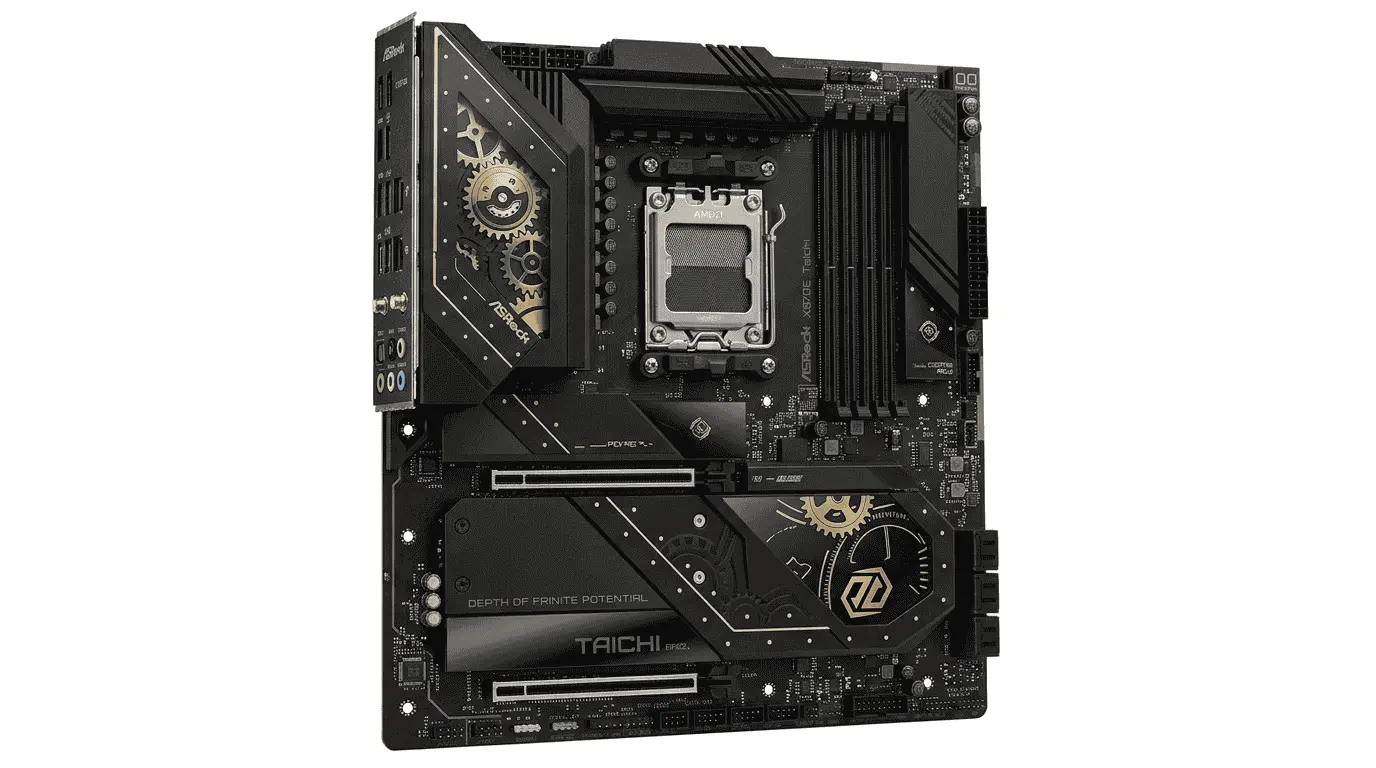
The ASRock X870E Taichi is built around one idea: reducing limitations when multiple high-performance components are installed in the same system. Many motherboards advertise fast storage, high-speed networking, and premium expansion features, but the real challenge is allowing all of those components to operate efficiently at the same time. This is where the Taichi performs particularly well with the Ryzen 7 9800X3D.
One of the most noticeable strengths of this motherboard is its chipset and controller arrangement. Modern motherboards rely on several dedicated controllers to manage networking, USB connectivity, audio processing, storage communication, and peripheral traffic. If these controllers are not implemented efficiently, bandwidth sharing can create unnecessary bottlenecks. ASRock has designed the Taichi to distribute these resources effectively across the platform, allowing connected devices to operate without constantly competing for bandwidth.
The board’s storage architecture is another area that deserves attention. With six M.2 slots available, users can build large high-speed storage arrays without depending heavily on traditional SATA drives. Each SSD communicates through dedicated pathways that ultimately connect back to the CPU and chipset. For Ryzen 7 9800X3D users who maintain large game libraries, project files, or media collections, this creates a much more flexible storage environment than typical enthusiast boards.
Another interesting aspect is the motherboard’s audio subsystem. Instead of treating onboard audio as a secondary feature, ASRock combines the Realtek ALC4082 codec with an ESS SABRE DAC. The codec handles digital audio processing while the DAC focuses on converting those digital signals into cleaner analog output. This separation helps improve sound quality for gaming headsets, speakers, and content consumption without requiring an external audio solution.
The networking implementation also reflects the board’s premium positioning. The 5Gb Ethernet controller and Wi-Fi 7 hardware operate through dedicated networking controllers rather than relying on simplified integrated solutions. This provides more consistent network handling during large downloads, online gaming sessions, and local file transfers between systems.
A unique advantage of the X870E Taichi is its focus on thermal management beyond the CPU area. Components such as SSD controllers, network controllers, power stages, and chipset logic all generate heat during operation. ASRock distributes cooling hardware across these regions instead of concentrating only on the VRM section. This approach helps support hardware to maintain stable operating conditions even when the system remains under load for extended periods.
The motherboard’s low-loss PCB design also contributes to overall efficiency. Electrical signals weaken slightly as they travel through motherboard traces. By using materials that reduce signal loss, ASRock improves communication quality between major components such as the processor, memory, storage devices, and expansion slots. This becomes increasingly important as modern hardware continues pushing higher transfer speeds.
For Ryzen 7 9800X3D users looking for extensive storage flexibility, premium onboard controllers, strong networking hardware, and a platform designed to support numerous high-performance components simultaneously, the ASRock X870E Taichi stands among the most feature-rich AM5 motherboards currently available.
5. ASUS TUF Gaming X870-Plus WiFi
Specification Details
| Feature Category | Details |
|---|---|
| Socket | AM5 |
| Chipset | AMD X870 |
| CPU Support | AMD Ryzen 9000, 8000 & 7000 Series |
| Form Factor | ATX |
| Power Design | 16+2+1 DrMOS Power Stages |
| Memory Support | Up to 256GB DDR5 |
| Memory Speed | DDR5 8000+ (OC) |
| PCIe Slots | 1 x PCIe 5.0 x16, 1 x PCIe 4.0 x16, 2 x PCIe 4.0 x1 |
| M.2 Slots | 4 x M.2 |
| PCIe 5.0 M.2 | 1 Slot |
| SATA Ports | 4 x SATA 6Gb/s |
| Networking | Wi-Fi 7, 2.5Gb Ethernet |
| USB Connectivity | USB4 Type-C, USB 20Gbps Type-C |
| Audio | Realtek 7.1 Channel Audio |
| PCB Design | 8-Layer PCB |
| Cooling Features | Enlarged VRM Heatsinks, M.2 Heatsinks |
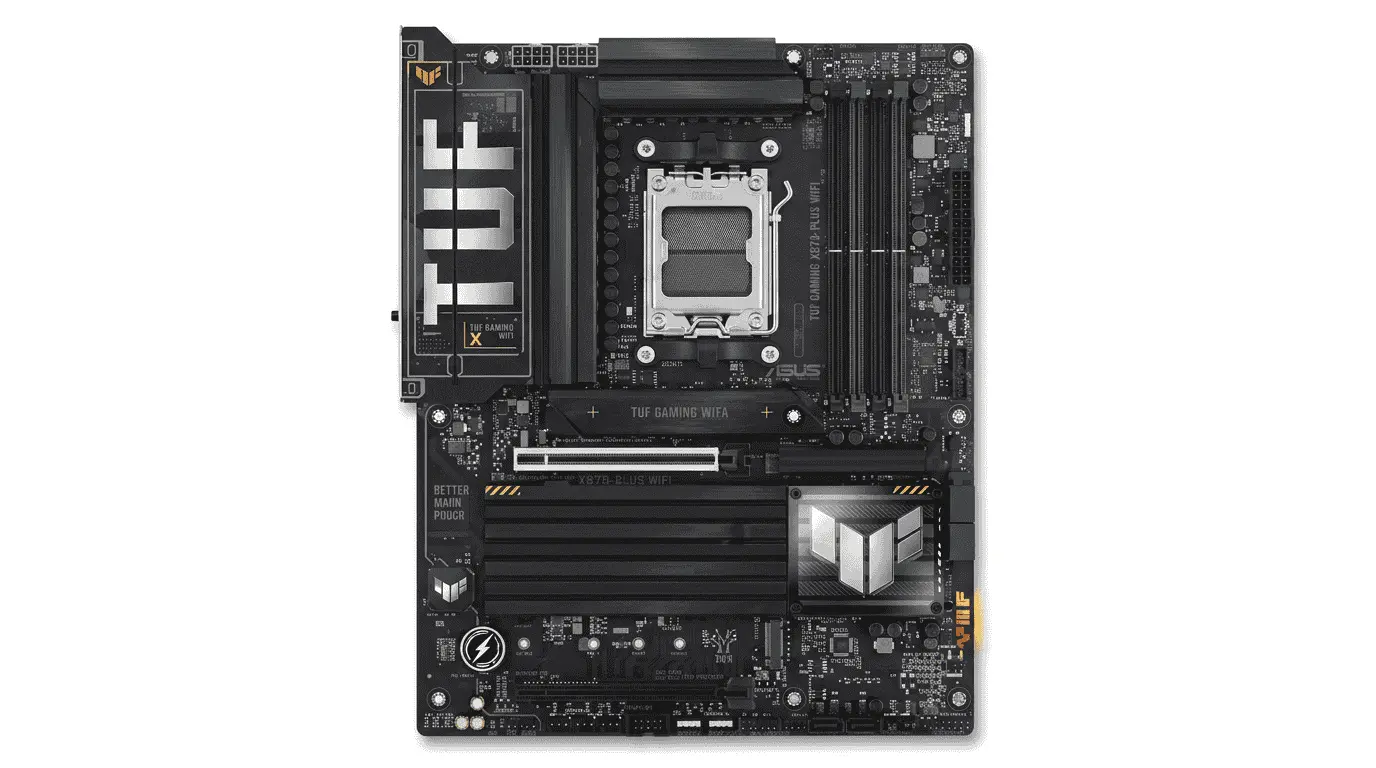
The ASUS TUF Gaming X870-Plus WiFi targets a different type of Ryzen 7 9800X3D user. Rather than packing every premium feature available on the market, it focuses on delivering the hardware resources that actually influence system stability, gaming performance, and long-term reliability. This makes it an attractive option for builders who want a strong AM5 platform without paying for features they may never use.
One area where this motherboard stands out is component durability. Every motherboard contains hundreds of capacitors, chokes, MOSFETs, controllers, and connectors that operate continuously whenever the system is powered on. The overall lifespan of the board depends heavily on the quality of these supporting components. ASUS uses military-grade TUF-certified components that are designed to tolerate higher operating stress and temperature fluctuations. While this may not increase benchmark numbers, it contributes to long-term platform reliability.
The Ryzen 7 9800X3D spends much of its time dynamically adjusting frequency and voltage based on workload demands. To support this behavior, the motherboard’s power regulation system must react quickly to changing power requirements. The 16+2+1 power stage design handles these fluctuations efficiently by distributing electrical load across multiple phases rather than forcing individual components to carry excessive current. This helps maintain stable processor operation during extended gaming sessions.
Another strength of the TUF Gaming X870-Plus WiFi is its balanced feature allocation. Many high-end motherboards prioritize expansion capabilities that average users never fully utilize. ASUS instead focuses on providing the connectivity most gamers actually need, including PCIe 5.0 graphics support, PCIe 5.0 storage support, high-speed networking, and modern USB connectivity. The result is a motherboard that avoids unnecessary complexity while still supporting current-generation hardware.
The board’s PCIe 5.0 graphics slot plays an important role when paired with powerful GPUs. Communication between the graphics card and Ryzen 7 9800X3D occurs through this interface. As modern GPUs continue processing larger textures, assets, and rendering workloads, maintaining sufficient bandwidth becomes increasingly important. PCIe 5.0 ensures the platform remains compatible with future graphics hardware upgrades without creating communication limitations.
ASUS has also paid attention to physical reinforcement throughout the motherboard. Components such as graphics cards, storage drives, and cooling hardware have become significantly heavier over the years. Reinforced PCIe slots and strengthened mounting areas help reduce mechanical stress on the board during installation and long-term use. This is a practical design choice that often goes unnoticed until years later.
Cooling implementation follows a similar philosophy. Rather than relying on aggressive aesthetics, the motherboard uses large aluminum heatsinks positioned over key heat-producing components. The VRM area, M.2 storage locations, and chipset region all receive dedicated cooling coverage. Stable temperatures help supporting components maintain predictable electrical behavior, which is especially important when the processor remains under load for long periods.
The networking configuration is also well-suited for modern gaming systems. The combination of Wi-Fi 7 and 2.5Gb Ethernet provides flexibility for both wireless and wired setups. Online gaming, game downloads, cloud backups, and media streaming all depend on network controllers that can manage large volumes of data efficiently. ASUS integrates these networking solutions without overcomplicating the platform.
What ultimately makes the ASUS TUF Gaming X870-Plus WiFi appealing for Ryzen 7 9800X3D builds is its focus on practicality. Instead of chasing every enthusiast feature available, it delivers strong power regulation, reliable hardware components, modern connectivity standards, and a stable foundation for high-performance gaming systems. For many users, that balance makes far more sense than investing in a motherboard loaded with capabilities that may never be fully utilized.
6. MSI MAG X870 Tomahawk WiFi
Specification Details
| Feature Category | Details |
|---|---|
| Socket | AM5 |
| Chipset | AMD X870 |
| CPU Support | AMD Ryzen 9000, 8000 & 7000 Series |
| Form Factor | ATX |
| Power Design | 14+2+1 Duet Rail Power System |
| Memory Support | Up to 256GB DDR5 |
| Memory Speed | DDR5 8400+ MT/s (OC) |
| PCIe Slots | 1 x PCIe 5.0 x16, 1 x PCIe 4.0 x4, 2 x PCIe 3.0 x1 |
| M.2 Slots | 4 x M.2 |
| PCIe 5.0 M.2 | 1 Slot |
| SATA Ports | 4 x SATA 6Gb/s |
| Networking | Wi-Fi 7, 5G LAN |
| USB Connectivity | Dual USB4 40Gbps Type-C |
| Audio | Realtek ALC4080 Codec |
| PCB Design | 8-Layer Server-Grade PCB |
| Cooling Features | Extended Heatsinks, M.2 Shield Frozr |
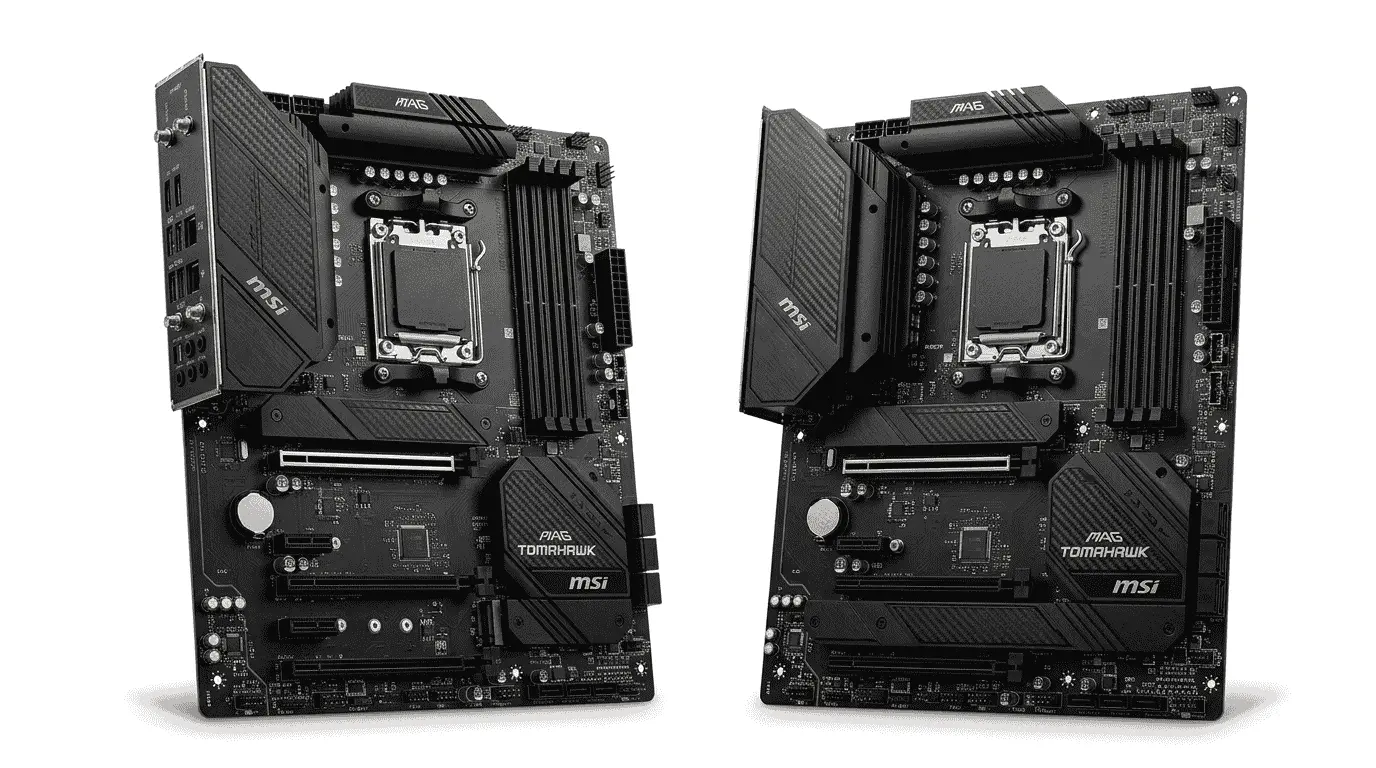
The MSI MAG Tomahawk series has built a strong reputation over the years because it usually focuses on the features that most builders actually use instead of loading the motherboard with expensive extras. The X870 Tomahawk follows the same approach, and after comparing it with several higher-priced X870 and X870E boards, one thing becomes clear fairly quickly: this board spends its budget in the right places.
One area that stood out during setup was memory compatibility. DDR5 on the AM5 platform has improved significantly since the first generation of Ryzen 7000 motherboards, but memory training can still be inconsistent on some boards, depending on BIOS maturity. The Tomahawk handled EXPO-enabled memory kits surprisingly well. System initialization felt straightforward, and many users have reported fewer memory-related adjustments compared to what was common on earlier AM5 releases.
After looking deeper into why this happens, a large part of the credit goes to MSI’s BIOS optimization and memory routing design. Every time the Ryzen 7 9800X3D boots, the motherboard must establish communication between the processor’s integrated memory controller and the installed DDR5 modules. If signal quality is poor, stability issues can appear at higher memory frequencies. MSI’s layout helps maintain cleaner communication pathways, reducing the chances of instability when faster memory kits are installed.
Another thing that became noticeable when examining the board is how balanced the overall platform feels. Some motherboards heavily favor storage expansion, while others focus on extreme overclocking features that most Ryzen 7 9800X3D owners will never use. The Tomahawk sits somewhere in the middle. It provides enough connectivity for modern gaming systems without overwhelming the board with hardware that adds cost but little practical benefit.
The networking implementation is also stronger than many people expect in this price range. The inclusion of both Wi-Fi 7 and 5G LAN provides enough bandwidth for competitive gaming, large game downloads, NAS access, and media streaming. What matters more is the quality of the network controllers themselves. MSI uses dedicated networking hardware capable of handling sustained traffic loads without creating unnecessary CPU overhead.
Storage performance is handled through a combination of PCIe 5.0 and PCIe 4.0 expansion options. While many gamers may not fully utilize Gen5 SSD speeds today, having access to PCIe 5.0 storage creates more upgrade flexibility in the future. MSI also includes M.2 Shield Frozr heatsinks, which help control SSD controller temperatures. This becomes important because modern NVMe drives often reduce performance when operating outside their preferred thermal range.
One interesting observation after comparing the Tomahawk against several flagship boards is that gaming performance itself rarely differs by a meaningful margin when using the same Ryzen 7 9800X3D and graphics card. Expensive motherboards often add premium features, additional controllers, and more expansion capacity, but the Tomahawk still delivers the core platform performance most gamers are actually looking for.
The VRM design may not be as excessive as some ultra-premium X870E models, but it remains more than capable of supporting the Ryzen 7 9800X3D. Since AMD’s X3D processors are not primarily designed around aggressive manual overclocking, stable and efficient power delivery matters more than chasing oversized phase counts. The Tomahawk handles this responsibility confidently without generating unnecessary concern about long-term stability.
What ultimately impressed me most about the MSI MAG X870 Tomahawk WiFi was how little there was to complain about. There were no obvious weak points, no major compromises that immediately stood out, and no features that felt poorly implemented. It may not be the flashiest motherboard in the X870 lineup, but it consistently delivers where it matters most. If you’re building a Ryzen 7 9800X3D gaming system and want a motherboard that prioritizes stability, ease of setup, and practical features over marketing-driven extras, the Tomahawk is easily one of the safest choices available today.
Conclusion
Finding the best motherboard for Ryzen 7 9800X3D is less about buying the most expensive option and more about choosing a board that matches your build goals. Throughout this guide, we looked at several strong AM5 motherboards, including the ASUS ROG Crosshair X870E Hero, MSI MPG X870E Carbon WiFi, Gigabyte X870E AORUS Master, ASRock X870E Taichi, ASUS TUF Gaming X870-Plus WiFi, and MSI MAG X870 Tomahawk WiFi.
Each motherboard offers a different advantage. Some focus on premium expansion capabilities, others prioritize memory optimization, storage flexibility, networking hardware, or long-term reliability. The good thing about the Ryzen 7 9800X3D is that it does not require an extreme motherboard to perform well. As long as the board provides stable power delivery, solid BIOS support, quality cooling, and the features you actually plan to use, the processor can deliver excellent gaming performance.
If you’re building a flagship gaming system with no compromises, the X870E models remain the strongest choices. On the other hand, users looking for a balance between features, stability, and value will find options like the ASUS TUF Gaming X870-Plus WiFi and MSI MAG X870 Tomahawk WiFi more practical. The right motherboard ultimately depends on your budget, storage requirements, connectivity needs, and future upgrade plans.
This article contains affiliate links. If you purchase a product through these links, we may earn a small commission at no additional cost to you.