Best Lightweight Laptop for Travelers and Remote Workers
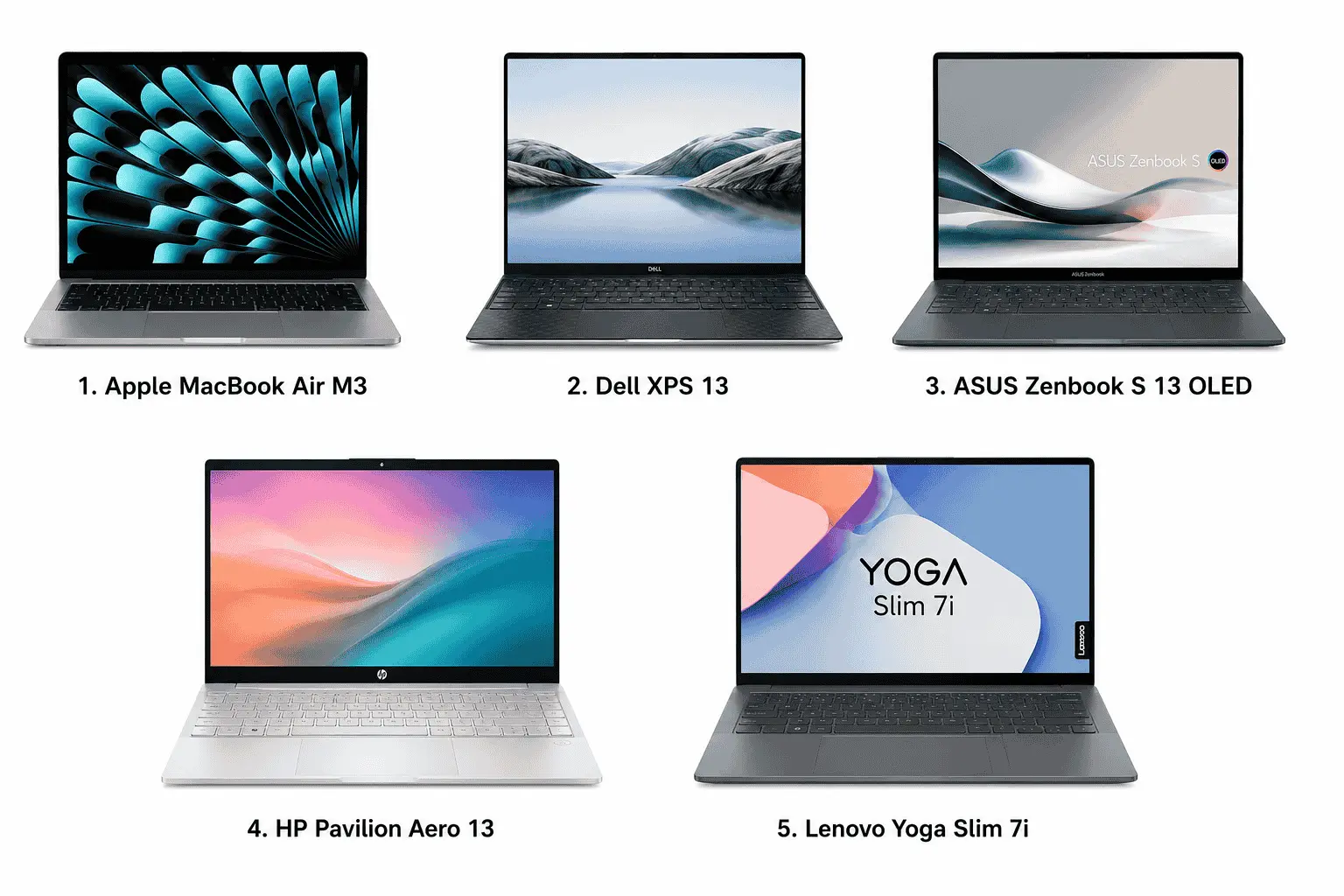
The best lightweight laptops for travelers and remote workers right now include the MacBook Air M3, Dell XPS 13, ASUS Zenbook S 13 OLED, HP Pavilion Aero 13, and Lenovo Yoga Slim 7i. These laptops are slim, easy to carry, and comfortable to use while traveling, whether you are working from a café, airport lounge, hotel, or train.
One of the main reasons people prefer lightweight laptops is convenience. A slim laptop easily fits inside a backpack without making it feel heavy, and it becomes much easier to move around during long trips or daily travel. Along with portability, these laptops also look clean and modern. Their slim body, premium finish, and minimal design make them visually appealing, and many people naturally notice when someone is carrying a sleek and professional-looking laptop in public.
Best Lightweight Laptop We Reviewed in 2026
After reviewing different lightweight laptops this year, these are the models we would genuinely recommend to travelers, remote workers, freelancers, and people who spend a lot of time moving between locations. All five laptops mentioned above feel compact during daily use, easy to carry while traveling, and comfortable enough for long working sessions outside traditional office setups.
| Laptop Model | View on Amazon | Processor | Weight |
|---|---|---|---|
| Apple MacBook Air M3 | Check Latest Price | Apple M3 Chip | 1.24 kg |
| Dell XPS 13 | Check Latest Price | Snapdragon X Elite | 1.17 kg |
| ASUS Zenbook S 14 OLED | Check Latest Price | Intel Core Ultra 7 | 1.0 kg |
| HP Pavilion Aero 15.6 | Check Latest Price | AMD Ryzen 5 / Ryzen 7 | 0.99 kg |
| Lenovo Yoga Slim 7i | Check Latest Price | Intel Core Ultra 7 | 1.39 kg |
1. Apple MacBook Air M3
Specification Details
| Specification | MacBook Air M3 |
|---|---|
| Processor | Apple M3 Chip |
| CPU Cores | 8-Core CPU |
| GPU | 8-Core / 10-Core GPU |
| RAM | 8GB / 16GB / 24GB Unified Memory |
| Storage | 256GB / 512GB / 1TB / 2TB SSD |
| Display Size | 13.6-inch Liquid Retina |
| Resolution | 2560 × 1664 |
| Material | Recycled Aluminum Unibody |
| Thickness | 0.44 inches |
| Width | 11.97 inches |
| Depth | 8.46 inches |
| Weight | 2.7 lbs (1.24 kg) |
| Battery Life | Up to 18 Hours |
| Cooling System | Fanless Design |
| Operating System | macOS |
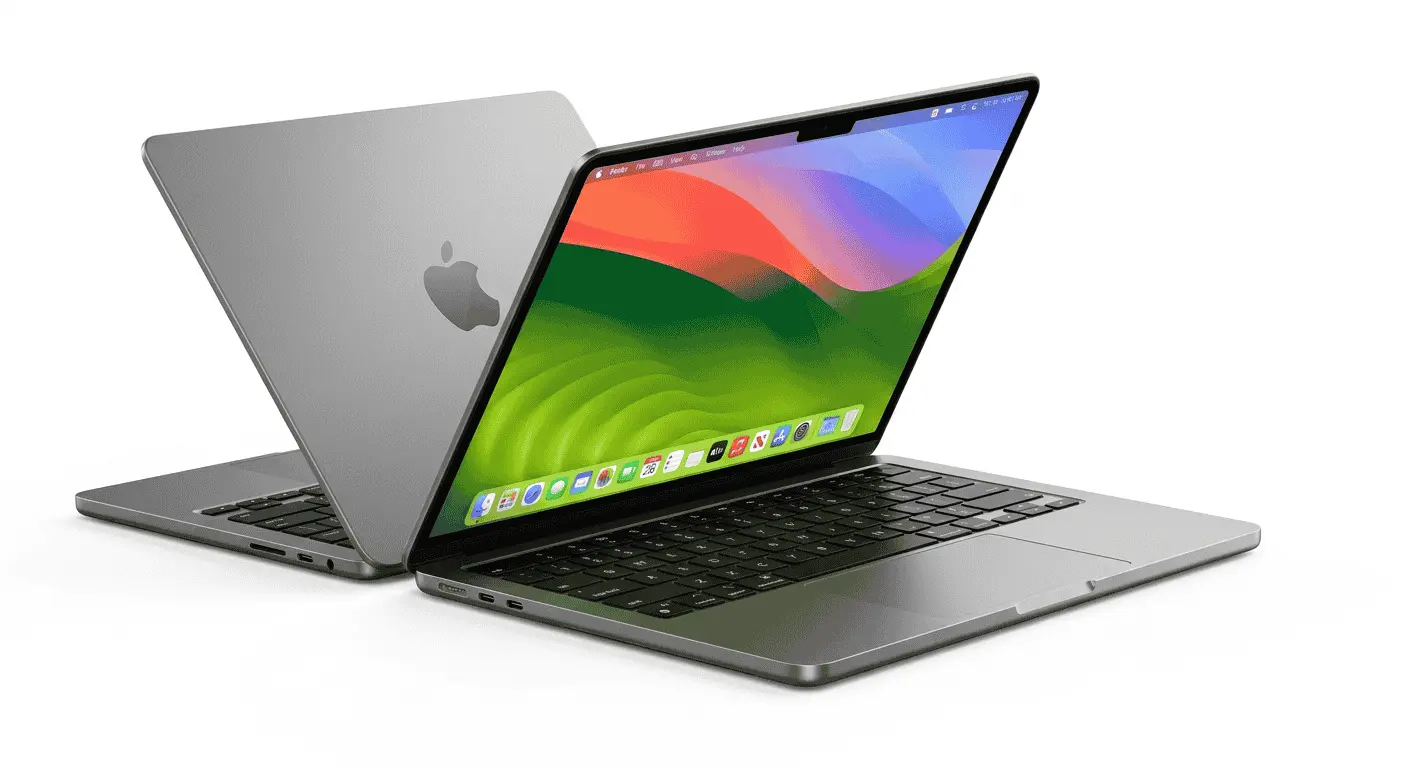
The MacBook Air M3 is one of those laptops that immediately feels different when you pick it up for the first time. Apple’s aluminum unibody design gives it a very clean and solid feel without making the laptop heavy. A lot of slim laptops reduce weight by using flexible plastic panels, but the Air M3 still feels properly compact and tightly built from every side.
One thing I noticed while carrying it during travel is how balanced the weight feels inside a backpack. It does not create that bulky pull on one shoulder the way thicker laptops usually do. Even when holding it in one hand while walking through airports or cafés, the body feels stable rather than awkwardly thin.
Apple also kept the edges smooth and rounded, which sounds like a small detail, but it actually matters during daily use. The laptop slides into sleeves and bags easily, and it feels comfortable while typing for long sessions because the palm rest area stays cool most of the time.
Internally, the fanless M3 architecture helps Apple keep the body thinner than many traditional laptops. Since there is no large cooling system inside, the chassis stays compact without affecting regular productivity work. For writers, remote workers, and people who spend most of their time in browsers or meetings, the laptop feels quiet and distraction-free.
Another thing that makes this laptop attractive is its minimal design language. There are no aggressive vents, unnecessary lines, or oversized branding. Everything looks simple, premium, and properly finished.
2. Dell XPS 13
Specification Details
| Specification | Dell XPS 13 |
|---|---|
| Processor | Intel Core Ultra 7 / Snapdragon X Elite |
| Graphics | Intel Arc Graphics / Adreno Graphics |
| RAM | Up to 32GB LPDDR5X |
| Storage | Up to 2TB SSD |
| Display Size | 13.4-inch |
| Resolution | FHD+ / 2.5K / OLED Options |
| Material | CNC Aluminum + Carbon Fiber |
| Thickness | 14.8 mm |
| Width | 295.3 mm |
| Depth | 199.1 mm |
| Weight | Starting from 1.17 kg |
| Battery | 55Wh |
| Ports | 2 × Thunderbolt 4 USB-C |
| Operating System | Windows 11 |
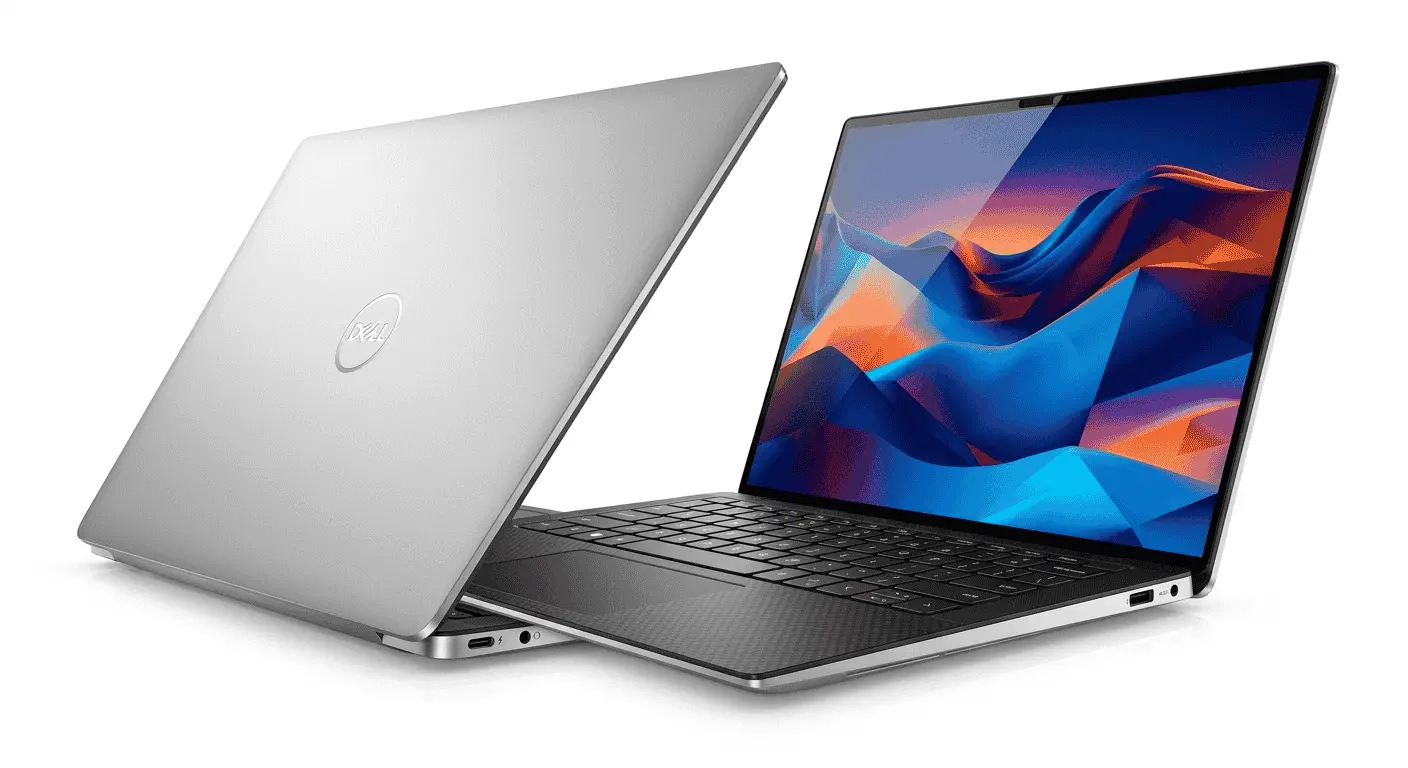
The Dell XPS 13 feels more like an engineering-focused ultrabook than a casual lightweight laptop. Dell used CNC-machined aluminum for the outer shell and carbon fiber around the keyboard deck, which gives the device a slightly more technical and professional appearance compared to many slim laptops in the market.
What stands out most during actual usage is the size optimization. Dell reduced the bezels to such an extent that the laptop feels physically smaller than many standard 13-inch systems. This becomes useful when working in tight spaces like airplanes, train seats, or small café tables, where larger laptops quickly become uncomfortable.
The carbon fiber interior also changes the overall experience. Instead of feeling cold like full metal laptops, the palm rest area feels softer and more controlled during long typing sessions. People who work remotely for hours every day usually notice these details more than raw specifications.
Dell also managed the structural rigidity well. A lot of lightweight laptops start flexing around the keyboard area when pressure is applied, but the XPS 13 keeps a strong frame despite its thin body. The hinge movement also feels firm and measured instead of loose.
Internally, Dell uses low-power Intel hardware designed for ultraportable systems. These processors generate less heat and allow the cooling system to stay smaller, which helps maintain the compact body shape without adding excessive ventilation space underneath the laptop.
3. ASUS Zenbook S 14 OLED
Specification Details
| Specification | ASUS Zenbook S 14 OLED |
|---|---|
| Processor | Intel Core Ultra 7 / Core Ultra 5 |
| Graphics | Intel Graphics |
| RAM | Up to 32GB LPDDR5X |
| Storage | Up to 1TB SSD |
| Display Size | 13.3-inch OLED |
| Resolution | 2880 × 1800 |
| Material | Magnesium-Aluminum Alloy |
| Thickness | 10.9 mm |
| Width | 296.2 mm |
| Depth | 216.3 mm |
| Weight | Around 1 kg |
| Battery Life | Up to 14–16 Hours |
| Cooling | Dual-Fan Compact Cooling |
| Operating System | Windows 11 |
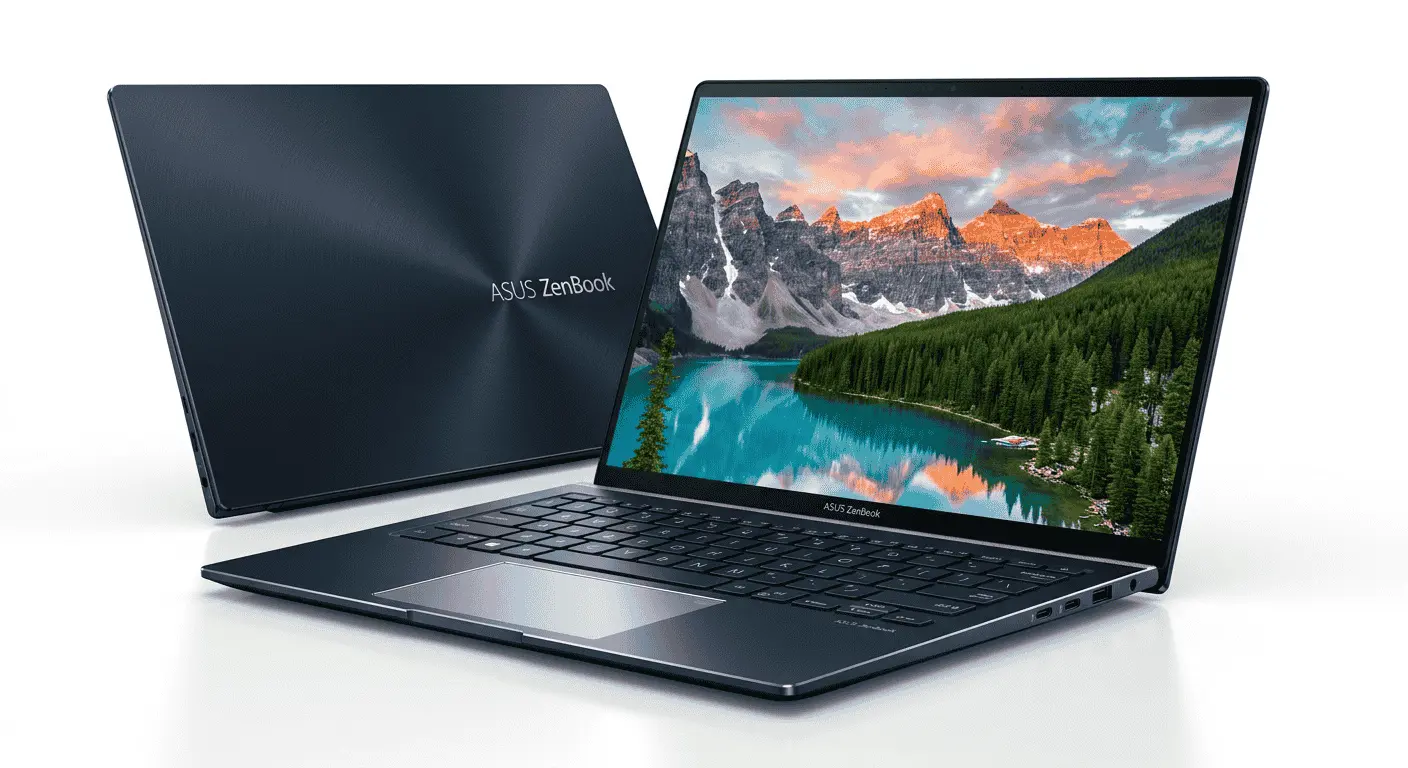
The ASUS Zenbook S 13 OLED feels extremely light in a way that most people notice immediately. ASUS used a magnesium-aluminum alloy chassis here, and the difference becomes obvious the moment you start carrying it daily. The laptop almost disappears inside a backpack compared to thicker productivity systems.
What makes this model interesting is that ASUS did not focus only on reducing weight. They also worked carefully on surface texture and body finishing. The exterior has a cleaner matte texture instead of a glossy coating, so the laptop looks professional without constantly collecting fingerprints.
The OLED panel also changes the overall appearance of the device. Slim laptops sometimes look visually dull because manufacturers compromise on display quality to reduce thickness, but the Zenbook still feels vibrant and premium when opened in public workspaces or cafés.
Another smart design choice is the hinge mechanism. When opened, the lower part slightly lifts the keyboard from the table surface. This improves airflow underneath while also making typing more natural during long sessions.
Inside the chassis, ASUS used compact thermal engineering to manage heat in a very limited internal space. That is important because OLED displays and slim designs usually create temperature management problems, but during normal remote work tasks, the system stays comfortable enough for extended use.
4. HP Pavilion Aero 15.6
Specification Details
| Specification | HP Pavilion Aero 15.6 |
|---|---|
| Processor | AMD Ryzen 5 / Ryzen 7 |
| Graphics | AMD Radeon Graphics |
| RAM | Up to 16GB LPDDR5 |
| Storage | Up to 1TB SSD |
| Display Size | 13.3-inch |
| Resolution | 1920 × 1200 |
| Material | Magnesium-Aluminum Chassis |
| Thickness | 16.9 mm |
| Width | 297 mm |
| Depth | 209 mm |
| Weight | Around 0.99 kg |
| Battery Life | Up to 10–12 Hours |
| Ports | USB-C, USB-A, HDMI |
| Operating System | Windows 11 |
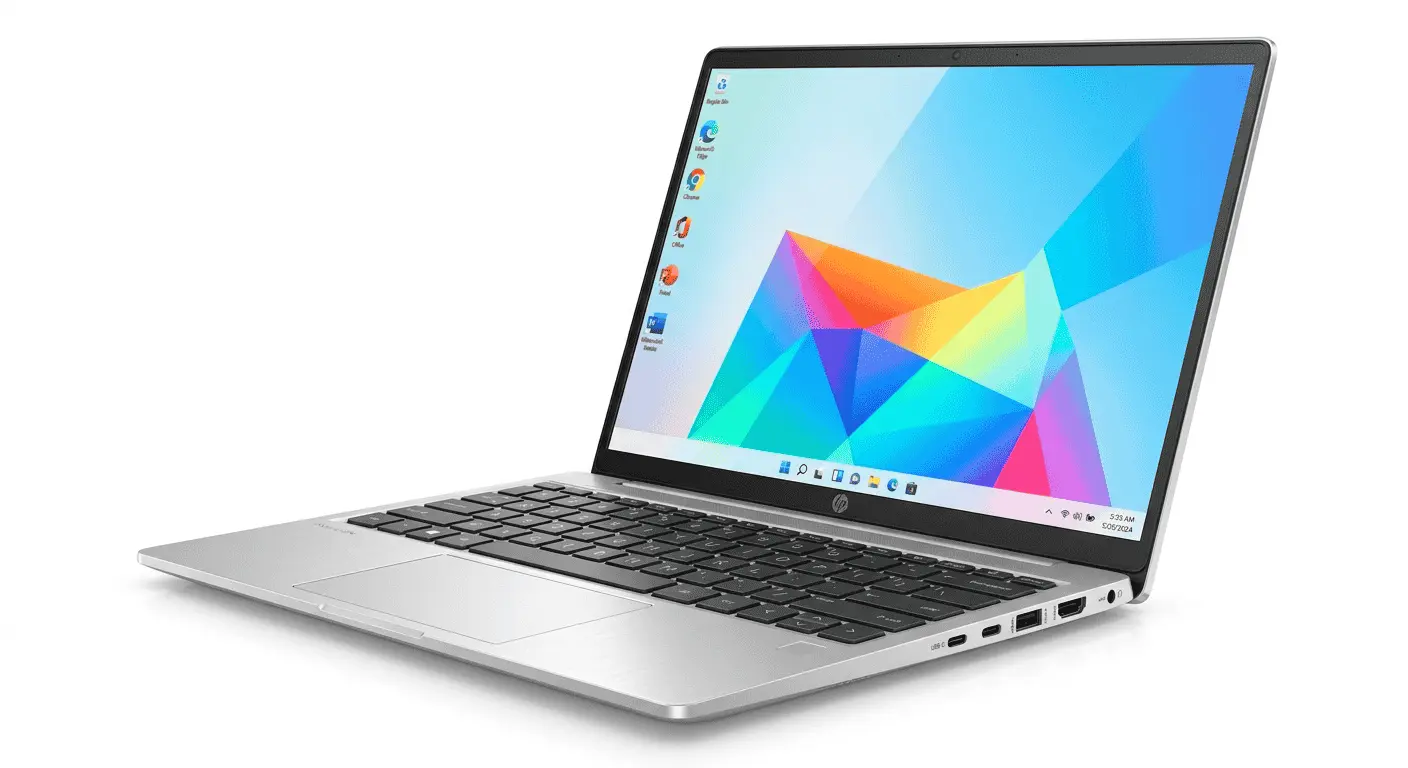
The HP Pavilion Aero 13 is one of the more practical lightweight laptops because HP focused less on luxury styling and more on usability. The magnesium-aluminum body keeps the weight low, but the laptop still feels dependable enough for daily carrying and regular movement.
One thing that stands out during use is how easy the laptop feels to manage physically. Some slim laptops become uncomfortable because manufacturers make them too sharp or too thin, but the Aero 13 keeps a more balanced structure that feels natural while opening, carrying, or typing.
It is also one of the easier lightweight laptops to use in casual public environments. Whether sitting in a university library, co-working space, or coffee shop, the compact body fits comfortably without taking over the entire table space.
HP also paid attention to keyboard spacing and typing comfort, which matters a lot for remote workers and writers. The keyboard area feels properly positioned instead of cramped into a tiny chassis.
Internally, the Ryzen processors used in the Aero 13 are power-efficient enough to support a slimmer cooling system. Because of that, HP does not need oversized thermal vents or bulky internal spacing, which helps maintain the lightweight structure.
5. Lenovo Yoga Slim 7i
Specification Details
| Specification | Lenovo Yoga Slim 7i |
|---|---|
| Processor | Intel Core Ultra 7 |
| Graphics | Intel Arc Graphics |
| RAM | Up to 32GB LPDDR5X |
| Storage | Up to 1TB SSD |
| Display Size | 14-inch OLED |
| Resolution | 1920 × 1200 / 2.8K |
| Material | Aluminum Chassis |
| Thickness | Around 14.9 mm |
| Width | 312 mm |
| Depth | 221 mm |
| Weight | Around 1.39 kg |
| Battery Life | Up to 15 Hours |
| Ports | Thunderbolt 4, USB-C |
| Operating System | Windows 11 |
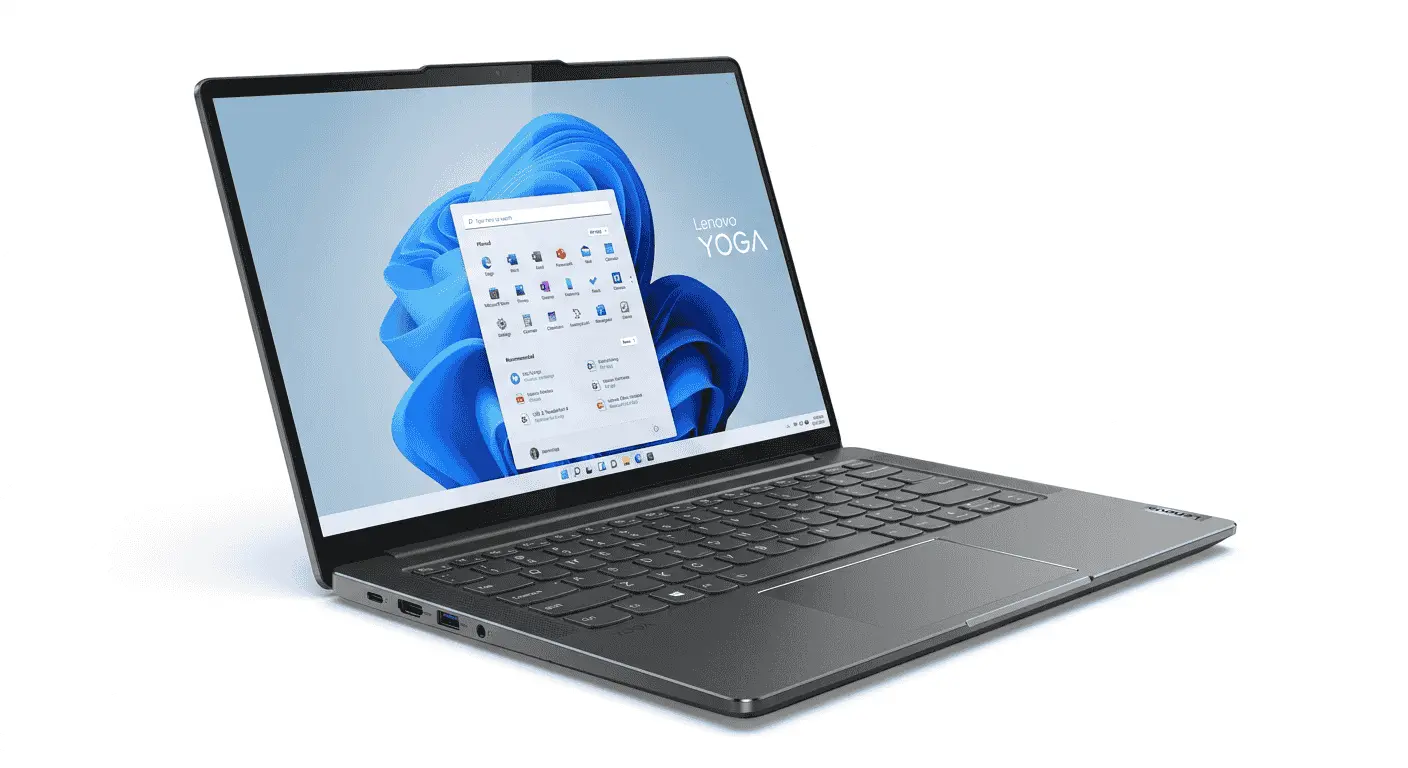
The Lenovo Yoga Slim 7i feels more business-oriented compared to some of the other lightweight laptops on this list. Lenovo kept the design very clean and structured, which gives the laptop a more mature appearance instead of trying to make it look flashy.
The aluminum chassis feels solid while still staying reasonably thin. One thing I liked during use was the hinge stability. Even while working in moving environments like trains or waiting lounges, the screen stays controlled instead of shaking constantly while typing.
Lenovo also organized the side ports intelligently. On many slim laptops, ports feel randomly placed because manufacturers are struggling with limited space, but the Yoga Slim 7i keeps the layout practical for daily usage, especially when connecting chargers or accessories in tight spaces.
The keyboard experience is also different from many ultrabooks. Lenovo kept decent key travel despite the slim body, so typing feels more natural and less flat during longer work sessions.
Internally, the laptop uses Intel hardware designed for efficiency-focused productivity systems. Since these processors generate controlled heat levels, Lenovo can keep the body thinner without heavily depending on aggressive cooling systems.
Additional Tips for Traveling With Lightweight Laptops
One of the biggest advantages of using a slim and lightweight laptop is the freedom it gives you during travel. You do not constantly feel like you are carrying extra weight on your shoulders, and it becomes much easier to move between airports, cafés, hotels, train stations, and co-working spaces without dealing with a bulky setup. Most of these laptops also fit comfortably into compact travel backpacks, which matters a lot during long trips.
These laptops are especially useful for people who work remotely while traveling. For example, if you are spending a few days in places like Naran Kaghan, Edinburgh, or any other tourist destination, a lightweight laptop makes the entire experience feel easier. You can quickly open it at a café, work from a hotel balcony, respond to meetings while traveling, or carry it around the city without constantly adjusting a heavy bag.
At the same time, managing luggage during travel can still become frustrating, especially when you are moving between locations before check-in times or trying to work while exploring a city. In situations like these, many travelers prefer using luggage storage with Radical Storage in Edinburgh so they can securely store extra bags and move around more comfortably with only their essential gear and laptop. That flexibility becomes even more useful for remote workers who prefer staying mobile throughout the day instead of carrying all their luggage everywhere they go.
Conclusion
Lightweight laptops have become a practical choice for travelers, freelancers, students, and remote workers who spend most of their time moving between locations. A slim laptop is easier to carry, fits comfortably inside travel bags, and feels much more convenient during long working sessions outside traditional office environments.
The laptops we reviewed above are not only compact in size, but they also offer different strengths depending on the type of user. Some focus more on premium build quality, some prioritize portability, while others balance affordability and daily productivity. Choosing the right lightweight laptop mostly depends on how frequently you travel, how long you work remotely, and the kind of workflow you usually handle every day.
This article may contain affiliate links. If you purchase through these links, we may earn a small commission at no additional cost to you.