Best Intel CPU for Gaming — Top Picks for Every Budget
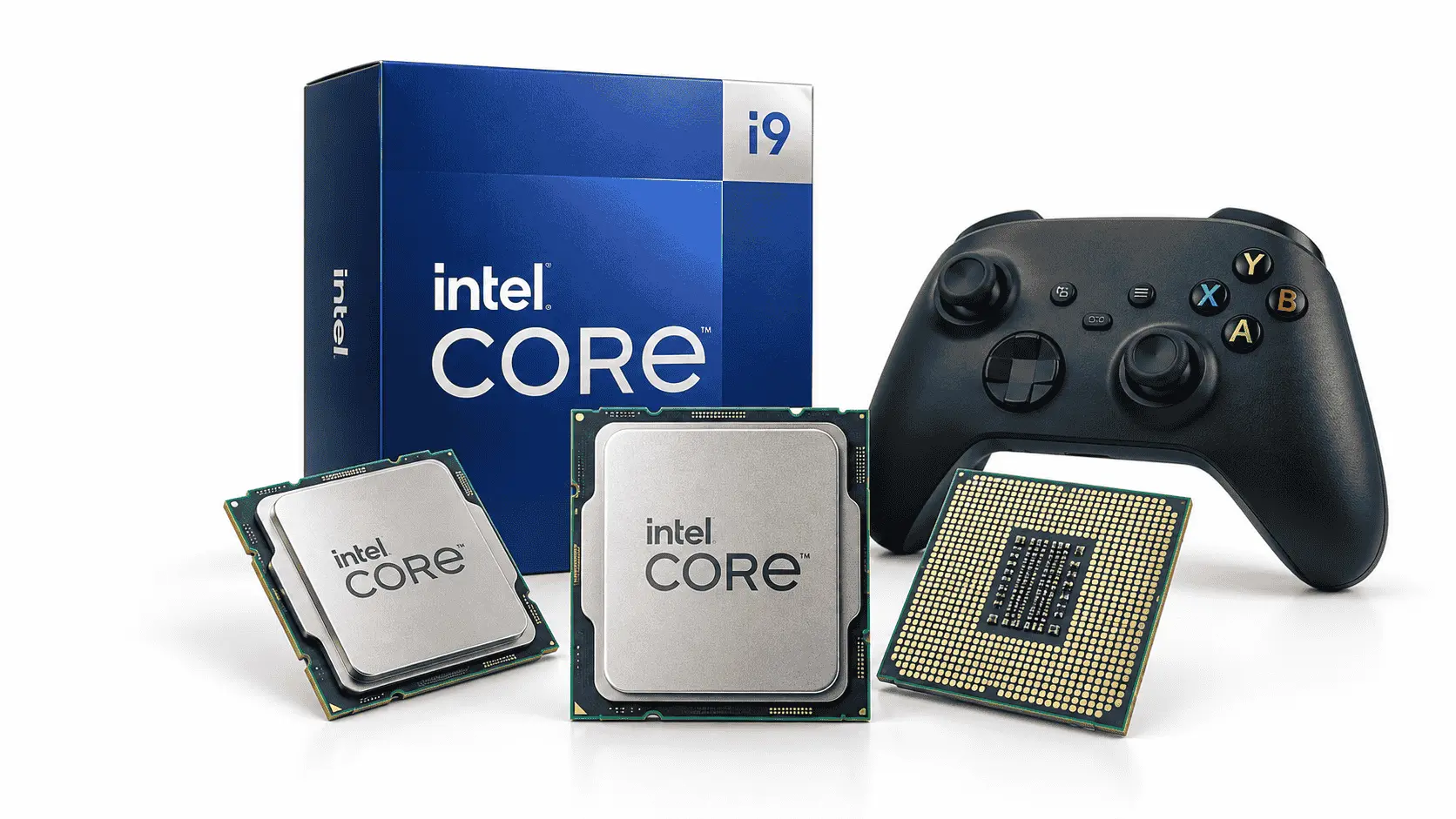
The best Intel CPU for gaming is the Intel Core Ultra 7 270K Plus for buyers seeking high-end gaming performance alongside strong streaming and productivity capabilities. For most new gaming PCs, however, the more affordable Core Ultra 5 250K Plus offers better value because it leaves more of the budget available for the graphics card, the component that usually has the greatest effect on performance at 1440p and 4K.
Your ideal choice also depends on your existing hardware. Core Ultra 200S processors require an LGA1851 motherboard and DDR5 memory, while owners of compatible LGA1700 systems may save money by upgrading to a discounted Core i5-14600K or Core i7-14700K. The recommendations below account for gaming benchmarks, current platform costs, cooling requirements, motherboard compatibility, and the types of workloads each processor handles well.
Best Intel CPU for Gaming
The best Intel CPU for gaming depends on whether you are building a new PC, upgrading an existing system, or combining gaming with demanding professional work. Based on current specifications, independent benchmark findings, platform costs, and practical value, these are the strongest options to consider.
Our recommended method
The Intel Core Ultra 7 270K Plus takes the overall position because it combines competitive gaming performance with enough multi-core capacity for streaming, video editing, software development, and other demanding tasks. Its 24-core configuration consists of eight Performance-cores and sixteen Efficient-cores, while its official maximum turbo frequency reaches 5.5 GHz. It also supports DDR5 memory and requires an LGA1851 motherboard.
The Core Ultra 5 250K Plus is the more sensible choice for many gaming-only builds. It provides six Performance-cores and twelve Efficient-cores, for 18 cores in total, while supporting a maximum turbo frequency of 5.3 GHz. Spending less on the processor can make room for a better graphics card, which will usually deliver a more noticeable improvement at 1440p or 4K.
Owners of compatible LGA1700 systems should calculate the full upgrade cost before moving to LGA1851. Reusing a suitable motherboard, DDR4 or DDR5 memory, and cooler can make the Core i5-14600K or Core i7-14700K financially attractive. However, buyers considering a 13th- or 14th-generation desktop processor should update the motherboard BIOS, use Intel Default Settings, and confirm that the installed BIOS contains Intel’s recommended microcode.
The Core Ultra 9 285K remains a capable premium processor, but its additional cost does not guarantee a proportionate improvement in games. It makes more sense when the same PC will also handle workloads that benefit from its high multi-core performance. For a gaming-focused build, the Core Ultra 7 270K Plus or Core Ultra 5 250K Plus will generally provide a better allocation of the total budget.
1. Intel Core Ultra 7 270K Plus
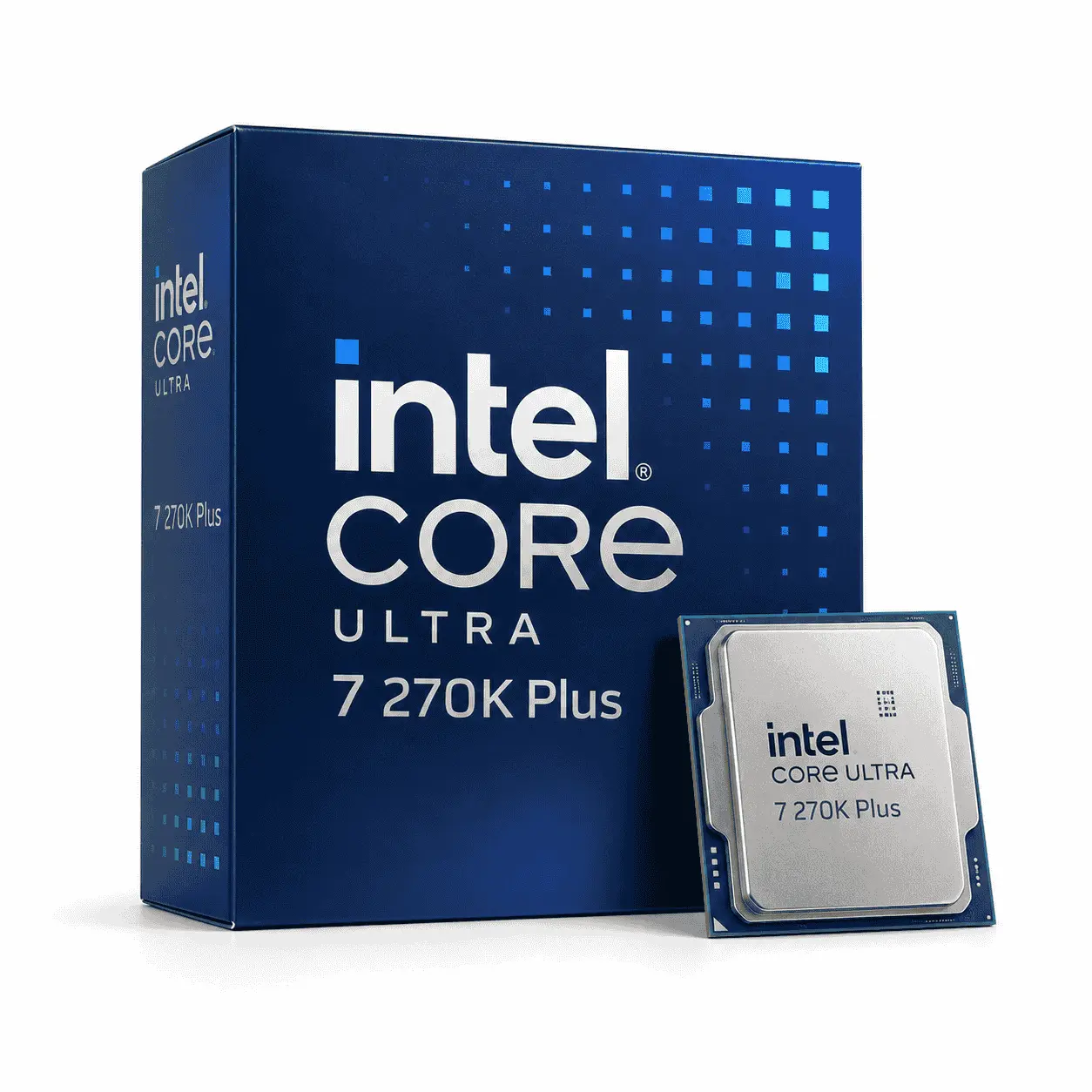
The Intel Core Ultra 7 270K Plus is the best Intel CPU for gaming if you want high-end gaming performance without paying extra for the Core Ultra 9 285K. It is also well suited to streaming, video editing, game development, compiling code, and other workloads that benefit from strong multi-core performance.
This processor is designed for new LGA1851 systems and requires DDR5 memory. It therefore makes the most sense for someone building a new PC or replacing an older platform, rather than upgrading a recent LGA1700 system.
According to Intel’s Core Ultra 7 270K Plus specifications, the processor reaches a maximum turbo frequency of 5.5 GHz and includes 36 MB of Intel Smart Cache. It supports up to DDR5-7200 memory at official specifications, although supported speeds can depend on the motherboard, memory configuration, BIOS, and number of installed modules.
Specification Details
| Total cores | 24 |
| Core configuration | 8 Performance-cores + 16 Efficient-cores |
| Total threads | 24 |
| Maximum turbo frequency | Up to 5.5 GHz |
| Intel Smart Cache | 36 MB |
| Total L2 cache | 40 MB |
| Processor Base Power | 125W |
| Maximum Turbo Power | 250W |
| Memory support | Up to DDR5-7200 |
| Maximum memory capacity | 256 GB |
| Processor socket | LGA1851 |
| Integrated graphics | Intel Graphics, 4 Xe-cores |
| Overclocking support | Yes, unlocked multiplier |
| Included CPU cooler | No |
| Recommended use | Premium gaming, streaming, and demanding productivity |
The integrated graphics are useful for display output, video encoding, and troubleshooting, but they are not a replacement for a dedicated gaming graphics card. Buyers who plan to use an Nvidia GeForce or AMD Radeon GPU can still benefit from keeping the integrated graphics available as a diagnostic fallback.
Why does it earn the top position?
The Core Ultra 7 270K Plus uses eight Performance-cores and sixteen Efficient-cores, giving it 24 cores and 24 threads. Performance-cores handle latency-sensitive work such as game logic and foreground applications, while Efficient-cores provide capacity for background programs and heavily threaded workloads.
Independent reviews generally position the 270K Plus as Intel’s strongest current gaming-focused desktop option. Its gaming performance improves on the original Core Ultra 7 265K. In comparison, its additional Efficient-cores give it enough multi-core power to compete with or surpass the more expensive Core Ultra 9 285K in some non-gaming tests. Results still vary by game, memory configuration, BIOS, graphics card, and operating system.
The processor is most valuable in a system that serves multiple purposes. A player who games while streaming, recording footage, running communication software, or editing content afterward can use its additional processing capacity. A gaming-only buyer with a fixed budget may receive better overall performance by choosing the Core Ultra 5 250K Plus and spending the difference on a faster GPU.
Reasons not to buy it
The Core Ultra 7 270K Plus is not the right choice for every gaming PC. Its LGA1851 socket is incompatible with LGA1700 motherboards, so switching from a 12th-, 13th-, or 14th-generation Intel system requires a new motherboard. DDR5 memory is also required, increasing the total platform cost for anyone currently using DDR4.
Cooling must be included in the budget. Intel lists a Maximum Turbo Power of 250 watts, which is more useful for cooler planning than looking only at the 125-watt base-power figure. Actual consumption depends on the workload, motherboard settings, power limits, and cooling conditions, but a capable dual-tower air cooler or suitable liquid cooler is advisable.
The performance advantage may also be difficult to notice at 4K when the graphics card is the limiting component. If buying the 270K Plus forces you to choose a weaker GPU, the Core Ultra 5 250K Plus may create a faster gaming system overall.
Our Remarks: Buy the Core Ultra 7 270K Plus if you want a premium Intel gaming PC that will also handle streaming and CPU-intensive work. Choose a less expensive processor if gaming is your only demanding workload or if the savings allow a meaningful graphics-card upgrade.
2. Intel Core Ultra 5 250K Plus
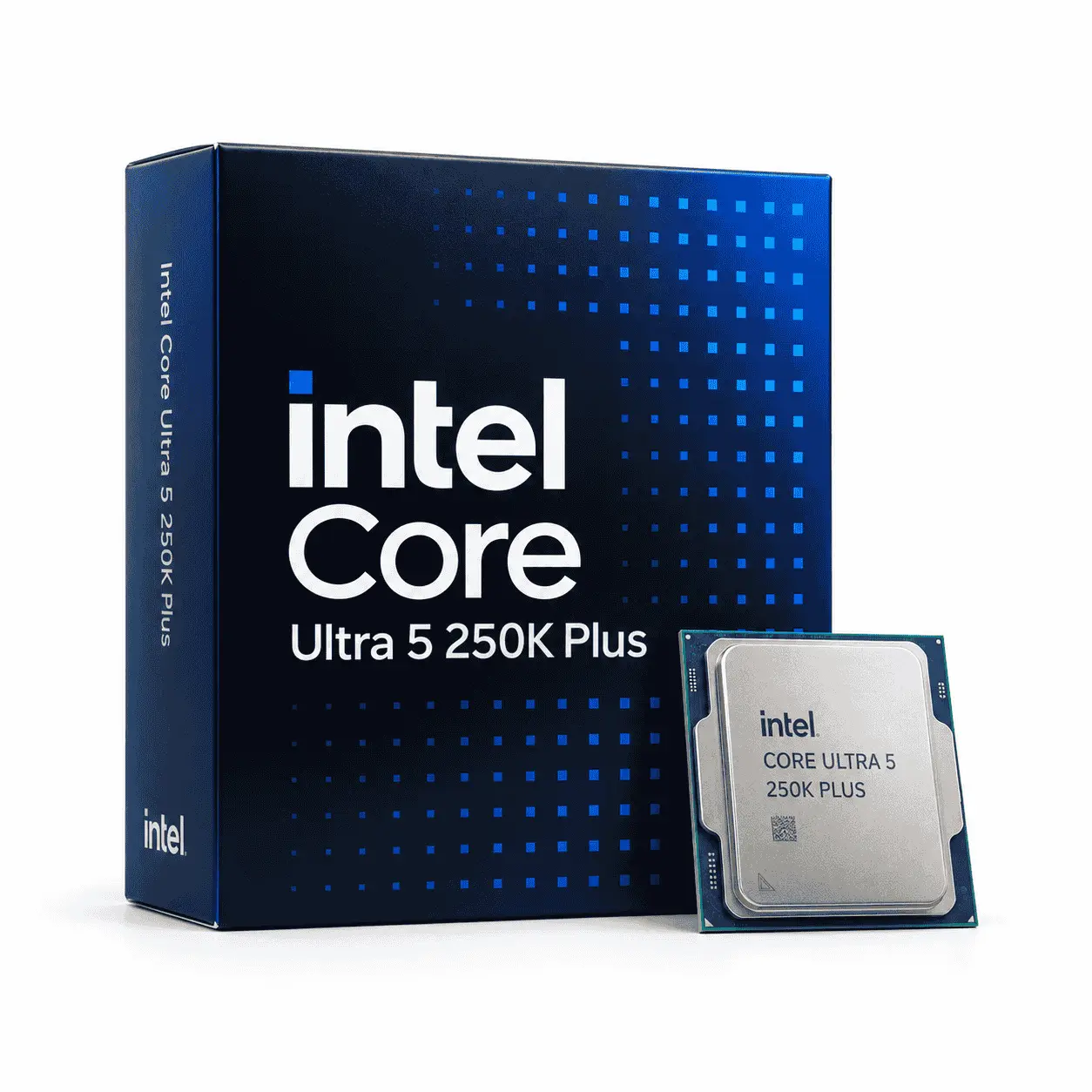
The Intel Core Ultra 5 250K Plus is the best Intel CPU for gaming for buyers who want strong performance without using too much of their budget on the processor. It is a good match for new midrange and upper-midrange systems, where spending more on the graphics card can produce a larger improvement than moving to an Ultra 7 or Ultra 9.
Like other Core Ultra 200S desktop processors, the 250K Plus uses the LGA1851 socket and requires DDR5 memory. It should therefore be evaluated as part of a complete platform purchase that includes the motherboard, memory, cooler, and graphics card.
Intel’s Core Ultra 200S desktop processor documentation lists the following specifications for the Core Ultra 5 250K Plus:
Specification Details
| Total cores | 18 |
| Core configuration | 6 Performance-cores + 12 Efficient-cores |
| Total threads | 18 |
| Maximum turbo frequency | Up to 5.3 GHz |
| Intel Smart Cache | 30 MB |
| Total L2 cache | 30 MB |
| Processor Base Power | 125W |
| Maximum Turbo Power | 159W |
| Memory support | Up to DDR5-7200 |
| Maximum memory capacity | 256 GB |
| Processor socket | LGA1851 |
| Integrated graphics | Intel Graphics, 4 Xe-cores |
| Overclocking support | Yes, unlocked multiplier |
| Included CPU cooler | No |
| Recommended use | Gaming-focused new builds and mixed everyday workloads |
Its 159-watt Maximum Turbo Power is notably lower than the 250-watt specification of the 270K Plus. Actual power consumption will vary, but the lower limit can make cooling the processor easier and reduce the need for an expensive thermal solution. Buyers should still confirm that the chosen cooler supports LGA1851 and can handle sustained processor loads.
Gaming value compared with the 270K Plus
The Core Ultra 5 250K Plus has six Performance-cores and twelve Efficient-cores, providing 18 cores and 18 threads. Its Performance-cores handle games and other foreground tasks, while the Efficient-cores support background applications and workloads that can use multiple cores.
Intel specifies a maximum turbo frequency of 5.3 GHz, placing it close enough to the 270K Plus for the difference between them to shrink in many GPU-limited gaming situations. The 270K Plus has two additional Performance-cores, four additional Efficient-cores, and more cache, but those resources do not create an equally large performance improvement in every game.
The Core Ultra 5 model becomes more attractive when its lower price allows the buyer to move to a stronger graphics card. For example, pairing the 250K Plus with a higher GPU tier will commonly produce better results at 1440p and 4K than pairing the 270K Plus with a weaker GPU. The final decision should therefore be based on total system performance rather than the CPU model name alone.
The right GPU and resolution pairing
At 1080p with reduced graphics settings and a powerful GPU, the processor has more influence because the graphics card can render frames quickly enough to expose CPU limits. Competitive players using high-refresh monitors may benefit from the additional CPU headroom offered by the 270K Plus.
At 1440p, the workload shifts more heavily toward the graphics card, although CPU differences can remain visible in competitive games, simulations, strategy titles, and other processor-intensive workloads. The 250K Plus offers a suitable balance for this resolution when paired with a capable modern GPU.
At 4K, most demanding games become primarily limited by graphics performance. A more expensive CPU may produce little visible benefit if the GPU is already operating at full capacity. For these systems, choosing the 250K Plus and directing the savings toward the graphics card is often the better purchasing strategy.
Resolution alone does not determine CPU demand. Game engine, graphics settings, ray tracing, background applications, refresh-rate target, and upscaling settings can all change the result. Buyers should consult benchmarks that use a graphics card and settings close to their planned system.
Limitations to consider
The Core Ultra 5 250K Plus has less multi-core capacity than the 270K Plus. This difference matters more in video rendering, software compilation, heavy multitasking, and simultaneous gaming and production workloads than it does in many games. Buyers who use their PC for paid creative or development work may recover the 270K Plus’s higher cost through shorter processing times.
Moving to this processor also requires an LGA1851 motherboard and DDR5 memory. Owners of a functioning LGA1700 system should compare that complete cost with an in-socket Core i5 or Core i7 upgrade. Reusing existing components may outweigh the architectural and efficiency advantages of the newer platform.
Our Remarks: Choose the Core Ultra 5 250K Plus for a new gaming build when graphics performance and total-system value matter more than maximum multi-core output. It provides enough processing capability for modern games while preserving more of the budget for the GPU.
3. Intel Core Ultra 7 265K
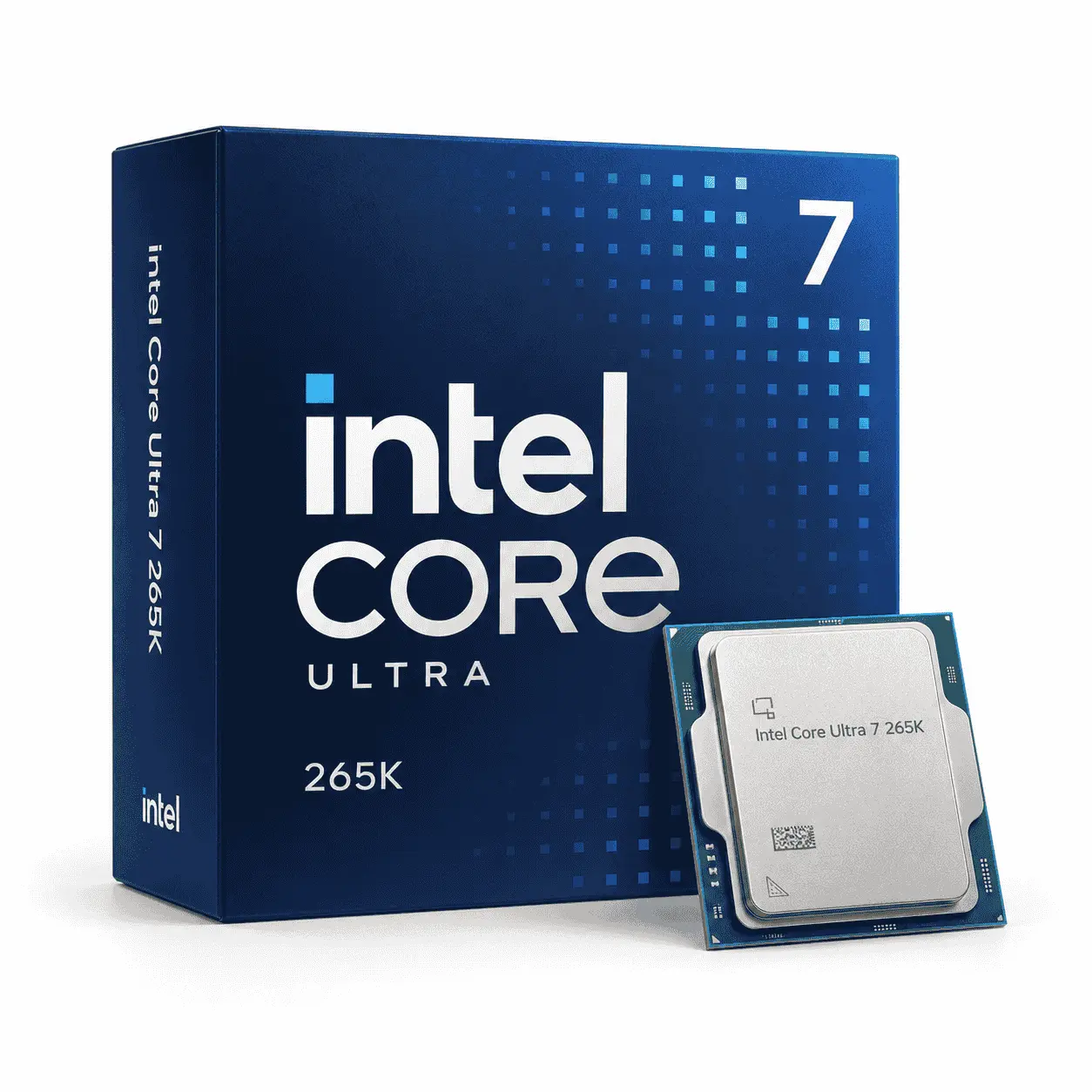
The Intel Core Ultra 7 265K remains a capable gaming processor, but the newer Core Ultra 7 270K Plus makes it difficult to recommend at a similar price. Both processors require an LGA1851 motherboard and DDR5 memory, so choosing the older model does not reduce the cost of the supporting platform.
The 265K is worth considering when a substantial sale makes it cheaper than the 270K Plus. As a practical buying rule, look for a discount of roughly 15% or more after accounting for delivery charges, retailer warranties, and any motherboard bundle offers. A smaller difference may not justify giving up the additional cores and other improvements offered by the refreshed model.
Specification Details
| Total cores | 20 |
| Core configuration | 8 Performance-cores + 12 Efficient-cores |
| Total threads | 20 |
| Maximum turbo frequency | Up to 5.5 GHz |
| Performance-core maximum turbo | Up to 5.4 GHz |
| Efficient-core maximum turbo | Up to 4.6 GHz |
| Intel Smart Cache | 30 MB |
| Total L2 cache | 36 MB |
| Processor Base Power | 125W |
| Maximum Turbo Power | 250W |
| Memory support | Up to DDR5-6400 |
| Maximum memory capacity | 256 GB |
| Processor socket | LGA1851 |
| Integrated graphics | Intel Graphics, 4 Xe-cores |
| PCI Express support | PCIe 5.0 and PCIe 4.0 |
| Overclocking support | Yes, unlocked multiplier |
| Included CPU cooler | No |
| Recommended use | High-end gaming, streaming, and content creation |
The Core Ultra 7 265K requires an LGA1851 motherboard, DDR5 memory, and a separately purchased CPU cooler. Its 250W Maximum Turbo Power means buyers should use a capable high-performance air cooler or a suitable liquid cooler. The newer Core Ultra 7 270K Plus remains the stronger choice at a similar price, so the 265K is most attractive when available at a substantial discount.
When is the 265K worthwhile?
The Core Ultra 7 265K provides eight Performance-cores and twelve Efficient-cores, giving it 20 cores and 20 threads. It reaches a maximum turbo frequency of 5.5 GHz and includes 30 MB of Intel Smart Cache. These specifications give it enough capacity for high-refresh gaming, streaming, editing, and demanding multitasking.
It becomes a sensible purchase in three situations:
- A reputable retailer reduces it well below the 270K Plus.
- It is included in a discounted motherboard or memory bundle.
- The buyer needs strong gaming and productivity performance but cannot justify the newer processor’s total price.
The gaming difference between these models is not constant. Some games respond to processor frequency, cache, memory performance, or platform optimisations more than others. At 1440p and 4K, a graphics-card limitation may narrow the gap further. This means a heavily discounted 265K can still produce a high-end gaming experience when paired with the right GPU.
When to choose the newer model?
The Core Ultra 7 270K Plus increases the Efficient-core count from twelve to sixteen while retaining eight Performance-cores. It therefore provides 24 cores instead of 20, with the same 24-thread count because neither model uses Hyper-Threading. The refreshed processor also officially supports faster DDR5 memory configurations.
Those additions matter most in heavily threaded work, demanding multitasking, and situations where background tasks run alongside a game. Gaming-only users may see smaller gains, but the 270K Plus remains the safer purchase when both CPUs cost nearly the same.
The newer model may also hold its value better because buyers comparing LGA1851 processors are likely to prefer the refreshed specification. Paying slightly more today can be reasonable when it provides higher multi-core capacity without requiring a different motherboard, memory kit, or cooler.
Platform and cooling costs
The 265K uses the LGA1851 socket and supports Intel 800-series motherboards. It is not compatible with LGA1700 boards used by 12th-, 13th-, and 14th-generation Core processors. It also requires DDR5 memory, so buyers moving from a DDR4 system must include replacement memory in their calculations.
Intel specifies a 125-watt Processor Base Power and a 250-watt Maximum Turbo Power. A suitable high-performance air cooler or liquid cooler should therefore be included in the build budget. The selected motherboard must also provide adequate power delivery for sustained workloads.
Our Remarks: Buy the Core Ultra 7 265K only when its discounted price creates a clear saving over the 270K Plus. At similar prices, the 270K Plus is the stronger long-term choice and the more convincing candidate for the best Intel CPU for gaming.
4. Intel Core i5-14600K or Core i7-14700K
An existing LGA1700 system changes the buying decision because replacing the motherboard and memory can cost more than the performance gained from moving to LGA1851. If your current board supports the processor and has adequate power delivery, the Core i5-14600K or Core i7-14700K can provide a cost-effective upgrade.
The Core i5-14600K is the better gaming-value option, while the Core i7-14700K suits users who also stream, edit videos, render projects, or run other heavily threaded applications. Both processors require updated BIOS settings and suitable cooling.
Specification Details
| Specification | Intel Core i5-14600K | Intel Core i7-14700K |
|---|---|---|
| Total cores | 14 | 20 |
| Core configuration | 6 P-cores + 8 E-cores | 8 P-cores + 12 E-cores |
| Total threads | 20 | 28 |
| Maximum turbo frequency | Up to 5.3 GHz | Up to 5.6 GHz |
| P-core maximum turbo | Up to 5.3 GHz | Up to 5.5 GHz |
| E-core maximum turbo | Up to 4.0 GHz | Up to 4.3 GHz |
| Intel Smart Cache | 24 MB | 33 MB |
| Total L2 cache | 20 MB | 28 MB |
| Processor Base Power | 125W | 125W |
| Maximum Turbo Power | 181W | 253W |
| Memory support | DDR5-5600 or DDR4-3200 | DDR5-5600 or DDR4-3200 |
| Maximum memory capacity | 192 GB | 192 GB |
| Processor socket | LGA1700 | LGA1700 |
| Integrated graphics | Intel UHD Graphics 770 | Intel UHD Graphics 770 |
| PCI Express support | PCIe 5.0 and PCIe 4.0 | PCIe 5.0 and PCIe 4.0 |
| Overclocking support | Yes, unlocked multiplier | Yes, unlocked multiplier |
| Included CPU cooler | No | No |
| Recommended use | Gaming-focused upgrades | Gaming, streaming, and demanding productivity |
Both processors support DDR4 or DDR5, but the installed memory type depends on the motherboard; DDR4 and DDR5 modules are not interchangeable. A BIOS update may also be required before a compatible LGA1700 motherboard can recognize either processor.
The Core i5-14600K is the better-value choice for gaming, with lower maximum turbo power and enough cores for typical background tasks. The Core i7-14700K provides additional cores, threads, and cache for streaming, rendering, video editing, and software compilation, but it requires stronger cooling. Buyers should install the latest motherboard BIOS, use Intel Default Settings, and follow Intel’s current microcode guidance.
Choose the Core i5-14600K for gaming value
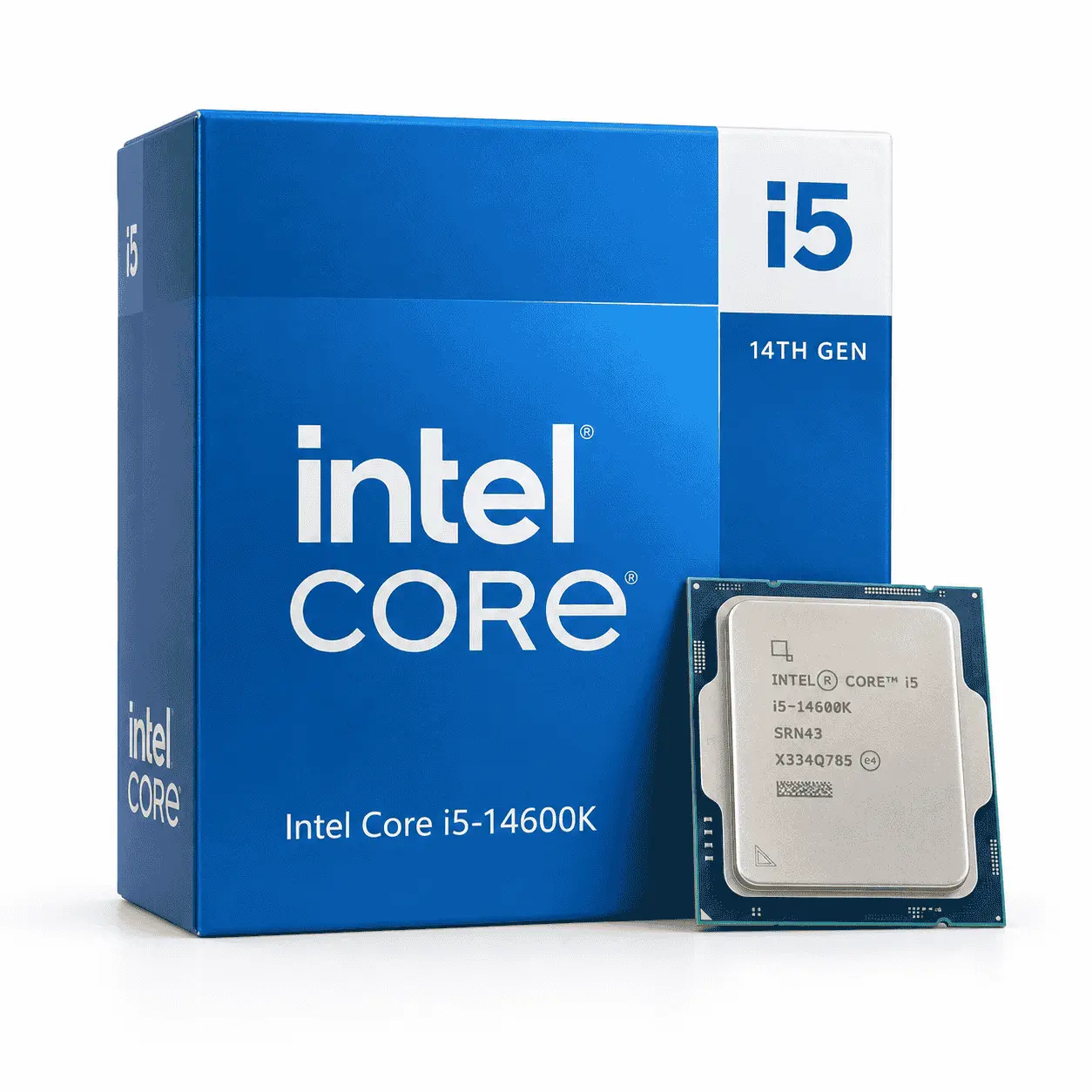
The Core i5-14600K combines six Performance-cores with eight Efficient-cores, providing 14 cores and 20 threads. It reaches a maximum turbo frequency of 5.3 GHz and supports both DDR4 and DDR5, depending on the motherboard.
Its combination of fast Performance-cores and sufficient background-processing capacity makes it a strong choice for gaming systems using midrange or upper-midrange graphics cards. It can also support streaming and routine creative work, although its multi-core capacity is lower than that of the Core i7.
The 14600K offers the strongest value when you can reuse:
- A compatible LGA1700 motherboard
- An existing DDR4 or DDR5 memory kit
- A capable CPU cooler
- A suitable power supply
Check the motherboard manufacturer’s CPU-support list before purchasing. Some 600- and 700-series boards require a BIOS update before they can boot with a 14th-generation processor. If the board cannot update its BIOS without an installed CPU, the upgrade may require temporary access to an older compatible processor.
Our Remarks: Choose the Core i5-14600K if gaming is the priority and reusing your existing components creates a meaningful saving over a new LGA1851 platform.
Choose the Core i7-14700K for gaming and heavier workloads
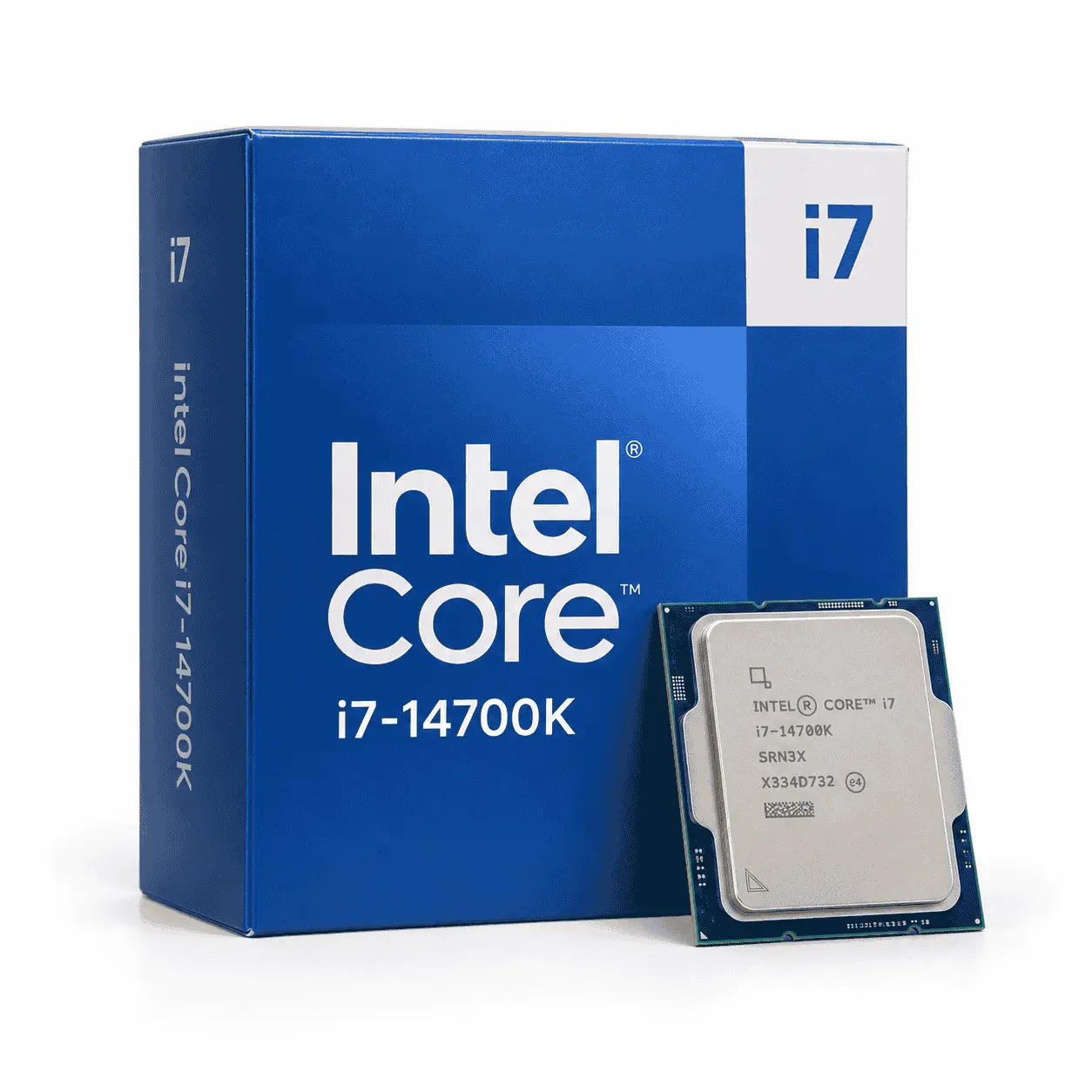
The Core i7-14700K has eight Performance-cores and twelve Efficient-cores, resulting in 20 cores and 28 threads. It reaches a maximum turbo frequency of 5.6 GHz and offers more multi-core capacity than the 14600K.
Games do not automatically use all of these additional cores. The Core i7 becomes more valuable when the computer must handle gaming alongside streaming, recording, video encoding, software compilation, virtual machines, or professional creative applications. Users who earn income from these workloads may also benefit from shorter processing times.
The 14700K requires a stronger cooling solution than a typical gaming-focused Core i5. Intel lists a Maximum Turbo Power of 253 watts, and sustained temperatures will depend on the cooler, case airflow, motherboard power settings, ambient temperature, and workload. Cooler cost should be included when comparing it with newer processors.
Our Remarks: Choose the Core i7-14700K when you already own a suitable LGA1700 platform and need strong performance beyond gaming. For a completely new system, compare its full cost against the Core Ultra 7 270K Plus before purchasing.
Required BIOS and stability checks
Intel has documented a Vmin Shift instability issue affecting certain 13th- and 14th-generation desktop processors. Symptoms can include repeated application crashes, game errors, system instability, or blue-screen failures. This issue should be addressed directly rather than omitted from a buying recommendation.
Intel’s current instability guidance recommends using the latest motherboard BIOS containing microcode 0x12F or later and operating the processor with Intel Default Settings. Intel also provides an additional two years of warranty coverage for eligible affected processors, extending total coverage to as much as five years from the original purchase date.
Complete these checks before or immediately after installing a 14600K or 14700K:
- Identify the motherboard precisely. Check the full model name and hardware revision printed on the board or shown in system-information software.
- Open the manufacturer’s CPU-support page. Confirm that the exact processor is supported and note the minimum required BIOS version.
- Install the latest stable BIOS. Follow the motherboard manufacturer’s instructions and avoid interrupting power during the update.
- Confirm the microcode revision. The BIOS release notes should indicate Intel microcode 0x12F or a later applicable revision.
- Load Intel Default Settings. Do not begin with aggressive motherboard performance profiles or manual voltage settings.
- Check the cooling system. Confirm LGA1700 mounting support, correct contact pressure, working fans or pumps, and adequate case airflow.
- Test system stability. Monitor temperatures and check for crashes during games and sustained workloads before enabling memory overclocking or CPU tuning.
- Keep purchase records. Retain the invoice, processor serial information, and retailer warranty details in case support is required.
These precautions do not mean every 13th- or 14th-generation processor will fail. They reflect Intel’s official operating guidance and should form part of an informed purchasing decision. Buyers who want to avoid this platform-specific concern may prefer a new Core Ultra 200S system, provided the additional motherboard and memory costs fit their budget.
5. Intel Core Ultra 9 285K
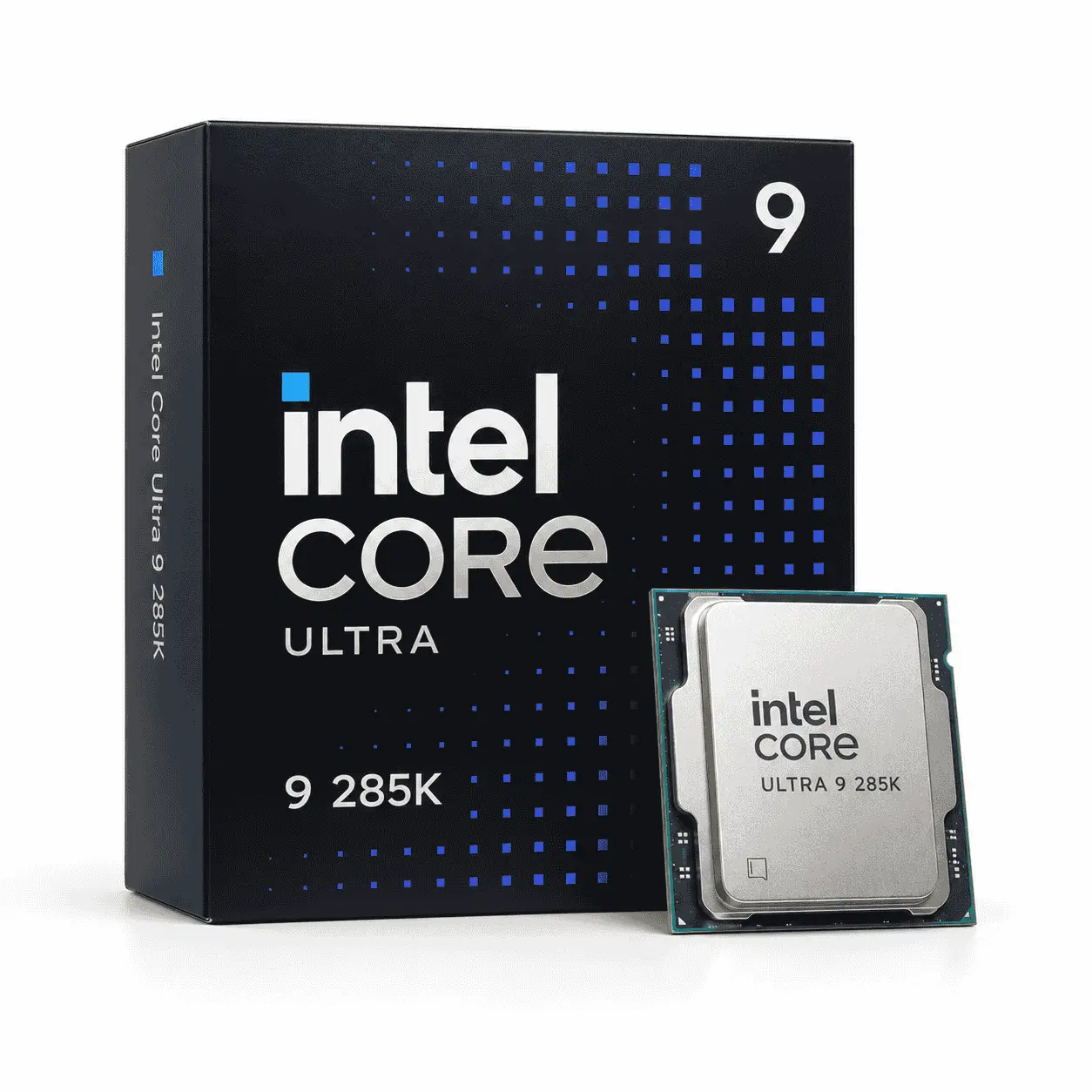
The Intel Core Ultra 9 285K is a powerful desktop processor, but it is not automatically the best Intel CPU for gaming simply because it sits at the top of the original Core Ultra 200S range. Its main strength is combining high gaming capability with strong performance in heavily threaded professional workloads.
For a gaming-only PC, the Core Ultra 7 270K Plus or Core Ultra 5 250K Plus will usually provide better value. The 285K becomes attractive when its price falls close to the 270K Plus or when the computer will regularly be used for demanding work outside gaming.
Specification Details
| Total cores | 24 |
| Core configuration | 8 Performance-cores + 16 Efficient-cores |
| Total threads | 24 |
| Maximum turbo frequency | Up to 5.7 GHz |
| P-core maximum turbo | Up to 5.5 GHz |
| E-core maximum turbo | Up to 4.6 GHz |
| Intel Smart Cache | 36 MB |
| Total L2 cache | 40 MB |
| Processor Base Power | 125W |
| Maximum Turbo Power | 250W |
| Memory support | Up to DDR5-6400 |
| Maximum memory capacity | 256 GB |
| Processor socket | LGA1851 |
| Integrated graphics | Intel Graphics, 4 Xe-cores |
| PCI Express support | PCIe 5.0 and PCIe 4.0 |
| Overclocking support | Yes, unlocked multiplier |
| Included CPU cooler | No |
| Recommended use | Premium gaming combined with demanding professional workloads |
The Core Ultra 9 285K requires an LGA1851 motherboard, DDR5 memory, and a separately purchased cooler. Its 250W Maximum Turbo Power calls for a high-performance air cooler or a suitable liquid cooler with good case airflow.
Although it is Intel’s flagship original Core Ultra 200S processor, it is not automatically the best Intel CPU for gaming. The less expensive Core Ultra 7 270K Plus can offer stronger value and compete closely in games. The 285K is easier to justify when the computer will also handle rendering, video production, software compilation, or other heavily threaded work.
Where does the Core Ultra 9 285K make sense?
The Core Ultra 9 285K has eight Performance-cores and sixteen Efficient-cores, providing 24 cores and 24 threads. It reaches a maximum turbo frequency of 5.7 GHz and includes 36 MB of Intel Smart Cache. Like the other processors in this generation, it does not use Hyper-Threading.
Its combination of high clock speeds and substantial multi-core capacity suits users who divide their time between gaming and tasks such as:
- High-resolution video encoding
- 3D rendering
- Large software compilations
- Professional photo and video editing
- Running virtual machines
- Heavy multitasking
- Streaming and recording while gaming
These workloads can make better use of the full processor than most games. A buyer who regularly performs time-sensitive production work may therefore have a stronger reason to pay for the 285K than someone who uses the PC only for gaming.
The processor can also make sense during a substantial sale. Because the newer 270K Plus competes closely with it, retailers may discount the 285K to clear stock. Compare the final price, seller reputation, warranty, and included promotions rather than relying on the original launch price.
Why should most gamers spend less?
The Core Ultra 9 285K and Core Ultra 7 270K Plus share the same basic configuration of eight Performance-cores and sixteen Efficient-cores. The 285K has a higher maximum turbo frequency, but that difference does not translate into an equally large advantage across games.
Many games depend more on GPU performance, cache behavior, memory latency, or a few fast CPU cores than on the processor’s complete multi-core capacity. At 1440p and 4K, the graphics card is also more likely to become the limiting component. Under those conditions, paying more for the 285K may have little effect on the visible gaming experience.
The 270K Plus can also match or outperform the 285K in some workloads because the refreshed processor uses higher Efficient-core and supporting component frequencies. Results vary between applications, so the Core Ultra 9 branding should not be treated as proof that the 285K wins every test.
A less expensive processor may allow room in the budget for:
- A faster graphics card
- A higher-refresh monitor
- A larger NVMe SSD
- More system memory
- A quieter cooling system
- A better-quality power supply
These upgrades can provide a clearer improvement than a small processor-performance difference.
Cooling and platform requirements
The Core Ultra 9 285K uses the LGA1851 socket and requires DDR5 memory. It works with compatible Intel 800-series motherboards and cannot be installed in an LGA1700 board.
Intel specifies a Processor Base Power of 125 watts and a Maximum Turbo Power of 250 watts. A high-performance air cooler or suitable liquid cooler is recommended, supported by good case airflow. Motherboard power settings and sustained workloads can change power consumption, temperature, clock behavior, and fan noise.
The processor includes integrated Intel Graphics. These graphics can provide display output, assist with supported media tasks, and help diagnose a discrete-GPU problem. A dedicated graphics card is still required for the level of gaming performance expected from a processor in this price class.
Verdict: Buy the Core Ultra 9 285K when gaming shares priority with demanding production work or when a substantial discount brings it close to the 270K Plus. For gaming alone, its higher price is difficult to justify, and the money will often have a greater effect when allocated to the graphics card.
How to Choose the Right Intel Gaming CPU?
Finding the best Intel CPU for gaming requires more than comparing model numbers or maximum clock speeds. The correct choice depends on your graphics card, resolution, refresh-rate target, existing components, non-gaming workloads, and complete platform budget.
Start with your graphics card and target resolution
A gaming PC performs best when the CPU and GPU are reasonably balanced. Spending heavily on the processor while choosing a weaker graphics card can reduce performance in graphically demanding games.
At 1080p, a powerful GPU can produce frames quickly enough for the processor to become the limiting component. This matters to competitive players targeting 240 Hz or higher, where a faster CPU can improve maximum frame rates and frame-time consistency.
At 1440p, the graphics card handles a heavier workload. CPU differences can still matter in competitive shooters, simulation games, strategy titles, and poorly optimized releases, but GPU performance usually has a greater influence than it does at 1080p.
At 4K, demanding games are commonly limited by the graphics card. A Core Ultra 5 paired with a stronger GPU can therefore outperform a Core Ultra 9 paired with a lower GPU tier. Exceptions include processor-heavy simulation games, large strategy battles, heavily modified games, and high-refresh 4K systems using flagship graphics cards.
Compare the total platform cost
The CPU’s retail price represents only part of the upgrade cost. A new LGA1851 system requires a compatible motherboard and DDR5 memory, while an existing LGA1700 owner may be able to reuse several components. Use the following worksheet before deciding:
| Cost component | Existing LGA1700 upgrade | New LGA1851 build |
|---|---|---|
| Processor | Core i5-14600K or Core i7-14700K | Core Ultra 5, 7, or 9 |
| Motherboard | May be reusable after a BIOS update | Compatible 800-series board required |
| Memory | Existing DDR4 or DDR5 may be reusable | DDR5 required |
| CPU cooler | May be reusable if capable | Check LGA1851 mounting and thermal capacity |
| Power supply | Confirm available capacity and connectors | Select according to the complete build |
| Final cost | Add all required purchases | Add all required purchases |
Compare the totals rather than the processors in isolation. An LGA1700 upgrade can be financially sensible even when a newer processor is faster, while a new LGA1851 system may be preferable if the existing motherboard, memory, and cooler also need replacing.
Choose enough cores for your non-gaming work
Modern games benefit from multiple cores, but they do not all scale across every available core and thread. A processor with more cores can still be valuable when other demanding applications run alongside the game.
For a gaming-focused system, the Core Ultra 5 250K Plus or Core i5-14600K provides enough processing capacity for most users. The final choice should depend on platform compatibility and total cost.
For gaming and streaming, the Core Ultra 7 270K Plus or Core i7-14700K provides more resources for encoding, recording, browser tabs, communication software, and background applications.
For gaming combined with regular video production, rendering, compilation, or virtual machines, the Core Ultra 7 270K Plus or discounted Core Ultra 9 285K may justify its higher cost. Compare benchmarks for the professional applications you actually use because core scaling varies between programs.
Decide whether you need integrated graphics
Intel processor suffixes reveal features that can affect the completed system:
- K: Unlocked for CPU tuning and includes integrated graphics.
- KF: Unlocked but does not include usable integrated graphics.
- F: Locked processor without usable integrated graphics.
- No suffix: Generally locked and usually includes integrated graphics, though the exact specification should always be checked.
A processor without integrated graphics requires a dedicated graphics card for display output. This is not a problem in a functioning gaming PC, but it removes a useful troubleshooting option if the graphics card fails or must be removed.
Integrated graphics can also support compatible media-encoding features, including Intel Quick Sync Video. Streamers and video editors should check whether their software can use this capability before choosing a KF or F model solely to save money.
Budget for cooling and power
Processor Base Power is not the maximum amount of electricity a CPU can consume. Intel also publishes Maximum Turbo Power for relevant models, which provides more useful context when choosing a cooler and motherboard.
The Core Ultra 5 250K Plus has lower maximum turbo power than the Core Ultra 7 270K Plus and Core Ultra 9 285K. The higher-tier processors may therefore require a more expensive cooler and produce more fan noise under sustained workloads.
Cooling requirements are affected by:
A large liquid cooler is not mandatory for every Intel gaming system. A capable air cooler can handle several models when installed in a well-ventilated case, but the cooler manufacturer’s supported power range and socket compatibility should be checked before purchase.
The power supply must be selected for the entire computer rather than the CPU alone. Graphics-card consumption, transient power demand, component quality, connector requirements, and future upgrades all influence the correct capacity.
Check the socket before buying
Intel’s current desktop processors covered here use two different sockets:
| Processor family | Socket | Memory support |
|---|---|---|
| Core Ultra 200S and 200S Plus | LGA1851 | DDR5 |
| 12th-, 13th-, and 14th-generation Intel Core | LGA1700 | DDR4 or DDR5, depending on motherboard |
An LGA1851 processor cannot be installed in an LGA1700 motherboard. The sockets have different electrical connections and processor support, even though some cooler mounting hardware may work with both platforms.
Before ordering a CPU, find the motherboard manufacturer’s product page and check:
- The exact socket
- The supported processor list
- The minimum BIOS version
- The supported memory type and speeds
- CPU cooler mounting support
- Motherboard power-delivery suitability
Completing these checks prevents the most expensive compatibility mistakes and gives you a more accurate picture of the system’s final cost.
How Do We Interpret CPU Gaming Benchmarks?
A processor benchmark is meaningful only when its testing conditions are clear. Graphics card, resolution, memory, BIOS, operating system, game version, and power settings can all change the result. This is why two reputable reviewers may report different performance for the same Intel CPU without either result being incorrect.
Our recommendations use manufacturer specifications for product details and independent testing for performance conclusions. Intel’s promotional claims are treated as manufacturer claims rather than measured proof. We do not describe third-party benchmark results as our own testing.
Why do reviewers test at 1080p with a powerful GPU?
CPU reviewers often test games at 1080p with a flagship graphics card and moderate graphics settings. This reduces the GPU’s workload, allowing differences between processors to become more visible.
This method helps compare CPUs, but it does not reproduce every buyer’s gaming setup. Someone using a midrange graphics card at 1440p or 4K may see a much smaller difference because the GPU becomes the primary limit. A processor that trails another model in a CPU-focused test can still deliver nearly identical performance in a graphically limited system.
Low-resolution results should therefore be interpreted as an examination of CPU capability, not a promise of the frame rate every owner will receive. When selecting the best Intel CPU for gaming, give the most weight to tests that resemble your planned GPU, resolution, graphics settings, and games.
Average FPS versus 1% lows
Average frames per second shows the general rate at which a system renders frames during a benchmark run. It is useful, but it does not fully describe smoothness.
A 1% low represents performance during the slowest one percent of measured frames. Higher 1% lows usually indicate more consistent delivery with fewer noticeable slowdowns. A processor can produce a strong average frame rate while still feeling less smooth if its frame times fluctuate significantly.
Neither measurement should be considered alone. A useful CPU comparison should examine:
- Average frame rate
- 1% low performance
- Frame-time behavior
- Several games and game engines
- Power consumption
- Test-to-test consistency
A small average-FPS lead may have limited practical value if both processors remain above the monitor’s refresh rate or produce similar 1% lows. Conversely, better low-frame performance can matter in competitive games even when average results appear close.
Why benchmark results differ?
Testing conditions can change both the size and direction of a performance gap.
Graphics card: A faster GPU exposes processor limits more clearly. A slower GPU can make several processors appear equal because it cannot render frames quickly enough to use their additional CPU performance.
Resolution and graphics preset: Raising the resolution or visual quality generally increases GPU workload. Lower settings often make CPU differences easier to measure.
Game version: Updates can modify game engines, shader compilation, thread scheduling, and CPU optimizations. Results recorded before a major patch may no longer represent current performance.
BIOS and microcode: Firmware updates can alter stability, memory behavior, power management, and performance. This is important when comparing early Core Ultra 200S reviews with later testing.
Memory configuration: Capacity, data rate, timings, module count, and memory-controller settings can influence CPU-limited gaming results. DDR5-7200 support does not mean every processor and motherboard combination will run every DDR5-7200 kit without tuning.
Power limits: Motherboards can apply different default power profiles. A processor allowed to maintain higher power may score better while consuming more electricity and producing more heat.
Operating system and drivers: Windows scheduling changes, security updates, chipset drivers, and graphics drivers can affect results.
Test method: Built-in benchmarks, manual gameplay routes, automated runs, and repeat counts do not produce perfectly interchangeable data.
Intel CPU Buying Checklist
Conclusion
The Intel Core Ultra 7 270K Plus is the best Intel CPU for gaming if you want premium gaming performance with enough multi-core power for streaming, editing, development work, and demanding multitasking. It delivers a stronger overall balance than the Core Ultra 9 285K for most buyers, without requiring flagship-level spending.
For a gaming-focused new build, the Core Ultra 5 250K Plus offers better value. Its lower cost leaves more room for a faster graphics card, which will usually have a greater effect at 1440p and 4K. Existing LGA1700 owners should consider the Core i5-14600K or Core i7-14700K when reusing their motherboard and memory, which produces a meaningful saving, provided they follow Intel’s current BIOS and microcode guidance.
Before buying, compare the complete platform cost, confirm motherboard and memory compatibility, and review benchmarks that reflect your intended GPU, resolution, and games. Choose the processor that supports the whole system rather than paying more for performance your graphics card or monitor cannot display.
Disclosure: This page may contain affiliate links. We may earn a commission from qualifying purchases at no additional cost to you. Product rankings are based on suitability, evidence, and value—not commission rates.