What You Need to Know Before Starting Your Smart Home
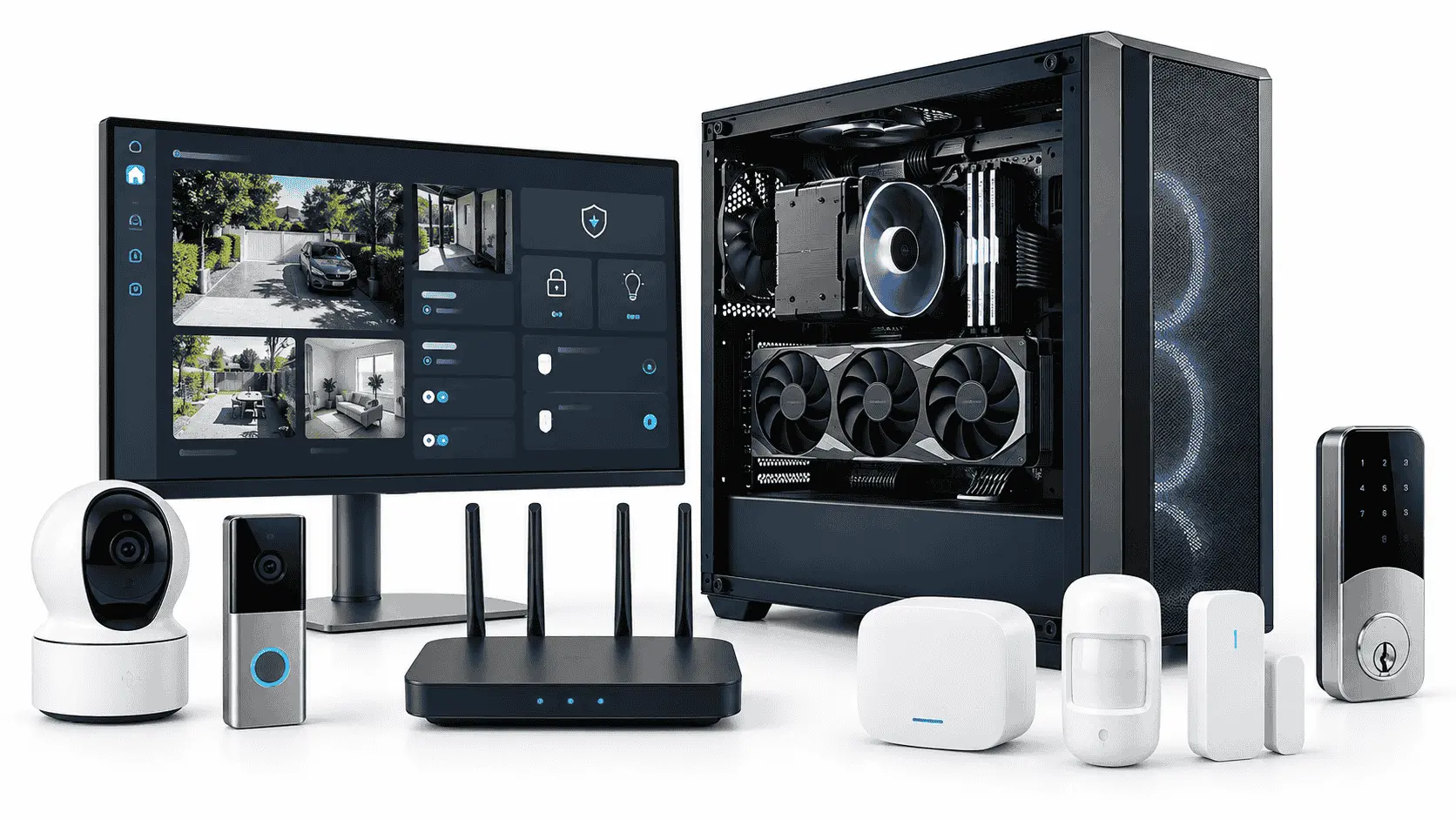
Starting your smart home requires more than buying a few connected lights, cameras, or speakers. You need to decide what you want the system to do, choose a compatible platform, assess your home network, and understand the security and maintenance responsibilities involved. These decisions will determine whether your devices work together or leave you managing several apps, subscriptions, and unreliable connections.
Connected technology is already common in American households. According to a 2026 Reviews.org survey, the average American home currently has 11 devices. This number includes smartphones, televisions, laptops, gaming consoles, security products, speakers, and connected appliances. A household can therefore become a smart home through gradual purchases, even when its residents have never planned a complete system.
Define Your Purpose Before Starting Your Smart Home
A smart home should solve clear household problems. Buying a device because it has an app or supports voice commands does not guarantee that it will make daily life easier. A connected bulb that changes colour may be interesting, but a hallway light that turns on when someone gets out of bed has a defined and repeatable purpose.
Consider the tasks you perform every day. You may regularly check whether a door is locked, adjust the thermostat before sleeping, turn off several lights when leaving, or inspect a camera after receiving a delivery notification. These actions are suitable starting points because automation can reduce a specific inconvenience.
It is also important to distinguish remote control from automation. Switching off a light through a phone is remote control because you still act manually. Automation uses a trigger, such as a schedule, motion sensor, door sensor, or temperature reading, to act under defined conditions.
When starting your smart home, begin with one room or one routine. Testing a limited installation gives you time to assess reliability, learn the control application, and identify problems without committing to an entire ecosystem. If the first project proves useful, you can expand it gradually.
Choose a Primary Smart-Home Ecosystem
A smart-home ecosystem is the main platform used to add devices, control rooms, create automations, and manage access for household members. Apple Home, Amazon Alexa, Google Home, Samsung SmartThings, and Home Assistant are among the commonly used options.
Choosing a primary ecosystem does not mean that every device must come from one manufacturer. It means that compatible devices can be brought into one control environment instead of requiring a different application for every basic action.
The technology you already use can guide this decision. Apple Home may be convenient for a household with iPhones, Apple TVs, and HomePods. Google Home fits naturally with Android devices and Google Nest products. Amazon Alexa offers a broad range of compatible speakers and accessories. Samsung SmartThings supports several smart-home technologies through compatible hubs. Home Assistant provides greater control over local operation and complex automations, but it requires more technical knowledge and maintenance.
Before starting your smart home, examine how each platform treats household access. Every resident should be able to control ordinary functions without sharing the administrator’s login details. Check whether the platform supports individual accounts, different permission levels, physical controls, and remote access.
You should also find out what happens when the internet connection fails. Some local controls and automations may continue operating, while voice processing, remote access, notifications, or cloud recordings may stop. The result depends on the device and platform, so a general claim that a system “works offline” is not enough.
Understand Matter, Thread, Wi-Fi, Zigbee, and Z-Wave
Smart-home products use several standards and network technologies. These terms are often grouped, even though they perform different functions.
Matter is an interoperability standard that helps compatible products communicate with supported smart-home ecosystems. It operates over network technologies such as Wi-Fi, Ethernet, and Thread. Matter does not replace these networks, and Matter and Thread are not two names for the same technology.
A Matter logo can make compatibility easier to identify, but it does not guarantee that every feature will work in every ecosystem. A smart plug, for example, may support basic power controls through Matter while leaving its detailed energy reports inside the manufacturer’s application. Implementation can also vary among platforms, firmware versions, product categories, and regions.
Thread is a low-power mesh network designed for connected products such as sensors, plugs, lights, and locks. Thread devices communicate with one another and can provide alternative paths when one device becomes unavailable. A Matter-over-Thread accessory needs a compatible Thread Border Router to connect its Thread network with the rest of the home network. Some hubs, speakers, and routers include this function, but buyers should verify the exact model.
Wi-Fi devices connect directly to a wireless router and often do not require a separate bridge. Wi-Fi is well suited to cameras, displays, speakers, and other products that transfer more data. Many smart-home products use the 2.4 GHz band because it generally reaches farther than higher-frequency bands. However, a large number of Wi-Fi accessories can make network management more complicated.
Zigbee and Z-Wave are low-power mesh technologies that usually require a compatible hub. They are widely used for sensors, switches, bulbs, and locks. A hub supporting one of these protocols may not expose every feature of every device, so protocol support should not be treated as complete product compatibility.
Understanding these differences before starting your smart home helps you identify all the equipment required for installation. A device that appears affordable may need an additional hub, bridge, controller, or Border Router before it can perform its advertised functions.
Verify Compatibility Before Buying Devices
Compatibility should be checked at the product, network, platform, and feature levels. A manufacturer may advertise support for an ecosystem while providing only limited controls through that ecosystem’s application.
Use a simple verification process before purchasing a device.
- Find the product’s exact model number and regional version. Products with similar names can have different network standards or platform support.
- Read the manufacturer’s official compatibility information. Do not depend only on a retailer’s product title or marketplace description.
- Confirm that the product works with your chosen ecosystem. Check whether support is native, provided through Matter, or dependent on a cloud integration.
- Identify all required equipment. The installation may need a manufacturer bridge, compatible hub, Matter controller, Thread Border Router, or specific router setting.
- Review feature availability. Confirm whether functions such as energy monitoring, video history, detailed schedules, or firmware controls remain available outside the manufacturer’s app.
- Check subscription requirements. Some devices provide basic controls without payment but charge for recorded video, extended history, advanced alerts, or professional monitoring.
- Review the return policy. Compatibility problems are sometimes discovered only after the product has been connected and tested in its intended location.
Keep the setup code, receipt, serial number, and instruction manual after installation. These details may be required if you reset the product, change platforms, replace the router, or transfer the device to another owner.
Prepare Your Home Network
A smart-home device cannot provide a stable connection where wireless coverage is weak. Test the signal at the exact installation point rather than assuming that coverage in a nearby room will be sufficient. Exterior cameras, doorbells, garages, upper floors, and detached buildings are common problem areas.
Internet speed and Wi-Fi coverage are not the same thing. Paying for a faster internet package will not correct poor wireless coverage caused by distance, thick walls, interference, or unsuitable router placement. A larger property may need additional access points or a properly configured mesh Wi-Fi system.
Cameras place greater demands on a network than bulbs and sensors because they transfer continuous or event-based video. Resolution, frame rate, compression method, camera count, and cloud uploading can all affect bandwidth use. A sensor that reports a door opening transfers far less information.
Some routers provide a guest network or a separate network for Internet of Things devices. Separating connected products from personal computers can limit unnecessary communication, but the configuration must be tested. Strict isolation may prevent a phone, hub, or local server from finding the devices it needs to control.
Before starting your smart home, record the names of your devices, their applications, account owners, network requirements, and setup codes. This information becomes useful when a device fails or the router is replaced. Reusing the previous Wi-Fi name and password can reconnect some devices after a router change, although others may still need to be configured again.
Protect Your Accounts and Connected Devices
A smart home creates additional accounts and internet-connected entry points that require protection. The risk becomes more serious when a system contains cameras, microphones, locks, garage controls, or devices that reveal occupancy patterns.
A 2025 report published by CE Pro, based on findings from NETGEAR and Bitdefender, stated that the average smart home faces 29 attacks per day. This figure refers to attempted attacks observed across connected households. It does not mean that every attempt resulted in a successful intrusion, but it illustrates why insecure settings and outdated products should not be ignored.
Create a unique password for every important smart-home platform and enable two-factor authentication where it is available. Reusing one password across the router, email account, camera service, and control platform can allow one exposed credential to affect several systems.
Change default administrator credentials on the router and any device that still uses them. Keep the router, companion applications, and device firmware updated. Security updates can address known weaknesses, but they cannot protect a product that has reached the end of its supported life.
Review each application’s permissions instead of approving every request during setup. A device may legitimately require Bluetooth or local-network access while being installed, but access to contacts, precise location, microphone recordings, or files should have a clear purpose.
Remote access, voice purchasing, communication tools, recording history, and third-party integrations should be disabled when they are not needed. Former residents, old phones, and unused linked services should also be removed from the household account.
Understand What a VPN Can and Cannot Protect
A VPN encrypts internet traffic between a supported device and a VPN server. This can improve privacy when you access smart-home dashboards from a laptop or use an unsecured public network. Some routers can also send supported household traffic through a VPN connection.
A VPN does not repair insecure firmware, prevent someone from using a stolen smart-home password, or stop a manufacturer from collecting information that its application is designed to send. It should be treated as one security layer rather than a complete smart-home protection system.
If remote management from computers or mobile devices is part of your plan, compare features, supported operating systems, subscription terms, and router compatibility before choosing the best VPN software for your needs. Do not install an unknown VPN application simply because it is free. A VPN provider handles sensitive network traffic, so its ownership, policies, security record, and application source should be reviewed carefully.
Calculate the Complete Cost
The price printed on a smart device may represent only the beginning of its cost. A compatible bridge, hub, smart speaker, Thread Border Router, stronger Wi-Fi equipment, professional installation, or replacement batteries may also be required.
Subscriptions can eventually cost more than the original hardware. Security cameras and video doorbells may charge for cloud storage, longer recording history, advanced detection, or professional monitoring. Voice platforms and automation services may also place certain functions behind paid plans.
Cloud dependence creates another long-term consideration. A product may lose useful functions if its manufacturer closes the service, changes its subscription, or ends support for an older model. Products offering local controls can reduce this dependence, but they may require the owner to maintain additional hardware and software.
Calculate the cost of keeping the system operational for several years. Include batteries, storage, subscriptions, replacement devices, and the time required to maintain accounts and automations. Starting your smart home gradually makes these costs easier to understand before the system becomes difficult to replace.
Keep Familiar Manual Controls
A well-designed smart home should remain usable when the internet is unavailable, an application signs out, or a voice assistant misunderstands a command. Essential lighting, doors, heating, and appliances should retain a clear manual control method.
Smart bulbs show why this matters. A bulb must receive continuous power to respond through an app, sensor, or voice assistant. If someone uses the existing wall switch, the bulb becomes unreachable. A compatible smart wall switch may preserve normal behaviour, although installation can depend on the wiring and may require a qualified electrician.
Every resident should understand how to operate important devices. Children, older family members, visitors, and service workers may not have the correct application or account access. Physical switches and clearly labelled controls often remain the simplest solution.
Use short and distinct device names. Names such as “Hall Lamp,” “Kitchen Ceiling,” and “Front Door Camera” are easier to recognise than numbered or duplicated labels. Avoid device names containing personal details that could reveal who uses a room.
Using a PC to Manage Smart-Home Security Cameras
A suitable PC can support local camera recording, central monitoring, smart-home dashboards, and video analysis. This approach is useful for people who want more control over recordings or prefer not to depend entirely on a camera manufacturer’s cloud service.
The PC does not need to be a high-end gaming system for an ordinary camera installation. Its requirements depend on the number of video streams, resolution, frame rate, codec, retention period, recording software, and use of local object detection.
Storage deserves the most attention because continuous video creates large amounts of data. The operating system and monitoring application can run from an SSD for responsive performance. Longer video archives may be stored on drives designed for surveillance or NAS workloads, according to the recording software’s recommendations. Important recordings should not exist on only one drive if losing them would cause a serious problem.
Memory capacity affects how well the PC handles recording software, a database, a smart-home platform, browser dashboards, and other background services at the same time. A modest installation may run properly with 16GB of RAM, while 32GB provides more room for additional cameras, virtual machines, analytics, and simultaneous applications.
The choice between DDR4 and DDR5 depends first on the processor and motherboard because the two generations are not interchangeable. DDR5 offers greater memory bandwidth, but an existing DDR4 system with sufficient capacity may already be suitable for local camera management. For this workload, having enough RAM and dependable storage is usually more important than replacing a complete working platform only to move from DDR4 to DDR5.
Processor selection also matters. Hardware decoding for the cameras’ video codecs can reduce CPU use significantly. A dedicated graphics card may help with supported object-detection or video-analysis software, but it should not be purchased without checking whether the selected application can use it. A powerful GPU provides little benefit when the software processes everything through the CPU.
A PC used for security recording must be maintained like any other critical connected system. Keep its operating system and software updated, restrict administrator access, protect remote connections, and connect it to reliable power. If recording must continue during short power failures, an appropriately sized uninterruptible power supply may be worth considering.
Choose a Manageable First Project
The first project should be useful, affordable, and easy to reverse. A smart plug controlling a suitable lamp, one room of lighting, or a water-leak sensor can demonstrate how the ecosystem works without placing an essential household function at unnecessary risk.
Start by defining the trigger and expected action. Confirm that a manual fallback remains available. Install the device through the manufacturer’s official application and apply available firmware updates. Configure account access and privacy settings before creating the automation. Test the device under normal conditions, then check what happens when the internet connection or control platform is unavailable.
Observe the project for several weeks. If it works consistently and the household finds it useful, expand with devices that follow the same compatibility and security requirements. If it creates confusion or fails regularly, correct the underlying problem before adding more equipment.
Products connected to fixed electrical wiring require greater care. Smart switches, thermostats, locks, alarms, and garage-door controls can affect safety and property access. Installation rules, certification requirements, rental restrictions, and wiring conditions vary by location. Use a qualified professional when the work falls outside your knowledge or legal authority.
Conclusion
Starting your smart home becomes easier when every purchase follows the same plan. Define the problem, choose a primary ecosystem, understand the connection method, verify the exact model, and calculate all supporting costs before installation.
Security and usability should remain part of the decision from the beginning. Protect accounts, keep products updated, preserve manual controls, and make sure other household members can use the system without technical assistance.
A smart home does not need dozens of devices to be useful. One dependable automation that solves a recurring problem provides more value than a large collection of products that cannot communicate reliably. Start with a manageable project, learn from it, and expand only when the next device has a clear purpose.
Affiliate Disclosure: This article may contain affiliate links. If you purchase through these links, we may earn a commission at no additional cost to you. This does not affect our editorial independence or the price you pay.