mATX vs ATX Motherboards — Which Should You Choose?
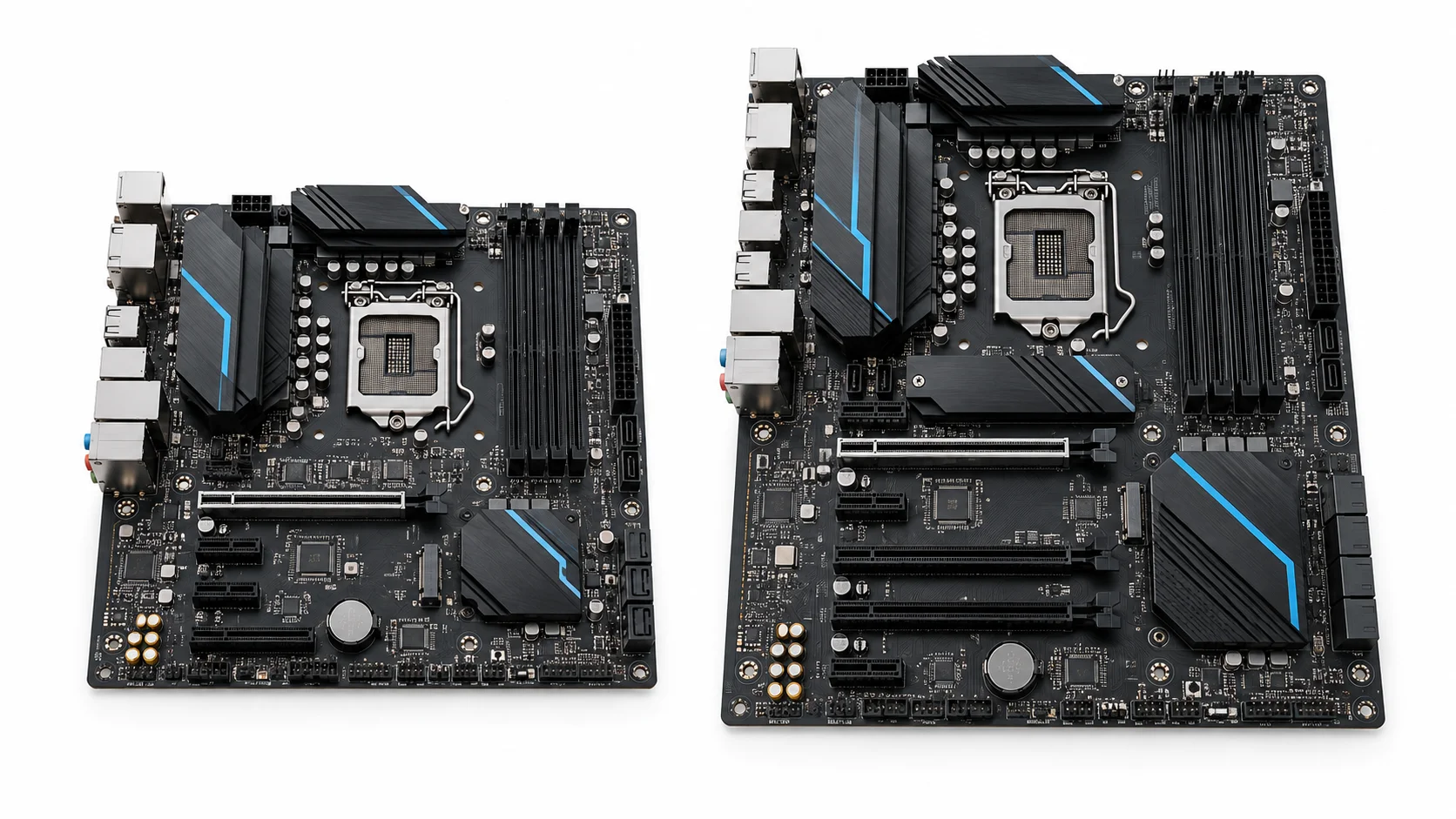
For most single-GPU gaming PCs, mATX is the better value when its storage, USB, and networking features match your build. ATX is the better choice when you need more room for PCIe cards, several drives, or easier access around large components. In an mATX vs ATX comparison, board size by itself does not make games run faster: the CPU, GPU, memory, cooling, and the exact motherboard design determine performance.
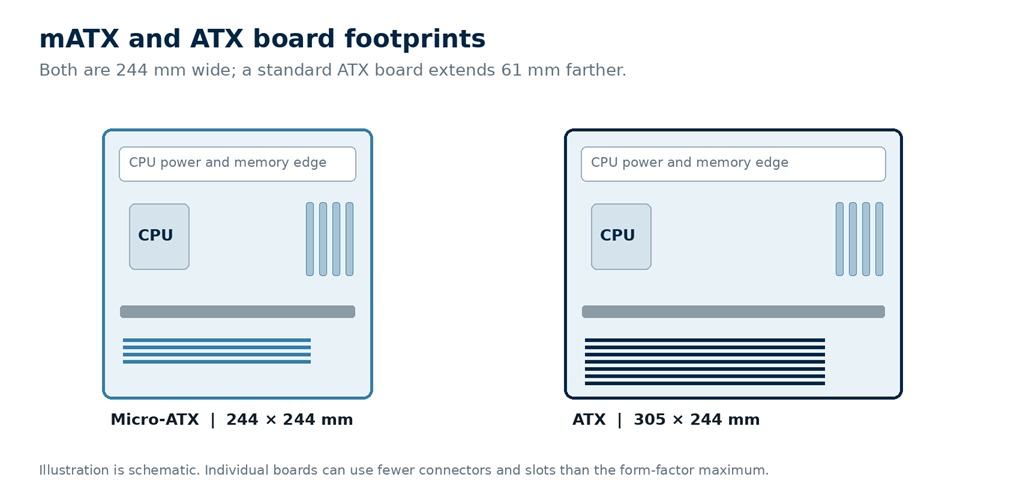
A standard mATX board is up to 244 × 244 mm, while a standard ATX board is 305 × 244 mm. Both can use the same processor platform and memory type, but ATX gives manufacturers more PCB length for expansion slots and connectors. The right choice depends on the case and devices you will install, not on the form-factor label alone.
We list ten mATX and ten ATX motherboard options, and explain which type fits gaming, workstation, AI, and CPU-heavy builds. Check the linked manufacturer specifications for exact slot sharing, memory support, and regional model variants before buying.
mATX Motherboards
| Motherboard | View on Amazon | Platform | Key Specifications | Best Fit |
|---|---|---|---|---|
| MSI MAG B650M MORTAR WIFI | Check Latest Price | AMD AM5; B650 chipset; DDR5 | 2 M.2 slots, both PCIe 4.0 x4; 2.5Gb Ethernet; Wi-Fi 6E; Bluetooth 5.3 | AM5 gaming all-rounder |
| ASUS TUF GAMING B650M-PLUS WIFI | Check Latest Price | AMD AM5; B650 chipset; DDR5 | 2 M.2 slots: PCIe 5.0 x4 and PCIe 4.0 x4; 2.5Gb Ethernet; Wi-Fi 6; Bluetooth 5.2 | AM5 Gen5 storage value |
| GIGABYTE B650M AORUS ELITE AX | Check Latest Price | AMD AM5; B650 chipset; DDR5 | 2 M.2 slots: PCIe 5.0 x4 and PCIe 4.0 x4; 2.5Gb Ethernet; Wi-Fi 6E on supported revisions; Bluetooth varies by revision | Compact gaming and work |
| ASRock B650M Pro RS | Check Latest Price | AMD AM5; B650 chipset; DDR5 | 3 M.2 slots, including PCIe 5.0 x4 and PCIe 4.0 x4; Dragon 2.5Gb LAN; no onboard Wi-Fi | AM5 storage-focused value |
| MSI B550M PRO-VDH WIFI | Check Latest Price | AMD AM4; B550 chipset; DDR4 | 2 M.2 slots; PCIe 4.0/3.0 storage support depending on slot and CPU; Gigabit Ethernet; Wi-Fi AC; Bluetooth 4.2 | Budget AM4 and DDR4 reuse |
| ASUS ROG Strix B860-G Gaming WiFi | Check Latest Price | Intel LGA1851; B860 chipset; DDR5 | 4 M.2 slots, including one PCIe 5.0 x4; 2.5Gb Ethernet; Wi-Fi 7; Bluetooth 5.4 | Premium compact Intel build |
| MSI MAG B860M MORTAR WIFI | Check Latest Price | Intel LGA1851; B860 chipset; DDR5 | 3 M.2 slots: PCIe 5.0 x4 and two PCIe 4.0 x4; 5Gb Ethernet; Wi-Fi 7; Bluetooth 5.4 | Fast-networking Intel mATX build |
| GIGABYTE B860M AORUS ELITE WIFI6E | Check Latest Price | Intel LGA1851; B860 chipset; DDR5 | 2 M.2 slots: PCIe 5.0 x4 and PCIe 4.0 x4; 2.5Gb Ethernet; Wi-Fi 6E; Bluetooth 5.3 | Simpler current Intel build |
| ASRock B860M Pro RS WiFi | Check Latest Price | Intel LGA1851; B860 chipset; DDR5 | 3 M.2 slots: PCIe Gen5 x4 and two PCIe Gen4 x4; 2.5Gb LAN; Wi-Fi 6E; Bluetooth 5.3 | LGA1851 storage value |
| MSI PRO B760M-A WIFI DDR4 | Check Latest Price | Intel LGA1700; B760 chipset; DDR4 | 2 M.2 slots, both PCIe 4.0 x4; 2.5Gb Ethernet; Wi-Fi 6E; Bluetooth 5.3 | LGA1700 DDR4 value |
Check the exact motherboard revision and manufacturer specification page before purchase, since some features can vary by revision or region.
ATX Motherboards
| Motherboard | View on Amazon | Platform | Key Specifications | Best Fit |
|---|---|---|---|---|
| ASUS ROG Crosshair X870E Hero | Check Latest Price | AMD AM5; X870E chipset; DDR5 | 5 M.2 slots, including three PCIe 5.0 x4 and two PCIe 4.0 x4; Wi-Fi 7; 5Gb and 2.5Gb Ethernet | AM5 enthusiast flagship |
| MSI MPG X870E CARBON WIFI | Check Latest Price | AMD AM5; X870E chipset; DDR5 | 4 M.2 slots: two PCIe 5.0 x4 and two PCIe 4.0 x4; Wi-Fi 7; 5Gb and 2.5Gb Ethernet | AM5 gaming and creation |
| GIGABYTE X870E AORUS MASTER WIFI7 | Check Latest Price | AMD AM5; X870E chipset; DDR5 | 4 M.2 slots: three PCIe 5.0 x4 and one PCIe 4.0 x4; Wi-Fi 7; 5GbE LAN | AM5 fast storage and networking |
| ASUS TUF GAMING B650-PLUS WIFI | Check Latest Price | AMD AM5; B650 chipset; DDR5 | 3 M.2 slots: one PCIe 5.0 x4 and two PCIe 4.0 x4; Wi-Fi 6; 2.5Gb Ethernet | AM5 gaming value |
| MSI MPG B550 GAMING PLUS | Check Latest Price | AMD AM4; B550 chipset; DDR4 | 2 M.2 slots; PCIe 4.0/3.0 storage support depending on slot and CPU; Gigabit Ethernet; no built-in Wi-Fi | Legacy AM4 and DDR4 reuse |
| ASUS ROG Maximus Z890 Hero | Check Latest Price | Intel LGA1851; Z890 chipset; DDR5 | 6 M.2 slots: three PCIe 5.0 x4 and three PCIe 4.0 x4; Wi-Fi 7; 5Gb and 2.5Gb Ethernet | Intel enthusiast workstation |
| MSI MPG Z890 CARBON WIFI | Check Latest Price | Intel LGA1851; Z890 chipset; DDR5 | 5 M.2 slots: one PCIe 5.0 x4 and four PCIe 4.0 x4; Wi-Fi 7; 5Gb LAN | Premium Intel gaming |
| GIGABYTE Z890 AORUS ELITE WIFI7 | Check Latest Price | Intel LGA1851; Z890 chipset; DDR5 | 4 M.2 slots, including one PCIe 5.0 x4; Wi-Fi 7; 2.5GbE LAN | Z890 value build |
| ASRock Z890 Pro RS WiFi | Check Latest Price | Intel LGA1851; Z890 chipset; DDR5 | 4 M.2 slots: one PCIe 5.0 x4 and three PCIe 4.0 x4; Wi-Fi 6E; Bluetooth 5.3; 2.5Gb LAN | LGA1851 creator and storage build |
| MSI MAG Z790 TOMAHAWK WIFI (DDR5) | Check Latest Price | Intel LGA1700; Z790 chipset; DDR5 | 4 PCIe 4.0 x4 M.2 slots; Intel 2.5Gb Ethernet; Wi-Fi 6E; Bluetooth 5.3 | LGA1700 DDR5 value |
Confirm the exact board model, supported CPU, BIOS version, and M.2 lane-sharing details on the manufacturer’s page before purchase.
mATX vs ATX Size Comparison
The illustration shows the common maximum board footprints to scale. Motherboard makers may place fewer connectors on a given model, so use the product specification page and case clearance chart to confirm what fits.
10 Best mATX Motherboards
These options span current AM5 and LGA1851 platforms as well as previous-generation AM5 and LGA1700 value boards. “Best” here means a useful fit for a specific buyer; compare the exact model’s price, BIOS support, and component layout where you shop.
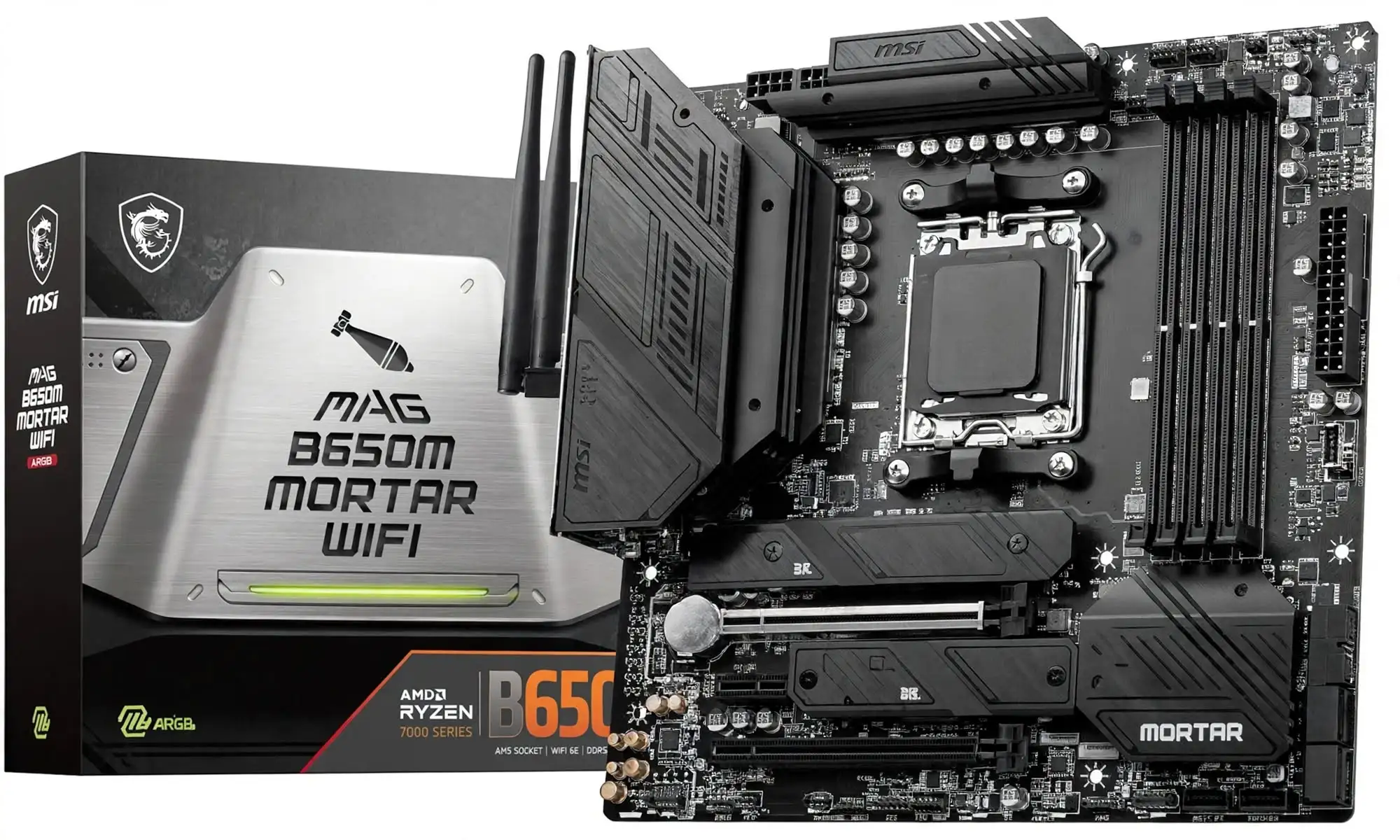
1. MSI MAG B650M MORTAR WIFI
Specification Details
| Form factor and dimensions | Micro-ATX; 244 x 244 mm |
| CPU socket and chipset | AMD AM5; AMD B650 chipset |
| Memory | 4 x DDR5 DIMMs; up to 256GB; DDR5 7600+(OC) MHz (CPU-dependent) |
| Primary graphics slot | 1 x PCIe 4.0 x16 (from CPU) |
| M.2 storage | 2 x M.2; M.2_1 PCIe 4.0 x4 from CPU, M.2_2 PCIe 4.0 x4 from chipset |
| Networking | Realtek 2.5Gbps LAN; AMD Wi-Fi 6E and Bluetooth 5.3 |
Review: The published feature set supports this use: strong all-round AM5 choice for a gaming or productivity build needing integrated Wi-Fi, 2.5GbE, and two PCIe 4.0 NVMe sockets. Check the exact CPU support list, BIOS requirements, board revision, and current price before choosing.
Reason to buy: Strong all-round AM5 choice for a gaming or productivity build needing integrated Wi-Fi, 2.5GbE, and two PCIe 4.0 NVMe sockets.
Reason to avoid: No PCIe 5.0 M.2 socket is listed in the manufacturer’s specifications; verify CPU and memory support for advertised overclocked speeds.
2. ASUS TUF GAMING B650M-PLUS WIFI
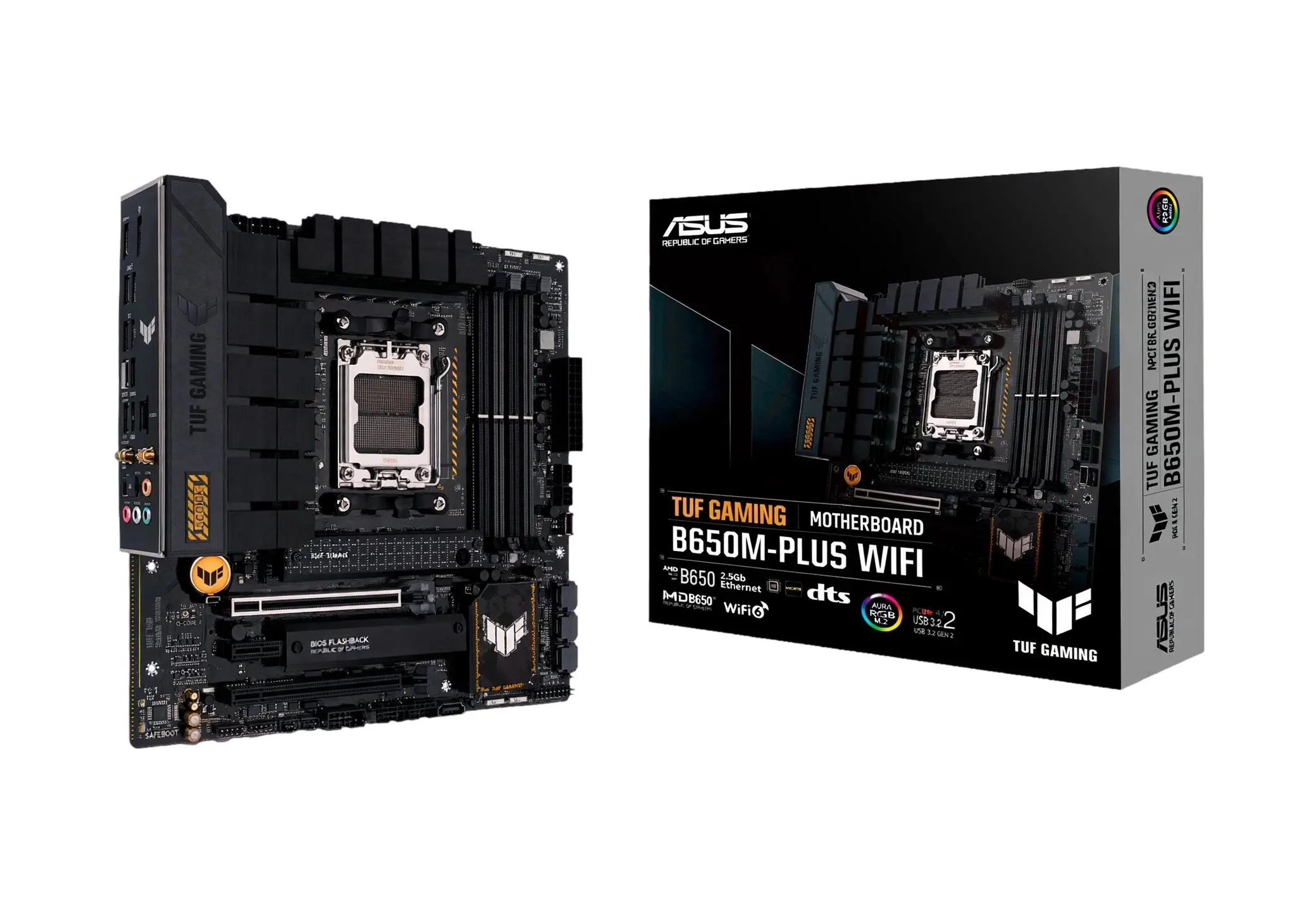
Specification Details
| Form factor and dimensions | Micro-ATX; 244 x 244 mm |
| CPU socket and chipset | AMD AM5; AMD B650 chipset |
| Memory | 4 x DDR5 DIMMs; up to 192GB; DDR5 7600+(OC) MHz (CPU-dependent) |
| Primary graphics slot | 1 x PCIe 4.0 x16 (CPU); 1 x PCIe 4.0 x4 (chipset) |
| M.2 storage | 2 x M.2; 1 x PCIe 5.0 x4, 1 x PCIe 4.0 x4 |
| Networking | Realtek 2.5Gb Ethernet; Wi-Fi 6; Bluetooth 5.2 |
Review: The published feature set supports this use: a feature-rich AM5 gaming board for a compact build where a PCIe 5.0 NVMe upgrade path and wireless networking matter. Check the exact CPU support list, BIOS requirements, board revision, and current price before choosing.
Reason to buy: Feature-rich AM5 gaming board for a compact build where a PCIe 5.0 NVMe upgrade path and wireless networking matter.
Reason to avoid: Only two M.2 sockets are specified, and the second expansion slot is chipset-connected; verify lane-sharing details for the exact revision.
3. GIGABYTE B650M AORUS ELITE AX
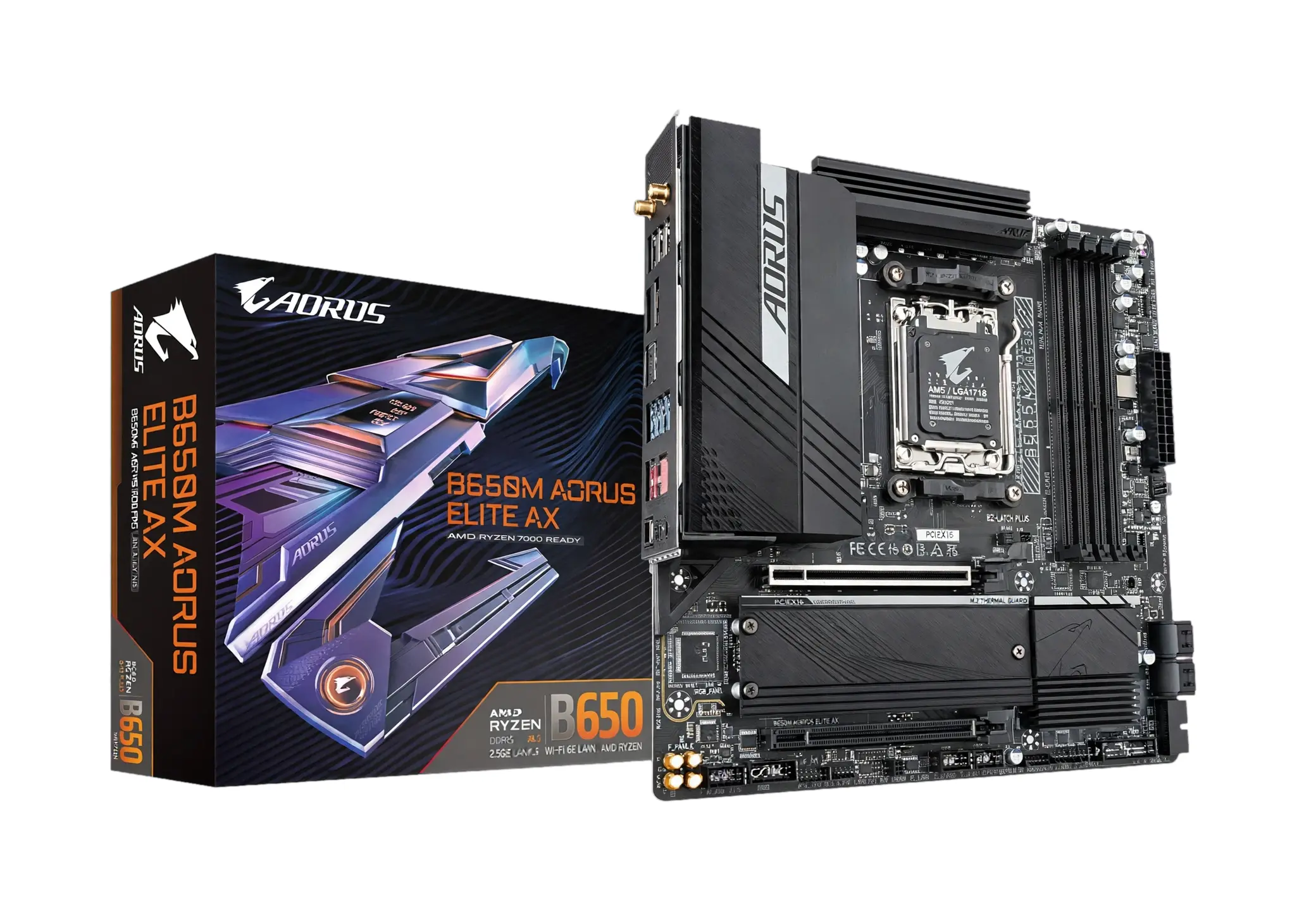
Specification Details
| Form factor and dimensions | Micro-ATX; 244 x 244 mm |
| CPU socket and chipset | AMD AM5; AMD B650 chipset |
| Memory | 4 x DDR5 DIMMs; up to 256GB; DDR5 7600+(OC) MHz (CPU-dependent) |
| Primary graphics slot | 1 x PCI Express 4.0 x16 (CPU) |
| M.2 storage | 2 x M.2; 1 x PCIe 5.0 x4, 1 x PCIe 4.0 x4 |
| Networking | Realtek 2.5GbE LAN; AMD Wi-Fi 6E; Bluetooth 5.2 |
Review: The published feature set supports this use: a good compact enthusiast option for a high-speed AM5 gaming/workstation system with PCIe 5.0 storage and wireless connectivity. Check the exact CPU support list, BIOS requirements, board revision, and current price before choosing.
Reason to buy: Good compact enthusiast option for a high-speed AM5 gaming/workstation system with PCIe 5.0 storage and wireless connectivity.
Reason to avoid: The exact wireless module and supported memory ceiling can vary by regional/revision listing; verify on the manufacturer page before purchase.
4. ASRock B650M Pro RS
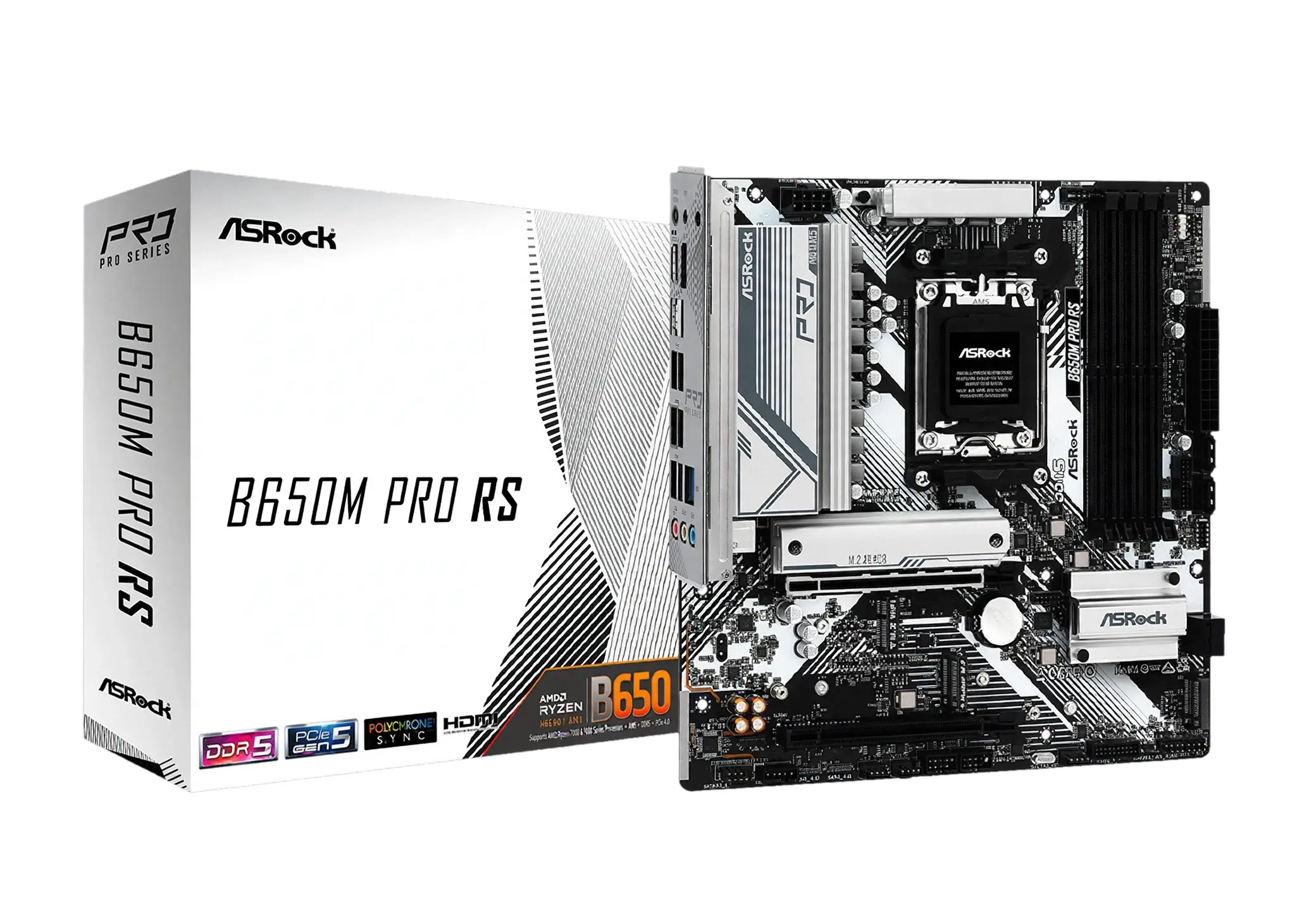
Specification Details
| Form factor and dimensions | Micro-ATX; 244 x 244 mm |
| CPU socket and chipset | AMD AM5; AMD B650 chipset |
| Memory | 4 x DDR5 DIMMs; up to 256GB; DDR5 7200+(OC) MHz (CPU-dependent) |
| Primary graphics slot | 1 x PCIe 4.0 x16; 1 x PCIe 3.0 x16 (x4 electrical) |
| M.2 storage | 3 x M.2; 1 x PCIe 5.0 x4, 1 x PCIe 4.0 x4, 1 x PCIe 3.0 x2/SATA |
| Networking | Dragon 2.5Gbps LAN; no onboard Wi-Fi listed |
Review: The published feature set supports this use: best expansion/storage-focused value pick for AM5 users who want three NVMe sockets and do not need built-in Wi-Fi. Check the exact CPU support list, BIOS requirements, board revision, and current price before choosing.
Reason to buy: Best expansion/storage-focused value pick for AM5 users who want three NVMe sockets and do not need built-in Wi-Fi.
Reason to avoid: The official specification does not list onboard Wi-Fi; adding wireless networking requires an expansion card or USB adapter.
5. MSI B550M PRO-VDH WIFI
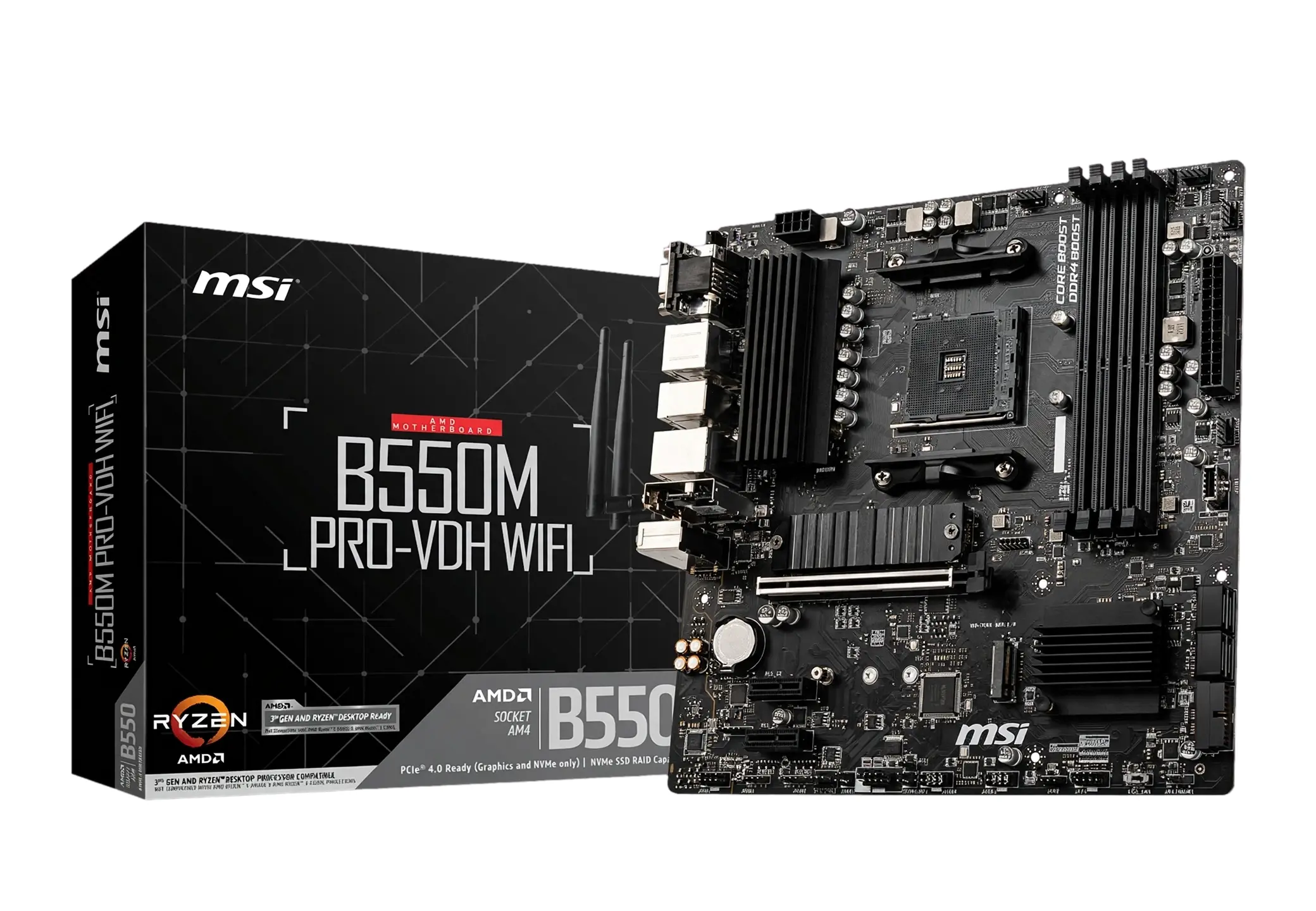
Specification Details
| Form factor and dimensions | Micro-ATX; 244 x 244 mm |
| CPU socket and chipset | AMD AM4; AMD B550 chipset |
| Memory | 4 x DDR4 DIMMs; up to 128GB; DDR4 4400+(OC) MHz (CPU-dependent) |
| Primary graphics slot | 1 x PCIe 4.0 x16 (CPU); 1 x PCIe 3.0 x16 (x4 electrical) |
| M.2 storage | 2 x M.2; 1 x PCIe 4.0/3.0 x4 from CPU, 1 x PCIe 3.0 x4 from chipset |
| Networking | Realtek 2.5Gbps LAN; Intel Wi-Fi AC 3168; Bluetooth 4.2 |
Review: The published feature set supports this use: a lower-cost legacy AM4 choice for reusing DDR4 and pairing with Ryzen 3000/5000 processors in an affordable compact build. Check the exact CPU support list, BIOS requirements, board revision, and current price before choosing.
Reason to buy: Lower-cost legacy AM4 choice for reusing DDR4 and pairing with Ryzen 3000/5000 processors in an affordable compact build.
Reason to avoid: AM4/DDR4 is a legacy platform with no DDR5 or PCIe 5.0; CPU compatibility may require a BIOS version update, so verify on the manufacturer page.
6. ASUS ROG Strix B860-G Gaming WiFi
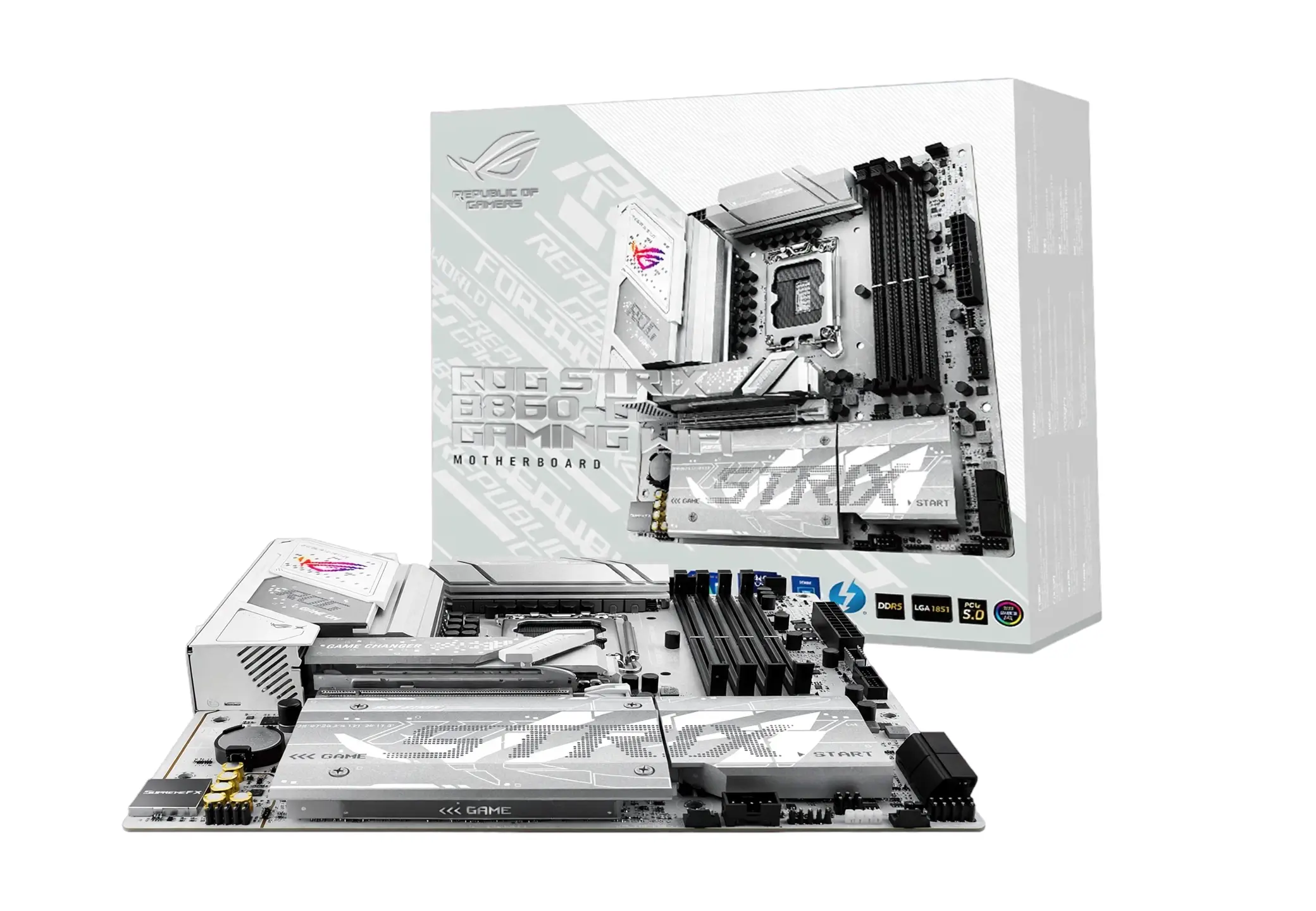
Specification Details
| Form factor and dimensions | 244 x 244 mm; Micro-ATX |
| CPU socket and chipset | Intel LGA1851; Intel B860 chipset |
| Memory | 4 x DIMM, DDR5; up to 256 GB; up to DDR5-9066 (OC) |
| Primary graphics slot | 1 x PCIe 5.0 x16 (CPU), reinforced SafeSlot |
| M.2 storage | 3 x M.2: 1 x PCIe 5.0 x4 and 2 x PCIe 4.0 x4 |
| Networking | Intel 2.5Gb Ethernet; Wi-Fi 7; Bluetooth 5.4 |
Review: The published feature set supports this use: premium compact gaming/workstation build where fast Gen5 graphics, three NVMe positions, and Wi-Fi 7 are priorities. Check the exact CPU support list, BIOS requirements, board revision, and current price before choosing.
Reason to buy: Premium compact gaming/workstation build where fast Gen5 graphics, three NVMe positions, and Wi-Fi 7 are priorities.
Reason to avoid: DDR5-only and B860 platform; CPU overclocking is not supported by the chipset; verify on the manufacturer’s page.
7. MSI MAG B860M MORTAR WIFI
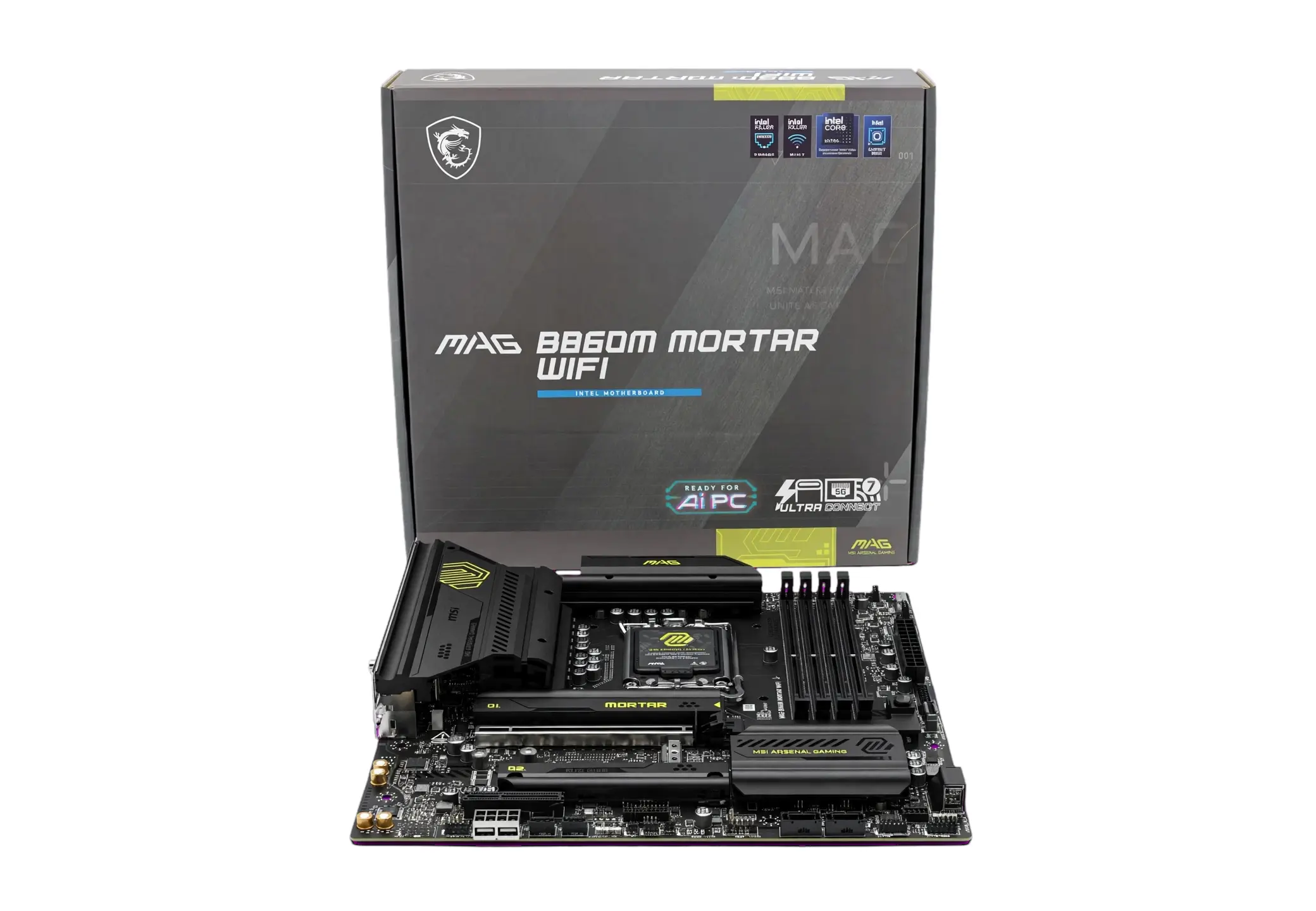
Specification Details
| Form factor and dimensions | 243.84 x 243.84 mm; Micro-ATX |
| CPU socket and chipset | Intel LGA1851; Intel B860 chipset |
| Memory | 4 x DDR5 DIMM; up to 256 GB; DDR5-9200+ (OC) |
| Primary graphics slot | 1 x PCIe 5.0 x16 from CPU |
| M.2 storage | 3 x M.2: 1 x PCIe 5.0 x4 and 2 x PCIe 4.0 x4 |
| Networking | 5Gbps LAN; Wi-Fi 7; Bluetooth 5.4 |
Review: The published feature set supports this use: a feature-rich all-rounder for a compact gaming PC needing unusually fast wired networking and multiple NVMe drives. Check the exact CPU support list, BIOS requirements, board revision, and current price before choosing.
Reason to buy: Feature-rich all-rounder for a compact gaming PC needing unusually fast wired networking and multiple NVMe drives.
Reason to avoid: DDR5-only; some M.2/PCIe and SATA sharing depends on the installed devices; verify on the manufacturer page.
8. GIGABYTE B860M AORUS ELITE WIFI6E
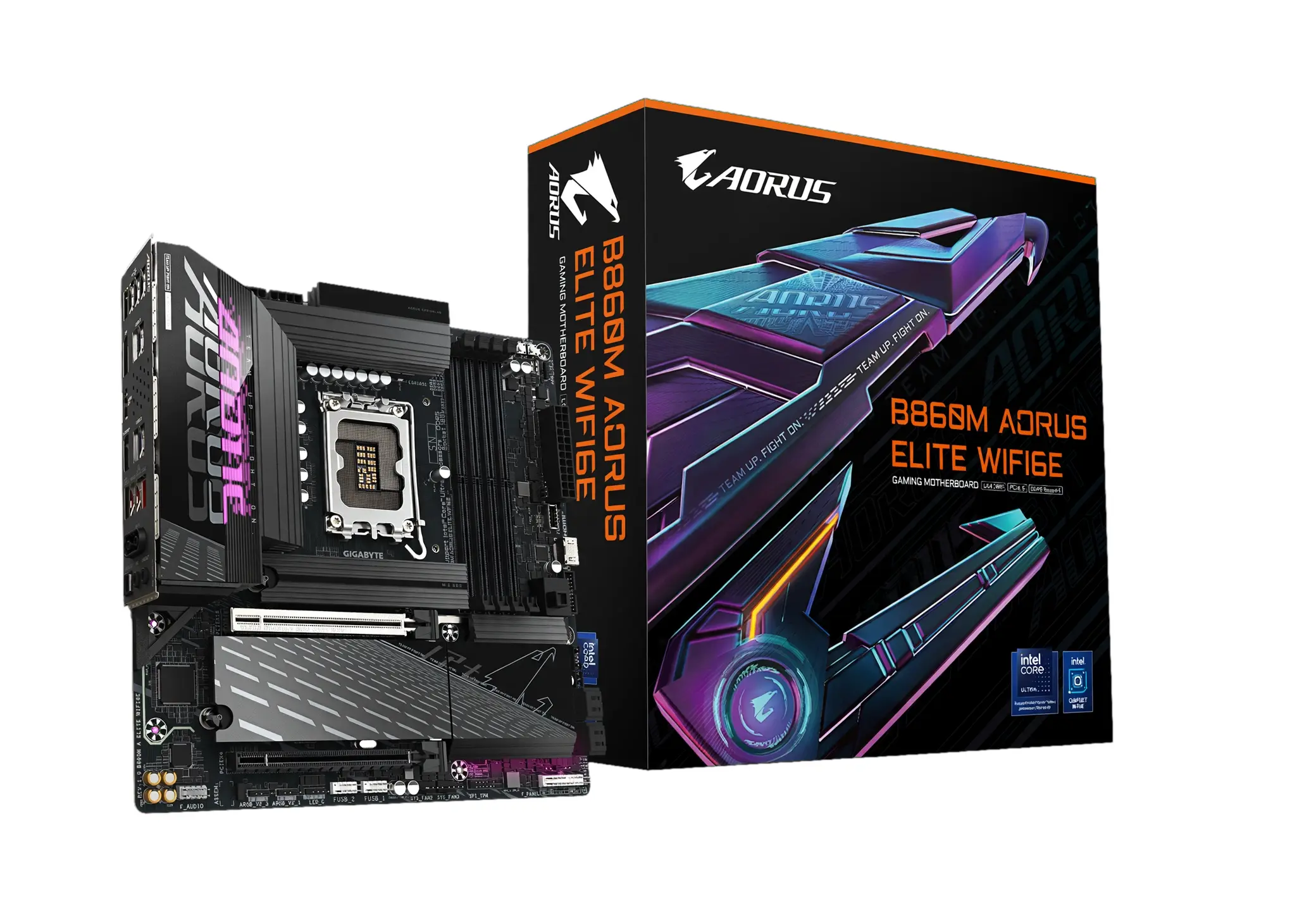
Specification Details
| Form factor and dimensions | 244 x 244 mm; Micro-ATX |
| CPU socket and chipset | Intel LGA1851; Intel B860 chipset |
| Memory | 4 x DDR5 DIMM; up to 256 GB; DDR5-9066 (OC) |
| Primary graphics slot | 1 x PCI Express 5.0 x16 slot |
| M.2 storage | 2 x M.2: 1 x PCIe 5.0 x4 and 1 x PCIe 4.0 x4 |
| Networking | Realtek 2.5GbE LAN; Wi-Fi 6E; Bluetooth 5.3 |
Review: The published feature set supports this use: a balanced compact gaming build for buyers wanting current LGA1851 performance, Wi-Fi 6E, and a simpler two-drive layout. Check the exact CPU support list, BIOS requirements, board revision, and current price before choosing.
Reason to buy: Balanced compact gaming build for buyers wanting current LGA1851 performance, Wi-Fi 6E, and a simpler two-drive layout.
Reason to avoid: Only two onboard M.2 positions versus some competing B860M boards; DDR5-only; verify on manufacturer page.
9. ASRock B860M Pro RS WiFi
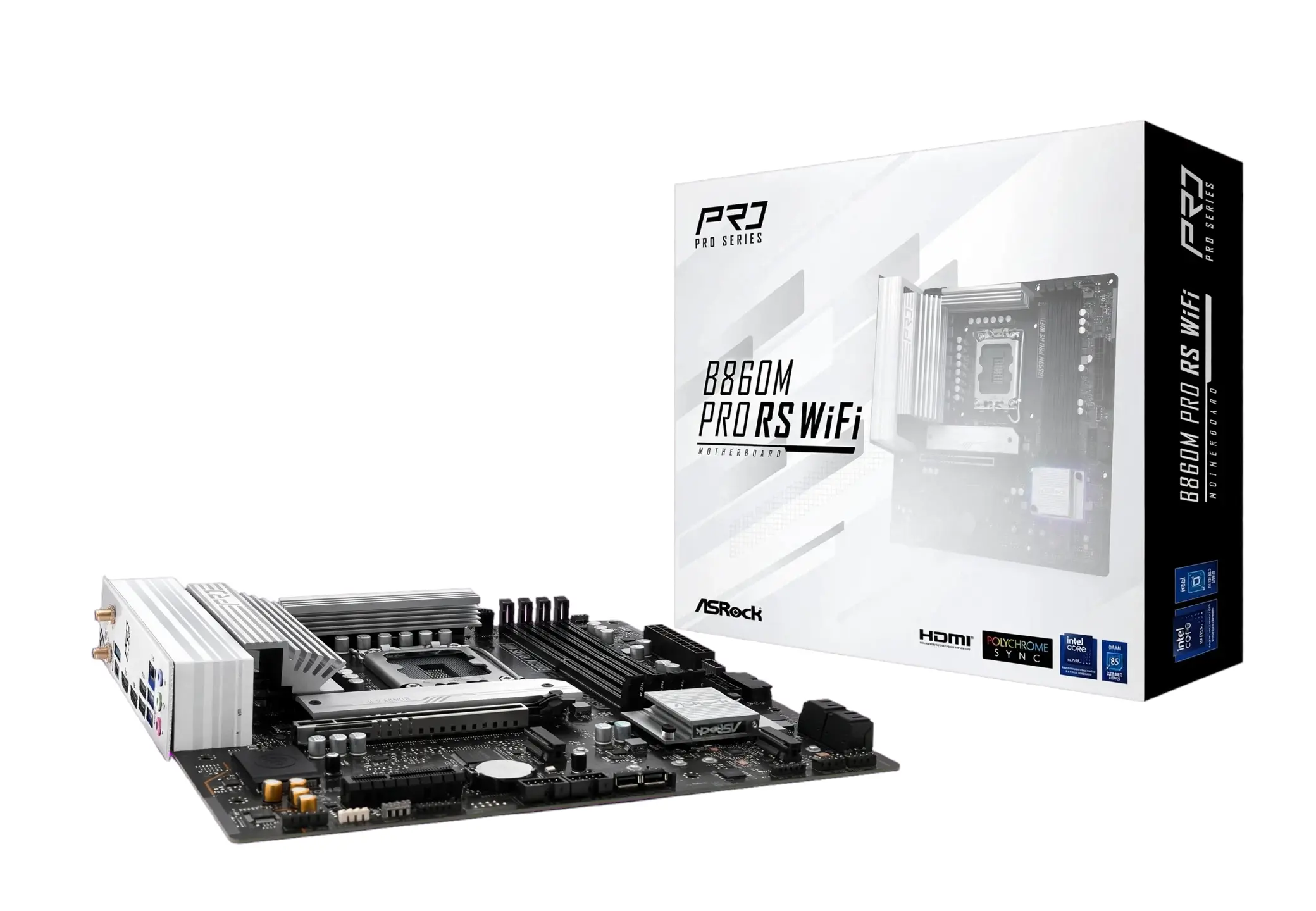
Specification Details
| Form factor and dimensions | 244 x 244 mm; Micro-ATX |
| CPU socket and chipset | Intel LGA1851; Intel B860 chipset |
| Memory | 4 x DDR5 DIMM; up to 256 GB; DDR5-8666+ (OC) |
| Primary graphics slot | 1 x PCIe 5.0 x16 (CPU) |
| M.2 storage | 3 x M.2: 1 x PCIe Gen5 x4 and 2 x PCIe Gen4 x4 |
| Networking | Dragon 2.5G LAN; Wi-Fi 6E; Bluetooth 5.3 |
Review: The published feature set supports this use: a value-focused LGA1851 productivity or gaming build that still needs Gen5 graphics and three NVMe sockets. Check the exact CPU support list, BIOS requirements, board revision, and current price before choosing.
Reason to buy: Value-focused LGA1851 productivity or gaming build that still needs Gen5 graphics and three NVMe sockets.
Reason to avoid: Lower-cost board has less premium rear-I/O and power-delivery positioning than flagship B860M models; verify on manufacturer page.
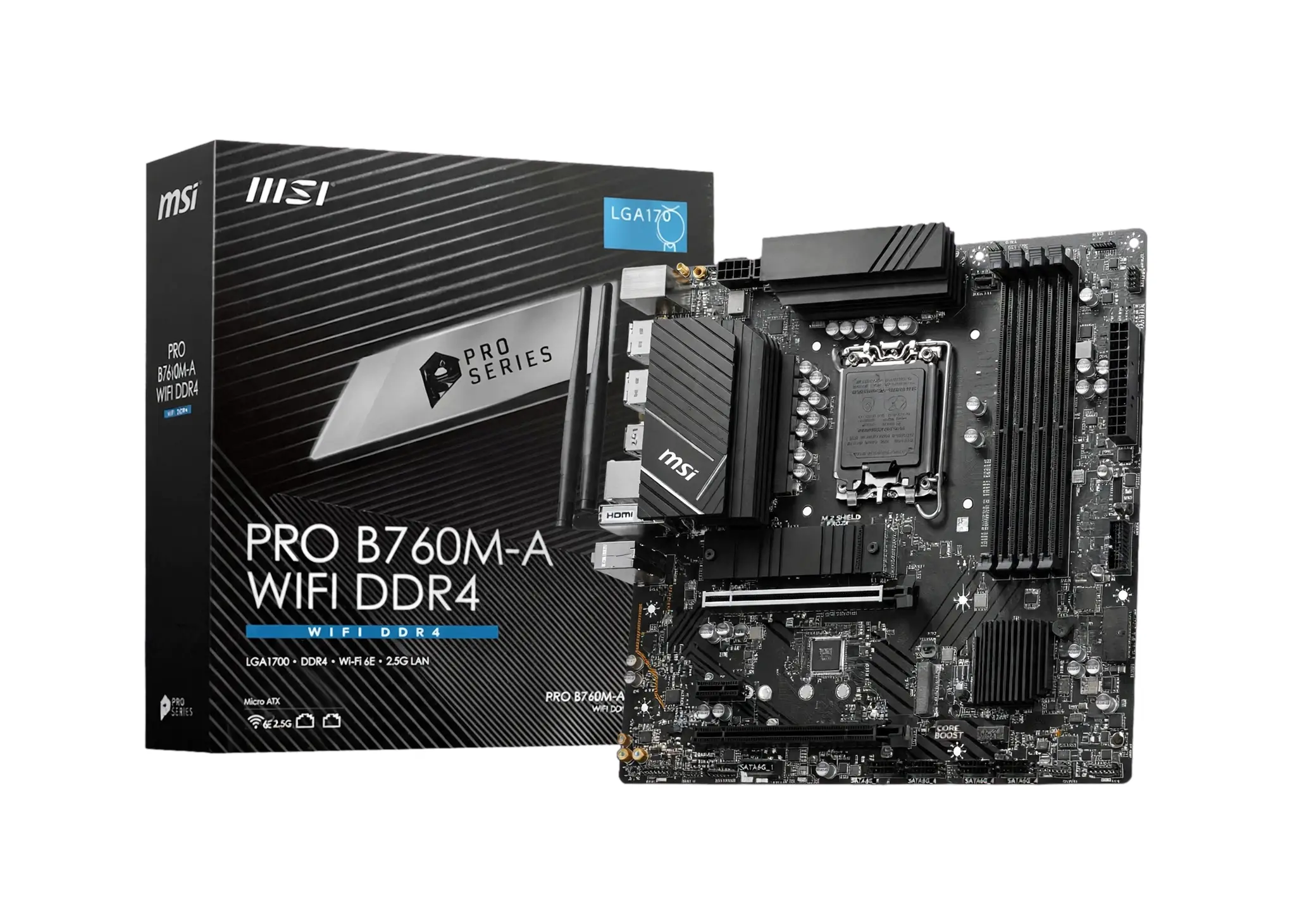
10. MSI PRO B760M-A WIFI DDR4
Specification Details
| Form factor and dimensions | 243.84 x 243.84 mm; Micro-ATX |
| CPU socket and chipset | Intel LGA1700; Intel B760 chipset |
| Memory | 4 x DDR4 DIMM; up to 128 GB; DDR4-5333+ (OC) |
| Primary graphics slot | 1 x PCIe 4.0 x16 from CPU |
| M.2 storage | 2 x M.2: PCIe 4.0 x4 |
| Networking | Realtek 2.5Gbps LAN; Wi-Fi 6E; Bluetooth 5.3 |
Review: The published feature set supports this use: a lower-cost legacy option for an existing or discounted 12th/13th/14th-gen Intel LGA1700 DDR4 build. Check the exact CPU support list, BIOS requirements, board revision, and current price before choosing.
Reason to buy: Lower-cost legacy option for an existing or discounted 12th/13th/14th-gen Intel LGA1700 DDR4 build.
Reason to avoid: Older LGA1700 platform, DDR4-only, no PCIe 5.0 GPU slot, and only two M.2 sockets; verify on the manufacturer’s page.
10 Best ATX Motherboards
ATX gives this list more physical room for add-in cards and connectors. Several picks are premium boards, so choose them for the specific storage, networking, USB, or tuning features you will use rather than assuming a larger board raises frame rates.
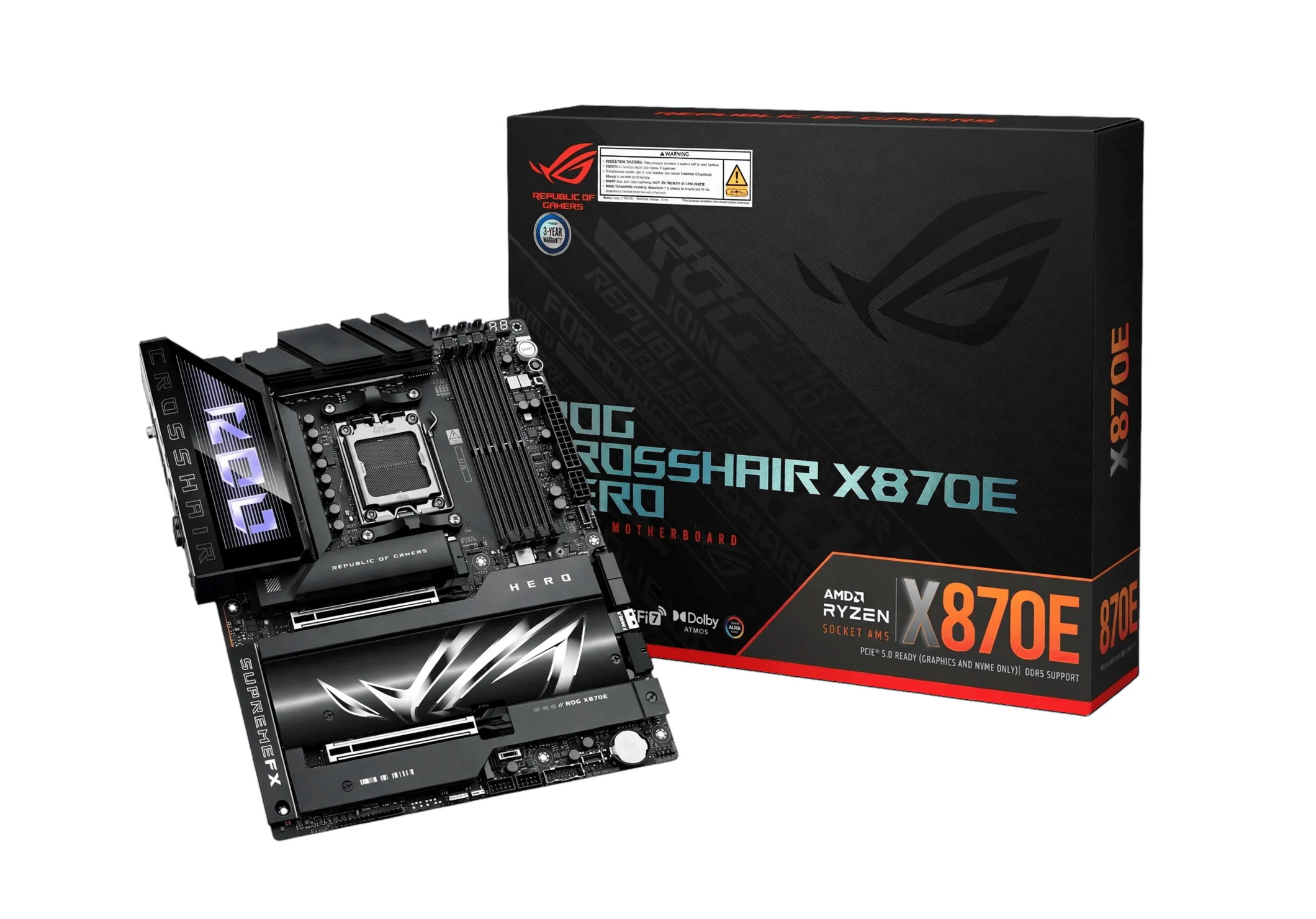
1. ASUS ROG Crosshair X870E Hero
Specification Details
| Form factor and dimensions | ATX, 30.5 x 24.4 cm |
| CPU socket and chipset | AMD AM5; AMD X870E chipset |
| Memory | 4 x DIMM, DDR5; up to 192 GB; DDR5-8400 (OC) support |
| Primary graphics slot | 1 x PCIe 5.0 x16 slot |
| M.2 storage | 5 x M.2: 2 x PCIe 5.0 x4 and 3 x PCIe 4.0 x4 (manufacturer allocation should be checked for lane sharing) |
| Networking | Wi-Fi 7; 5Gb Ethernet |
Review: The published feature set supports this use: high-end AM5 gaming/workstation build needing maximum I/O, PCIe 5 storage, and very fast wired/wireless networking. Check the exact CPU support list, BIOS requirements, board revision, and current price before choosing.
Reason to buy: High-end AM5 gaming/workstation build needing maximum I/O, PCIe 5 storage, and very fast wired/wireless networking.
Reason to avoid: Premium-priced enthusiast board; exact M.2/GPU lane-sharing behavior and CPU support should be verified on the manufacturer’s page.
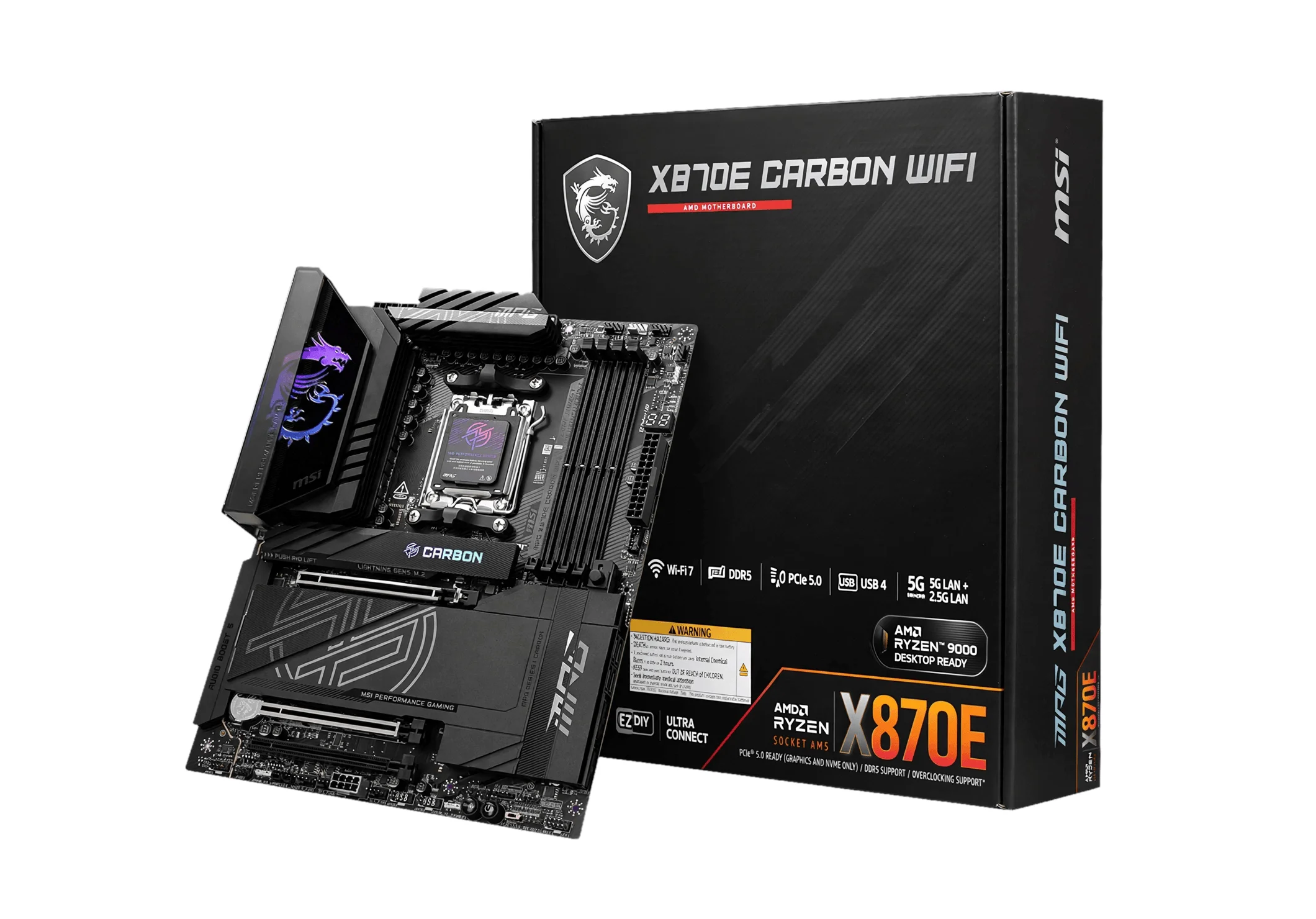
2. MSI MPG X870E CARBON WIFI
Specification Details
| Form factor and dimensions | ATX, 305 x 244 mm |
| CPU socket and chipset | AMD AM5; AMD X870E chipset |
| Memory | 4 x DIMM, DDR5; up to 256 GB; DDR5-8400+ (OC) support |
| Primary graphics slot | 1 x PCIe 5.0 x16 slot |
| M.2 storage | 4 x M.2: 2 x PCIe 5.0 x4 and 2 x PCIe 4.0 x4 |
| Networking | Wi-Fi 7; 5Gbps LAN |
Review: The published feature set supports this use: a feature-rich AM5 enthusiast/gaming platform for several NVMe drives and a high-end GPU without moving to a workstation board. Check the exact CPU support list, BIOS requirements, board revision, and current price before choosing.
Reason to buy: Feature-rich AM5 enthusiast/gaming platform for several NVMe drives and a high-end GPU without moving to a workstation board.
Reason to avoid: Some M.2 slots may share CPU/chipset bandwidth or disable other ports; verify the board’s storage lane table on the manufacturer’s page.
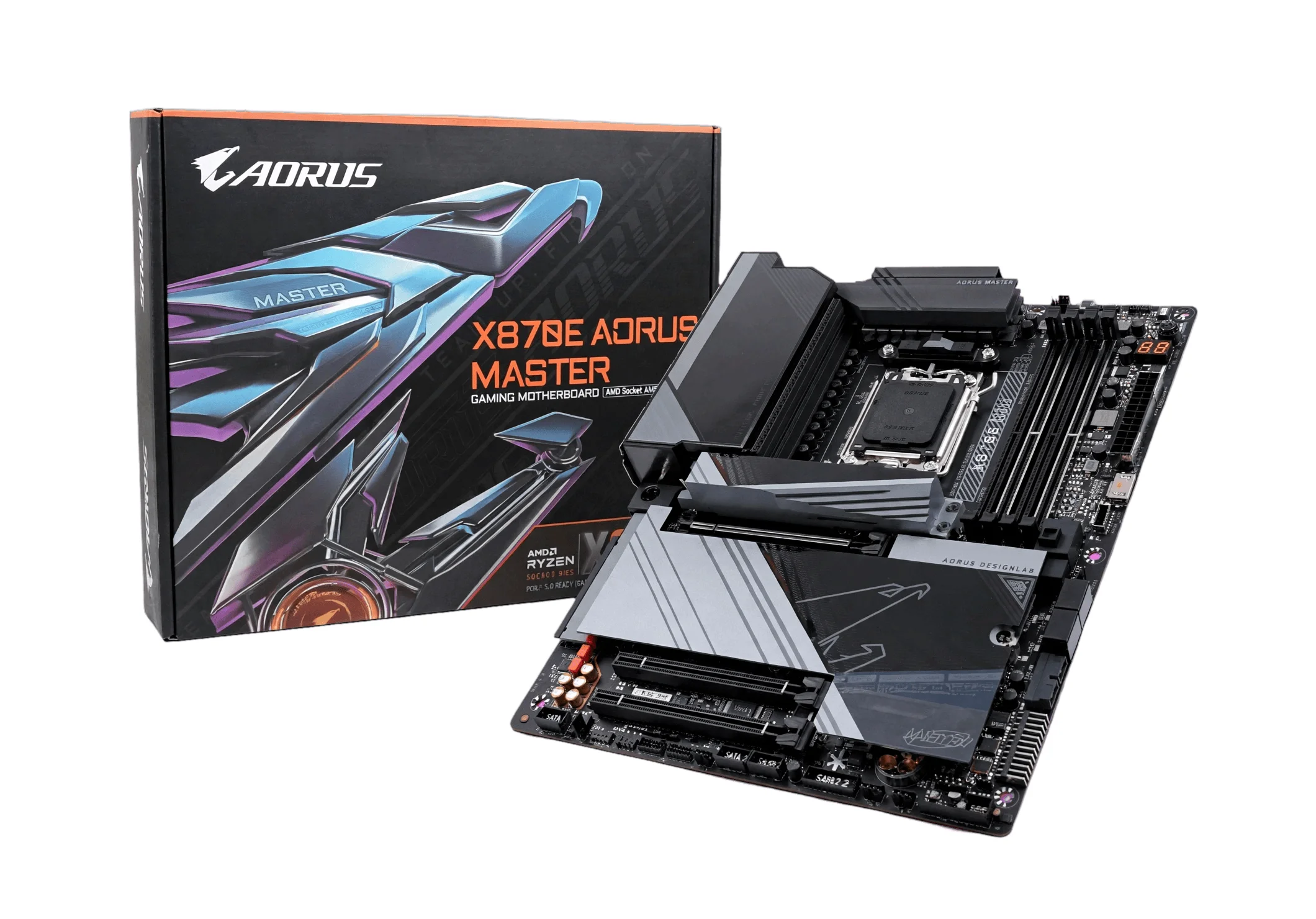
3. GIGABYTE X870E AORUS MASTER WIFI7
Specification Details
| Form factor and dimensions | ATX, 30.5 x 24.4 cm |
| CPU socket and chipset | AMD AM5; AMD X870E chipset |
| Memory | 4 x DIMM, DDR5; up to 256 GB; DDR5-8600 (OC) support |
| Primary graphics slot | 1 x PCIe 5.0 x16 slot |
| M.2 storage | 4 x M.2 sockets, including PCIe 5.0 x4 and PCIe 4.0 x4 sockets (slot-by-slot allocation should be verified) |
| Networking | Wi-Fi 7; 5GbE LAN |
Review: The published feature set supports this use: an AM5 creator/enthusiast choice emphasizing robust power delivery, multiple fast NVMe drives, and current connectivity. Check the exact CPU support list, BIOS requirements, board revision, and current price before choosing.
Reason to buy: AM5 creator/enthusiast choice emphasizing robust power delivery, multiple fast NVMe drives, and current connectivity.
Reason to avoid: High cost and possible shared lanes among expansion/storage connectors; verify exact M.2 count and sharing in the manufacturer manual/spec page.
4. ASUS TUF GAMING B650-PLUS WIFI
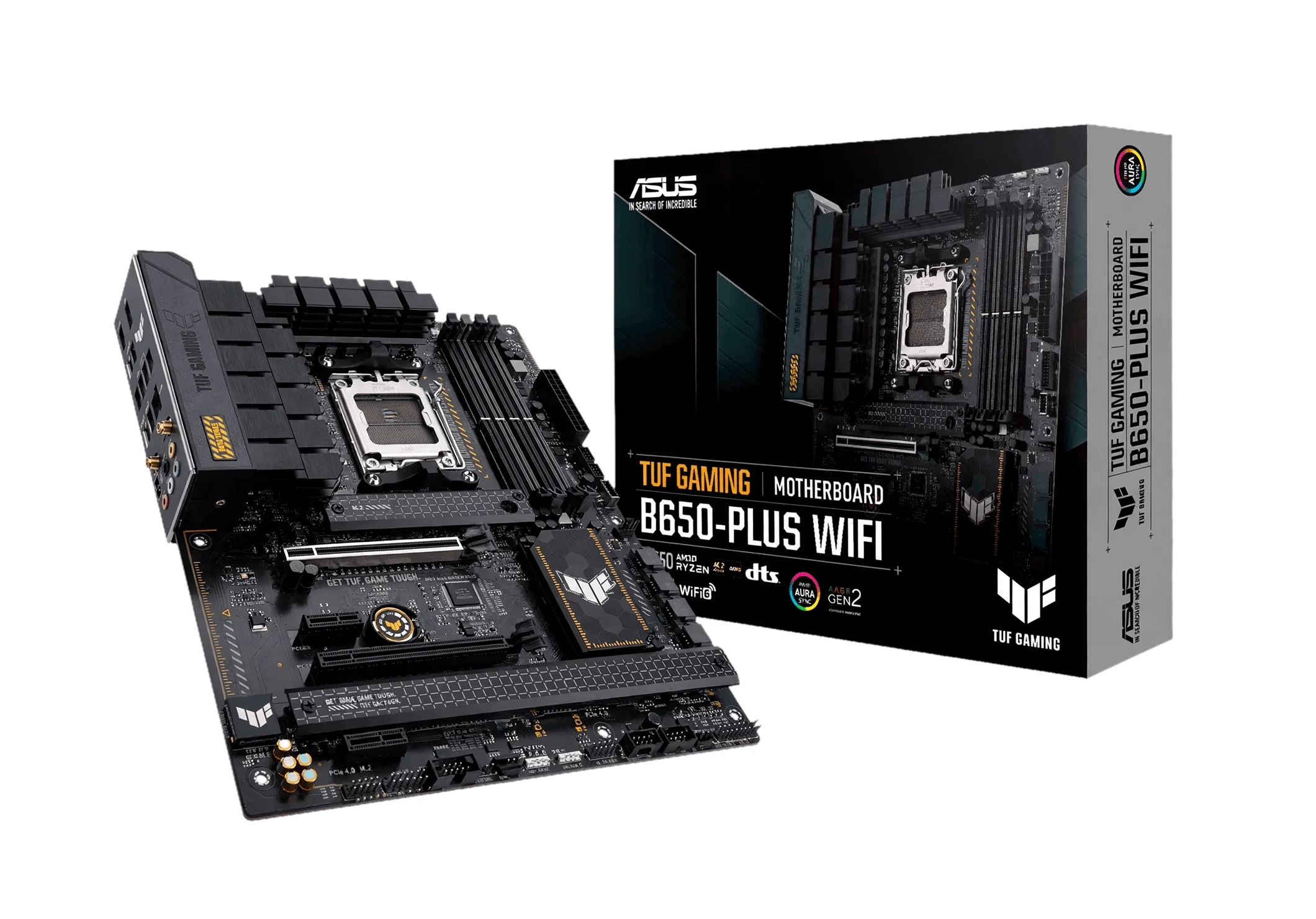
Specification Details
| Form factor and dimensions | ATX, 30.5 x 24.4 cm |
| CPU socket and chipset | AMD AM5; AMD B650 chipset |
| Memory | 4 x DIMM, DDR5; up to 192 GB; DDR5-6400 (OC) support |
| Primary graphics slot | 1 x PCIe 4.0 x16 slot |
| M.2 storage | 3 x M.2: 1 x PCIe 5.0 x4 and 2 x PCIe 4.0 x4 |
| Networking | Wi-Fi 6; 2.5Gb Ethernet |
Review: The published feature set supports this use: a mainstream AM5 gaming build offering a full ATX layout, DDR5 and PCIe 5.0 NVMe support at a lower platform cost. Check the exact CPU support list, BIOS requirements, board revision, and current price before choosing.
Reason to buy: Mainstream AM5 gaming build offering a full ATX layout, DDR5 and PCIe 5.0 NVMe support at a lower platform cost.
Reason to avoid: GPU slot is PCIe 4.0 rather than PCIe 5.0, and networking is slower than premium X870E boards; verify BIOS/CPU memory support.
5. MSI MPG B550 GAMING PLUS
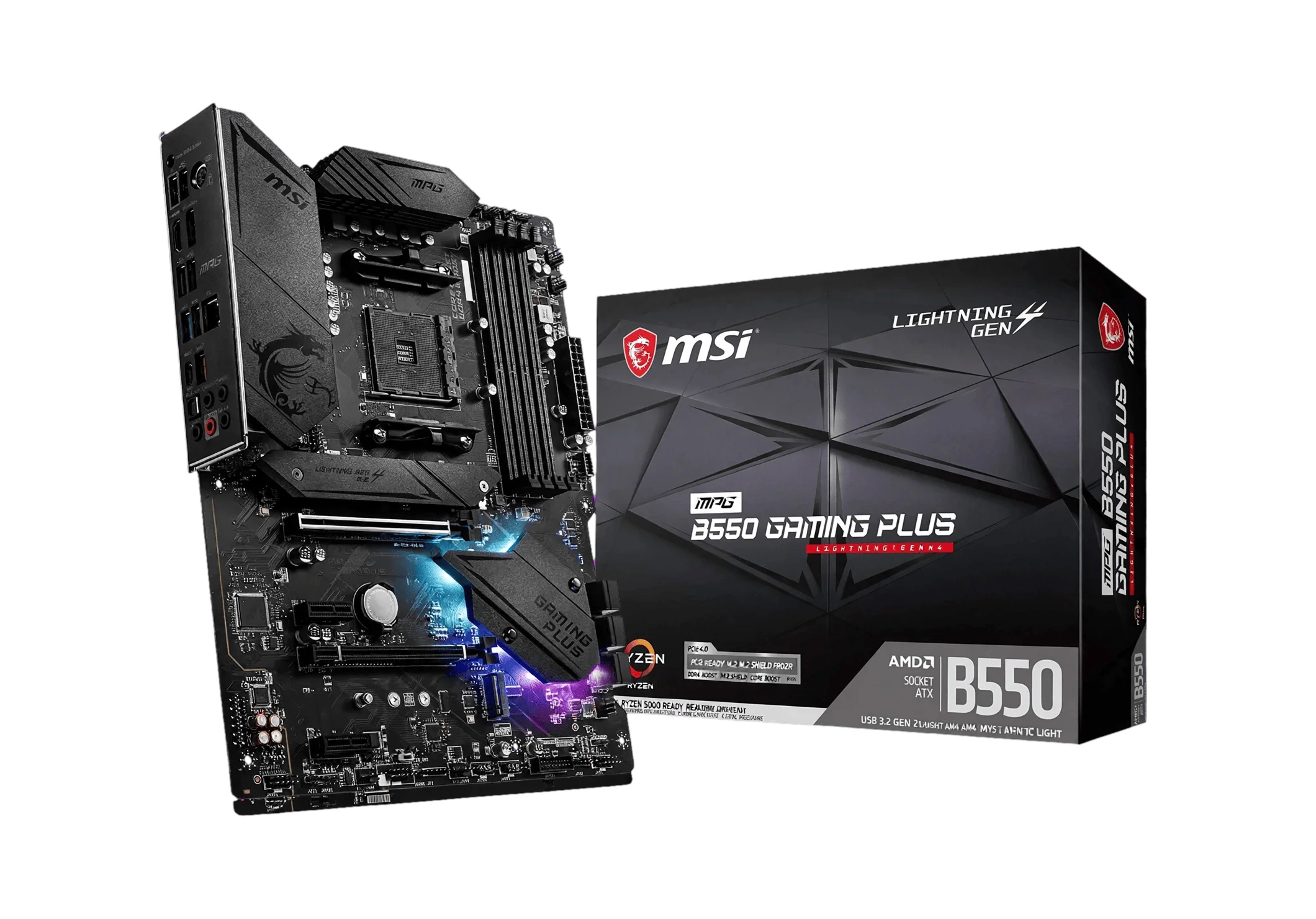
Specification Details
| Form factor and dimensions | ATX, 305 x 244 mm |
| CPU socket and chipset | AMD AM4; AMD B550 chipset |
| Memory | 4 x DIMM, DDR4; up to 128 GB; DDR4-4400 (OC) support |
| Primary graphics slot | 1 x PCIe 4.0 x16 slot |
| M.2 storage | 2 x M.2: 1 x PCIe 4.0/3.0 x4 and 1 x PCIe 3.0 x4 |
| Networking | 2.5Gbps LAN; no integrated Wi-Fi specified |
Review: The published feature set supports this use: lower-cost legacy AM4 full-ATX upgrade for existing Ryzen 3000/5000 and DDR4 owners, especially when reusing memory. Check the exact CPU support list, BIOS requirements, board revision, and current price before choosing.
Reason to buy: Lower-cost legacy AM4 full-ATX upgrade for existing Ryzen 3000/5000 and DDR4 owners, especially when reusing memory.
Reason to avoid: AM4/DDR4 is a legacy platform with less upgrade headroom than AM5; Wi-Fi requires an add-in card, and CPU compatibility depends on BIOS.
6. ASUS ROG Maximus Z890 Hero
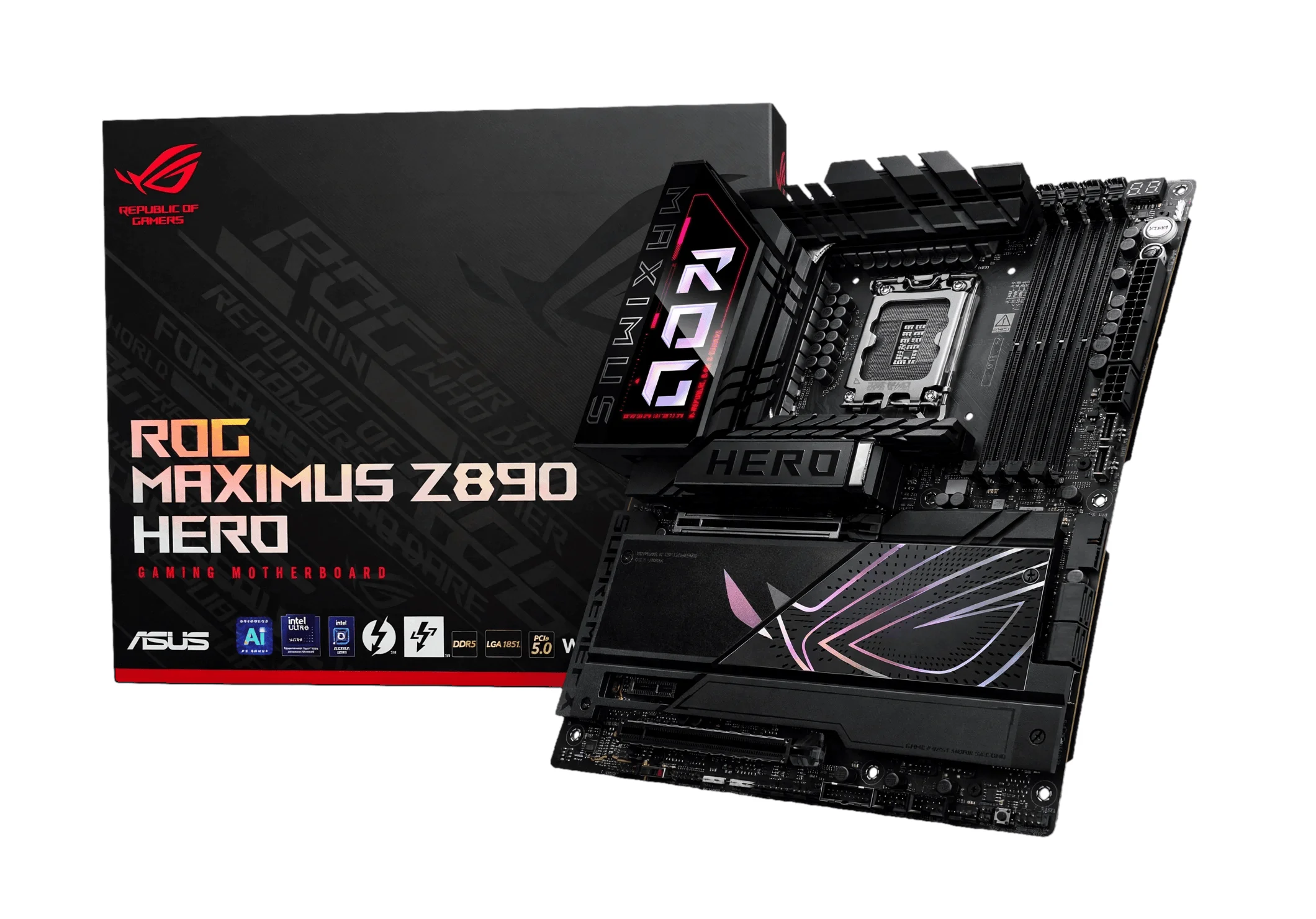
Specification Details
| Form factor and dimensions | ATX; 30.5 x 24.4 cm |
| CPU socket and chipset | Intel LGA1851; Intel Z890 chipset |
| Memory | 4 x DIMM, up to 192GB DDR5; DDR5-9200+ (OC) supported |
| Primary graphics slot | 2 x PCIe 5.0 x16 slots (x16 or x8/x8); 1 x PCIe 4.0 x4 slot |
| M.2 storage | 6 x M.2 sockets: 2 x PCIe 5.0 x4 and 4 x PCIe 4.0 x4 |
| Networking | Intel 5Gb Ethernet; Wi-Fi 7; Bluetooth 5.4 |
Review: The published feature set supports this use: high-end creator/workstation or enthusiast gaming build needing multiple PCIe 5.0 devices and premium I/O. Check the exact CPU support list, BIOS requirements, board revision, and current price before choosing.
Reason to buy: High-end creator/workstation or enthusiast gaming build needing multiple PCIe 5.0 devices and premium I/O.
Reason to avoid: The second PCIe 5.0 x16 slot operates at x8 when both primary GPU slots are populated; verify lane-sharing details on the manufacturer page.
7. MSI MPG Z890 CARBON WIFI
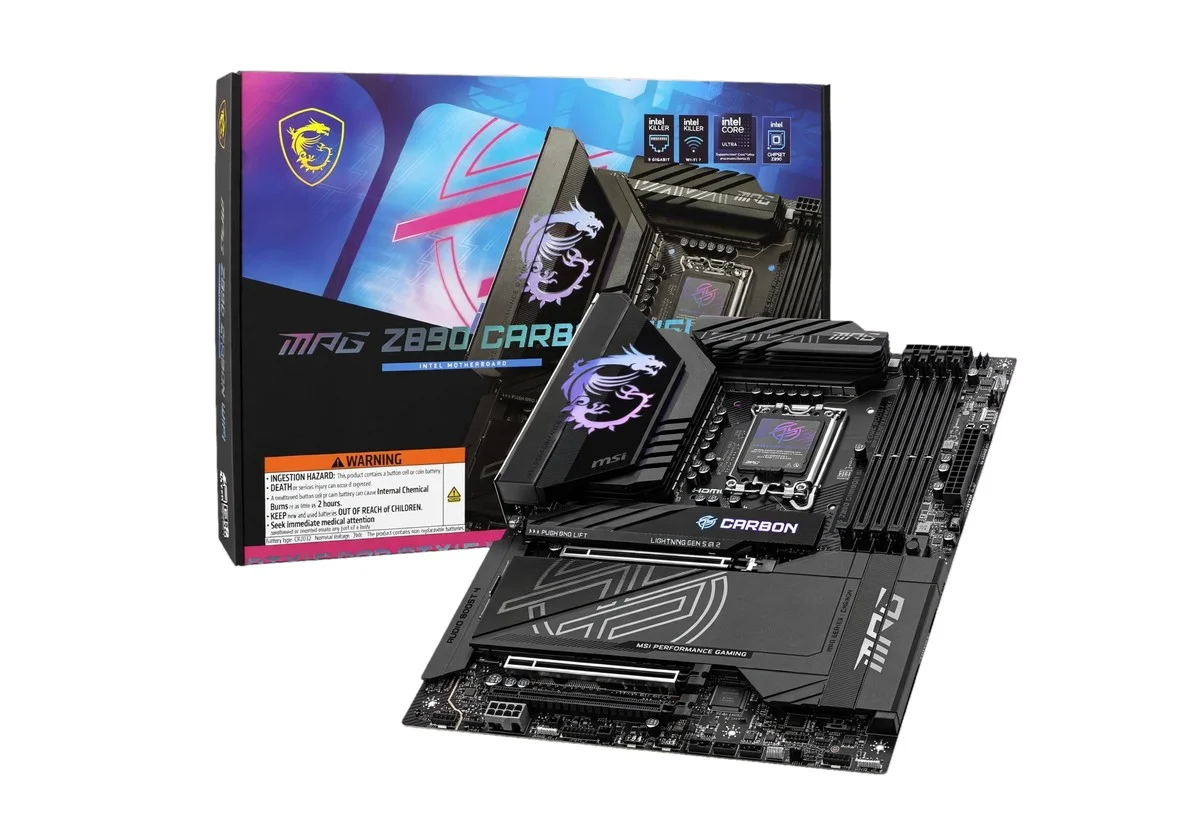
Specification Details
| Form factor and dimensions | ATX; 30.5 x 24.4 cm |
| CPU socket and chipset | Intel LGA1851; Intel Z890 chipset |
| Memory | 4 x DDR5 DIMM; up to 256GB; DDR5-9200+ (OC) supported |
| Primary graphics slot | 1 x PCIe 5.0 x16; 1 x PCIe 5.0 x16 (x8); 1 x PCIe 4.0 x4 |
| M.2 storage | 5 x M.2: 1 x PCIe 5.0 x4 and 4 x PCIe 4.0 x4 |
| Networking | Realtek 5Gbps LAN; Wi-Fi 7; Bluetooth 5.4 |
Review: The published feature set supports this use: premium all-rounder for a high-end gaming PC with several NVMe drives and fast wired/wireless networking. Check the exact CPU support list, BIOS requirements, board revision, and current price before choosing.
Reason to buy: Premium all-rounder for a high-end gaming PC with several NVMe drives and fast wired/wireless networking.
Reason to avoid: M.2 and PCIe bandwidth is shared by some sockets; populate expansion and storage slots according to the manual and verify on the manufacturer’s page.
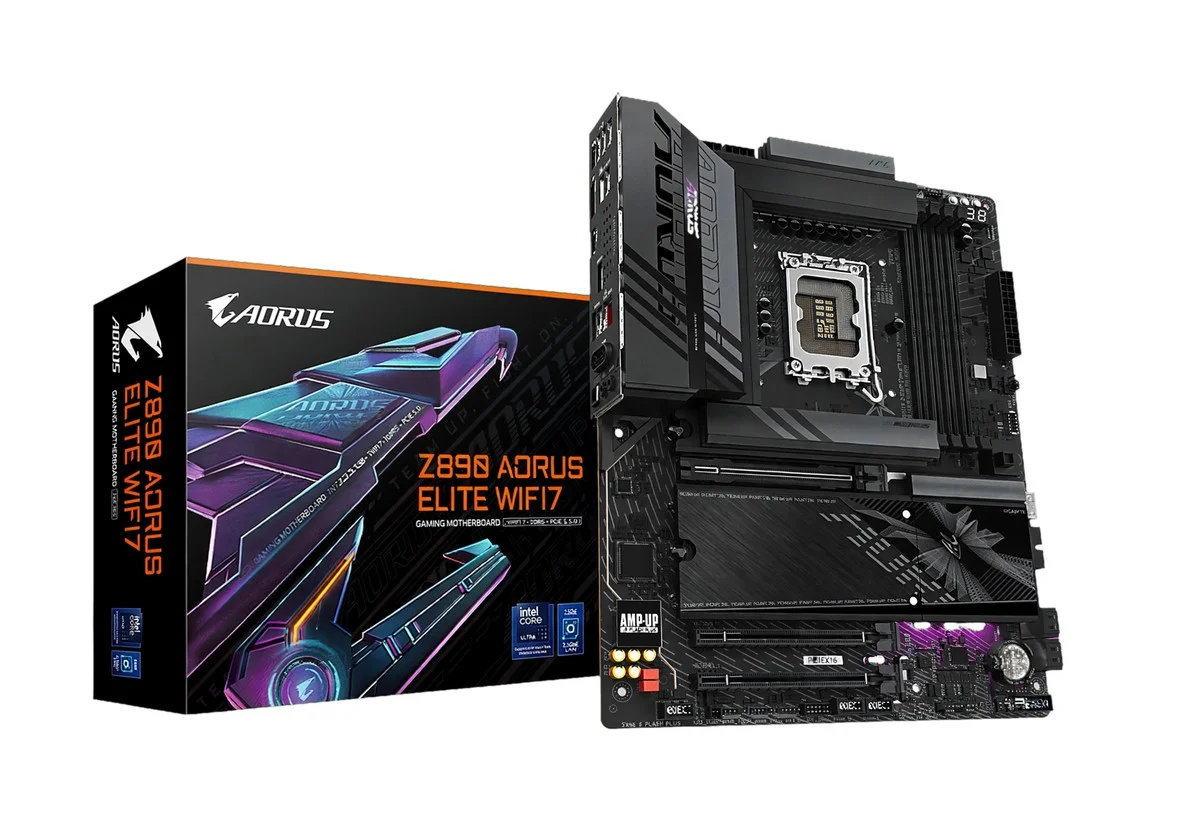
8. GIGABYTE Z890 AORUS ELITE WIFI7
Specification Details
| Form factor and dimensions | ATX; 30.5 x 24.4 cm |
| CPU socket and chipset | Intel LGA1851; Intel Z890 chipset |
| Memory | 4 x DIMM, up to 256GB DDR5; DDR5-9500 (OC) support listed |
| Primary graphics slot | 1 x PCIe 5.0 x16; 1 x PCIe 4.0 x4; 1 x PCIe 3.0 x4 |
| M.2 storage | 4 x M.2: 1 x PCIe 5.0 x4 and 3 x PCIe 4.0 x4 |
| Networking | Realtek 5GbE LAN; Wi-Fi 7; Bluetooth 5.4 |
Review: The published feature set supports this use: a value-focused performance gaming or productivity ATX build wanting Z890 features, Wi-Fi 7, and 5GbE without flagship pricing. Check the exact CPU support list, BIOS requirements, board revision, and current price before choosing.
Reason to buy: Value-focused performance gaming or productivity ATX build wanting Z890 features, Wi-Fi 7, and 5GbE without flagship pricing.
Reason to avoid: Only the primary graphics slot is PCIe 5.0 x16; the additional long slot is PCIe 4.0 and is not a second full-speed GPU slot.
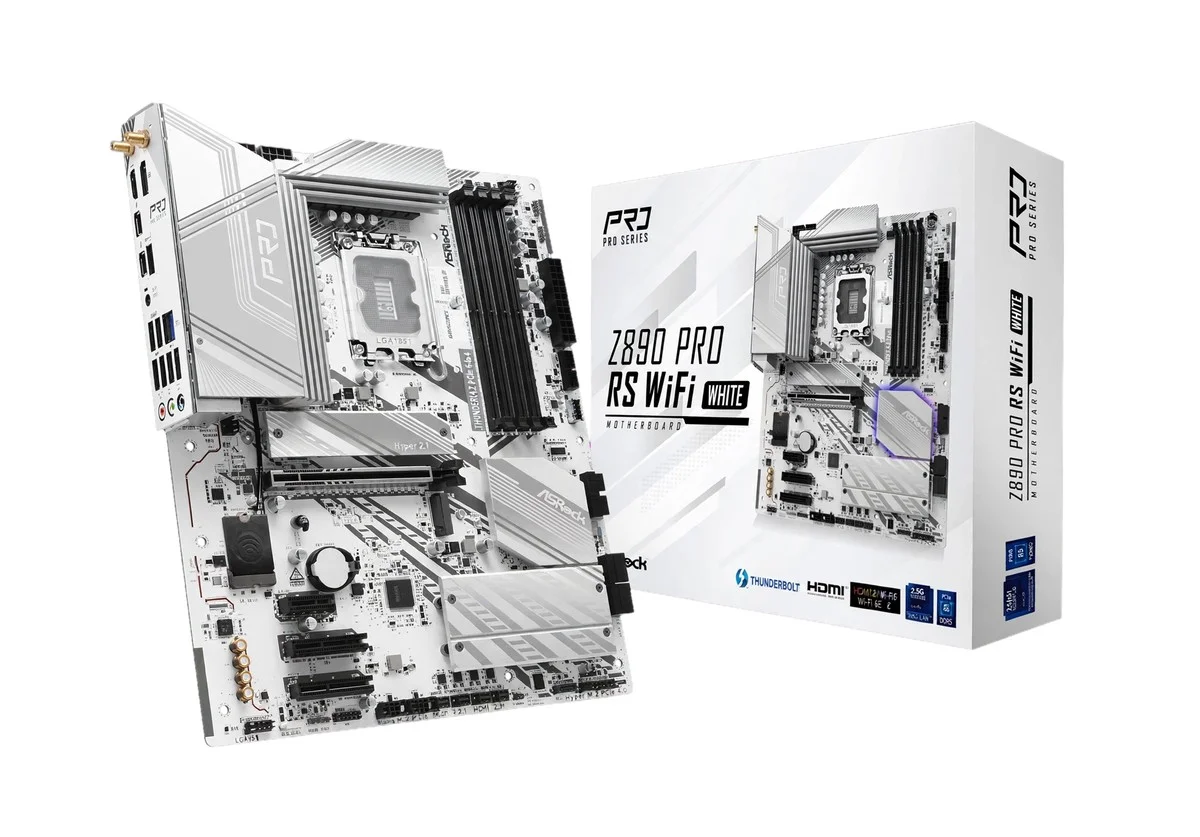
9. ASRock Z890 Pro RS WiFi
Specification Details
| Form factor and dimensions | ATX; 30.5 x 24.4 cm |
| CPU socket and chipset | Intel LGA1851; Intel Z890 chipset |
| Memory | 4 x DDR5 DIMM; up to 256GB; DDR5-9066+ (OC) support |
| Primary graphics slot | 1 x PCIe 5.0 x16; 1 x PCIe 4.0 x16 (x4); 1 x PCIe 4.0 x1 |
| M.2 storage | 4 x M.2: 1 x PCIe 5.0 x4 and 3 x PCIe 4.0 x4 |
| Networking | Dragon 2.5Gbps LAN; Wi-Fi 7; Bluetooth 5.4 |
Review: The published feature set supports this use: mainstream LGA1851 builder seeking a comparatively affordable full-ATX board with Wi-Fi 7 and four NVMe positions. Check the exact CPU support list, BIOS requirements, board revision, and current price before choosing.
Reason to buy: Mainstream LGA1851 builder seeking a comparatively affordable full-ATX board with Wi-Fi 7 and four NVMe positions.
Reason to avoid: The secondary long PCIe slot is electrically x4, so it is unsuitable for a second full-bandwidth GPU; verify storage-sharing notes on the manufacturer page.
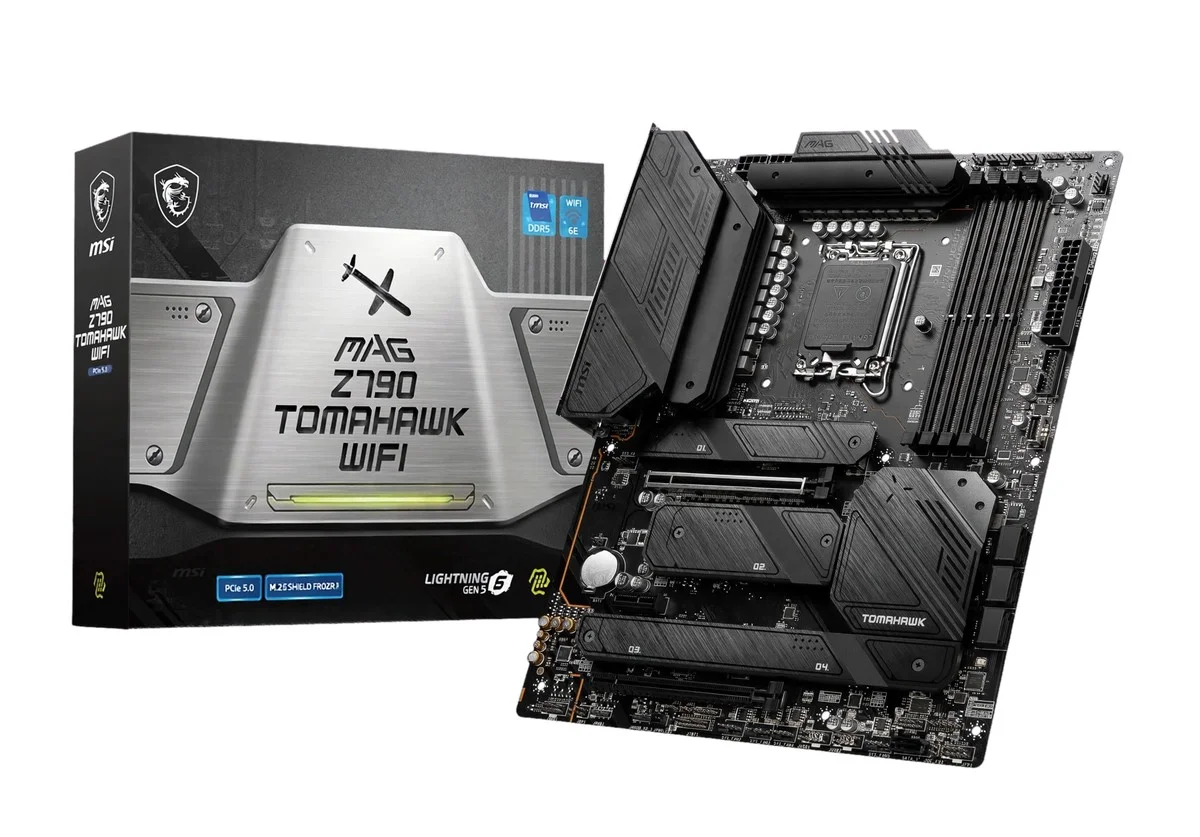
10. MSI MAG Z790 TOMAHAWK WIFI (DDR5)
Specification Details
| Form factor and dimensions | ATX; 30.5 x 24.4 cm |
| CPU socket and chipset | Intel LGA1700; Intel Z790 chipset |
| Memory | 4 x DDR5 DIMM; up to 192GB; DDR5-7200+ (OC) supported |
| Primary graphics slot | 1 x PCIe 5.0 x16; 1 x PCIe 4.0 x16 (x4); 1 x PCIe 3.0 x1 |
| M.2 storage | 4 x M.2 PCIe 4.0 x4 sockets |
| Networking | Intel 2.5Gbps LAN; Wi-Fi 6E; Bluetooth 5.3 |
Review: The published feature set supports this use: a lower-cost legacy Intel option for a 12th/13th/14th-generation LGA1700 gaming or general-purpose build using DDR5. Check the exact CPU support list, BIOS requirements, board revision, and current price before choosing.
Reason to buy: Lower-cost legacy Intel option for a 12th/13th/14th-generation LGA1700 gaming or general-purpose build using DDR5.
Reason to avoid: LGA1700 only and not compatible with LGA1851 processors; the secondary long PCIe slot is electrically x4.
mATX vs ATX: Which Is Better for Your PC
There is no single winner. mATX usually wins on footprint and value for a conventional single-GPU PC; ATX usually wins on expansion flexibility. A well-designed mATX board can run the same processor and graphics card at the same settings as a comparable ATX board. The specific model’s power delivery, firmware, connectivity, and slot layout matter more than the board’s width.
| Build or workload | Usually the better fit | What to check? |
| Gaming with one graphics card | mATX or ATX | GPU thickness, M.2 count, USB, Wi-Fi, and CPU power delivery. FPS is not determined by form factor. |
| Streaming and general content creation | Either | Memory capacity, drive slots, USB, network, and capture-card clearance. Choose ATX if the capture card competes with the GPU for space. |
| Heavy workstation with several add-in cards | ATX | Physical slot spacing, electrical PCIe lane widths, CPU lane allocation, and airflow. Slot count alone does not guarantee bandwidth. |
| Local AI with one GPU | Either | GPU clearance, RAM capacity, storage, power supply, CPU PCIe lane mapping, and case airflow. One powerful GPU often fits mATX. |
| Multi-GPU or accelerator build | ATX is more likely, but verify the platform | Most consumer boards do not provide full x16 bandwidth to every long slot. Check the CPU lane map, bifurcation support, spacing, power, and cooling before purchase. |
| Small desk footprint or compact tower | mATX | The case must support the board size and fit the GPU, cooler, radiator, and power supply. An mATX board also fits most ATX cases. |
| CPU overclocking or sustained high power | Board model first; often ATX offers more choices | Compare VRM design and temperature testing from independent reviewers. Chipset and CPU support control tuning options; size does not. |
| Several SATA drives, expansion cards, and front USB devices | ATX is often more convenient | Count actual connectors and check whether M.2 slots disable SATA ports or share PCIe lanes. |
Does an ATX Motherboard Improve Gaming Performance?
No, not by itself. If two boards run the same CPU, memory configuration, GPU, and firmware settings without power or thermal limits, the physical form factor is not a direct source of higher frame rates. A better board can affect performance if its power delivery, firmware, or cooling prevents a CPU from sustaining expected boost behavior, but that depends on the model and test conditions rather than ATX versus mATX.
Is mATX Worse for Cooling?
Not automatically. Cooling depends on the case layout, fan and radiator support, GPU size, cooler clearance, and the motherboard’s component placement. A compact case can make airflow and cable routing harder, while an mATX board installed in a roomy ATX case can have generous airflow. Check GPU slot obstruction and cooler measurements before choosing the case.
Does ATX Have More PCIe Lanes?
No. Board size does not create PCIe lanes. The CPU and chipset provide the available lanes, and the motherboard routes them to slots and storage. A full-length x16 connector may be electrically wired for fewer lanes, or share bandwidth with an M.2 socket. Read the manual’s expansion table before planning multiple devices.
Processor Compatibility and Platform Choices
The socket, chipset, firmware version, and memory generation determine CPU compatibility. An AM5 mATX board can support the same compatible Ryzen processor as an AM5 ATX board, subject to its supported CPU list and BIOS. The same rule applies to LGA1851 and LGA1700 Intel boards. A B-series chipset and a Z-series chipset can differ in tuning and I/O; the larger outline does not change the socket.
How to Choose Between mATX and ATX
Start with the case. Confirm the case accepts the motherboard, GPU length and thickness, CPU cooler height, radiator, and power supply. Board compatibility does not guarantee all other parts will fit.
List the devices you will add. A single GPU and one or two NVMe drives usually fit either size. Capture cards, sound cards, high-speed network adapters, and storage controllers can make ATX more useful.
Compare onboard features. Count M.2 sockets, SATA ports, rear USB, front-panel headers, fan headers, Wi-Fi, Ethernet, and BIOS recovery features on the exact board.
Check lane sharing and slot clearance. Manufacturers may disable or reduce a slot when another M.2 socket is populated. Thick GPUs can cover lower slots on either form factor.
Compare board reviews, not just advertised phase counts. Look for independent CPU power-delivery temperature tests using a similar processor and workload. VRM labels and phase counts alone do not prove sustained performance.
Include future upgrades in the budget. Pay for extra slots and connectivity only when your planned hardware needs them. If the build will remain a single-GPU PC, a better GPU or SSD may provide more value than a premium ATX board.
Conclusion
Choose mATX if you want a smaller motherboard footprint, a standard single-GPU layout, and enough built-in storage and connectivity for your devices. Choose ATX if your parts list includes several expansion cards, more storage connectors, or you need more physical clearance around the GPU. For most gaming PCs, the best mATX vs ATX answer is to buy the least expensive board that supports your processor and supplies every connector and feature you will use. Compare the official manual and a credible thermal review before ordering.
Affiliate disclosure: This article may contain affiliate links. If you buy through a qualifying link, we may earn a commission at no extra cost to you.