What an AI Video Upscaler Takes Off Your Build and What It Leaves
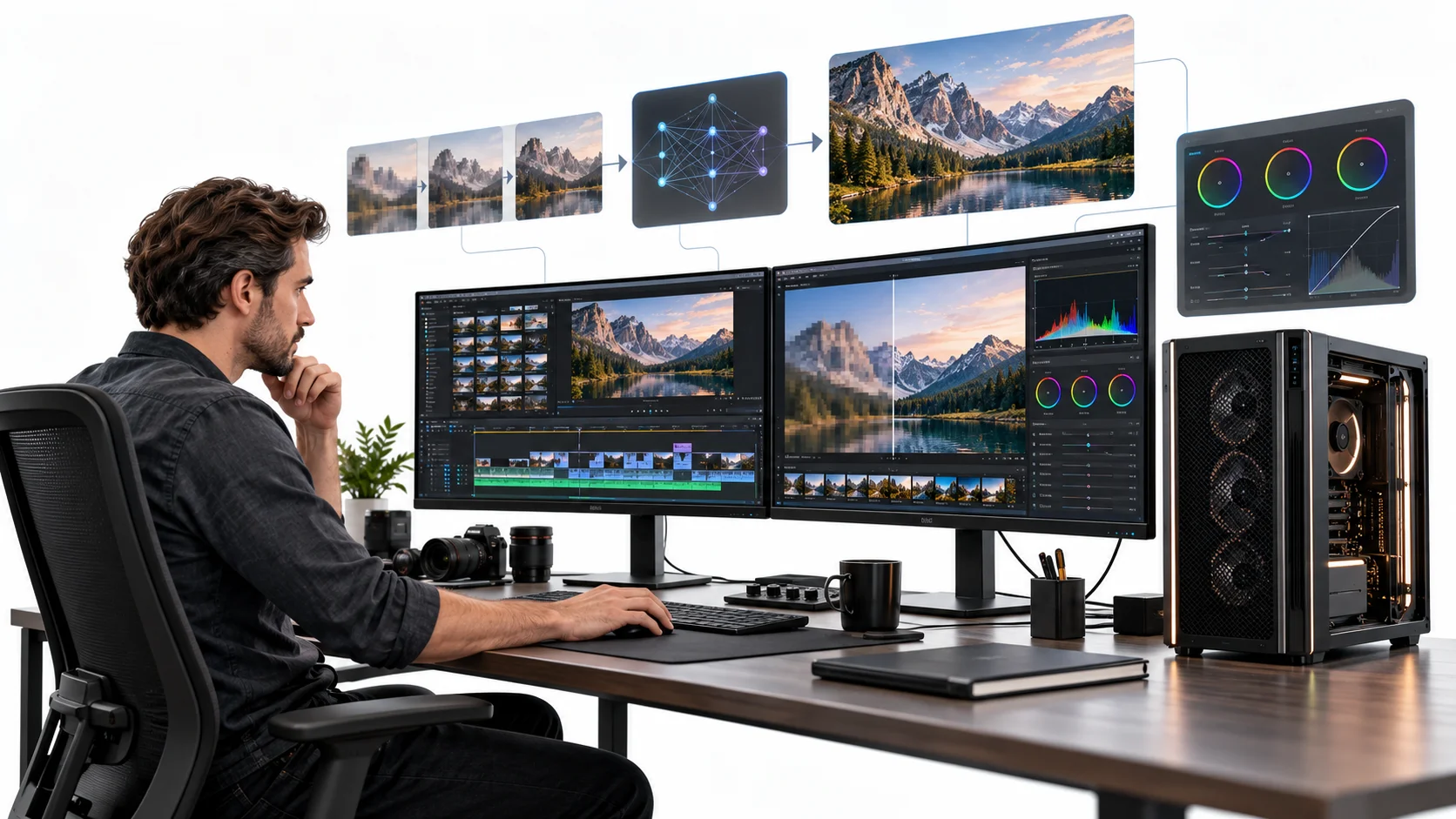
Somebody speccing a machine for video work almost always overbuys the graphics card and underbuys everything else. The logic is understandable. Video feels like a graphics problem; graphics cards are the component everybody understands ranking, and the upgrade path is obvious. So the budget goes there, the build gets assembled, and the first real project reveals that the timeline still stutters and the exports still take an hour.
The reason is that video work is not one workload. It is several; they stress different parts of the machine, and only some of them care about raw graphics compute at all.
That has become more true rather than less, because a growing share of the heaviest processing now happens somewhere other than the machine sitting under the desk. An AI Video Upscaler with cloud-based processing through Higgsfield is a useful example, because upscaling is among the most demanding things anybody does to a video file, and it is also among the easiest to move off a local system entirely.
Which raises a question worth answering before buying anything: what does a build actually still need to do?
What actually loads a system during video work?
Four distinct things, and treating them as one is how builds end up unbalanced. Playback and scrubbing, which is decoding compressed footage fast enough to display it smoothly while somebody drags a playhead around. This is primarily a decode task, and it punishes machines that lack hardware decode support for whatever codec the footage uses.
Effects preview, which is applying transforms, colour operations, and filters in real time so the editor can see what they are doing. This is where graphics computation genuinely matters, along with video memory.
Export encoding, which is compressing the finished timeline into a deliverable. Hardware-encoded blocks handle much of this on modern systems, and the parts they do not handle fall to the processor.
And everything around those, meaning reading and writing large files, maintaining cache, and holding enough of the project in memory that the software is not constantly fetching from disk.
Only the second of those is a straightforward graphics problem, which is why the instinct to spend the budget there produces disappointing results so reliably.
Why does codec matter more than resolution?
Because the work of decoding depends far more on how a file was compressed than on how many pixels it contains.
Long group-of-pictures formats, which is what most cameras and phones record, store occasional complete frames and describe everything between them as changes. That is extremely efficient for storage and extremely expensive to scrub through, because reaching an arbitrary point means reconstructing it from the nearest complete frame forward.
Intraframe formats store every frame complete. The files are enormous, and the editing experience is dramatically smoother, because any frame can be displayed without reconstructing anything.
Which is why a machine that handles large intraframe footage comfortably can struggle badly with smaller files from a consumer camera, and why the usual advice to transcode before editing exists.
Hardware decode support is the other half. Processors and graphics cards include dedicated blocks for specific codecs, and whether a given format is supported by those blocks matters more for playback smoothness than the general performance of either component.
The practical implication for a build is that checking codec support for the formats you actually shoot is worth more than comparing benchmark scores.
Which jobs are interactive and which are batch?
A distinction worth drawing explicitly, because it determines what has to be local. Interactive work requires immediate response. Scrubbing, trimming, adjusting a grade and seeing the result, positioning something frame by frame. Latency ruins these tasks, and anything that introduces a delay between action and feedback makes the work worse rather than slower.
Batch work does not. Export, transcode, render, analysis, and upscaling all run for a period and produce a result. Nobody is watching. The only thing that matters is that it finishes.
The reason this matters for a build is that interactive work must run on the machine in front of you, and batch work does not have to run anywhere in particular.
Historically, it did, because there was nowhere else to run it, which is what an AI Video Upscaler changes. That assumption is what a great many build recommendations still carry, and it is the part worth revisiting.
Where does an AI Video Upscaler sit on that split?
Firmly on the batch side, which is what makes it the clearest example. An AI Video Upscaler pass is computationally heavy. Reconstructing detail across every frame of a clip is among the most demanding operations anybody performs on video, considerably more so than a conventional export.
An AI Video Upscaler also runs unattended. Somebody starts it and comes back, which means the latency that governs interactive work is irrelevant.
And it happens intermittently. A person might run an AI Video Upscaler across a batch of archive footage once and not again for months, which is exactly the usage pattern that justifies local hardware least.
An AI Video Upscaler running remotely handles all of that without the local machine doing anything beyond uploading and retrieving. The processing happens on hardware sized for it, running models that would need substantial video memory to run locally at all.
Which means a build that would have been specified partly around that capability no longer needs to be once an AI Video Upscaler is doing it remotely.
What does this mean for an older machine?
Worth a section of its own, because a great many people reading a bottleneck calculator are deciding whether to upgrade or replace.
A machine several years old will usually still edit adequately. Timeline work, trimming, basic grading, and straightforward exports have not become dramatically more demanding, and a system that handled them three years ago mostly still does.
What changed is everything around that. Current models for processing video need substantial video memory to run locally, and an older card simply cannot host them regardless of how well it handles a timeline.
This historically forced a replacement decision. The machine was fine for the work and inadequate for the new capability, and the only route to the capability was a new build.
Higgsfield running an AI Video Upscaler remotely breaks that link entirely. The older machine keeps doing what it does well, and the processing that it cannot host happens elsewhere, which extends the useful life of hardware that had no functional problem.
The practical recommendation for somebody on an older system is therefore to test the interactive experience honestly, fix whichever component the monitoring identifies, and stop treating the inability to run heavy local processing as an argument for replacement.
That is a cheaper answer than a new build, and it is usually the correct one, which is not what most upgrade advice concludes.
Which component is usually the real limit?
Storage, considerably more often than anybody expects. Video files are large, and editing software reads them constantly. A timeline pulling from several sources simultaneously, while writing cache and preview files, generates sustained input and output that a conventional drive cannot service.
The symptom presents as stuttering playback, which everybody attributes to the graphics card. The actual cause is frequently the disk failing to supply frames fast enough.
Memory is the second most common limit, particularly on longer timelines and higher resolution projects, where software caching behaviour depends on having room to work.
And the processor matters more than the graphics card for a substantial share of editing tasks, because decode, timeline management, and much of the export path run there.
The graphics card matters most for effects, for higher-resolution preview, and for the encode blocks it contains. Those are real requirements, and they are narrower than the usual advice implies.
What should a build still be specified for?
The interactive half, which is the part that cannot move. Fast storage for the working project, on a separate device from the operating system, with capacity to hold the footage and the cache simultaneously. This is where the first upgrade money should go on almost any video-focused build.
Sufficient memory so the software is not constantly evicting cache, which for most editing work means considerably more than a general-purpose machine needs.
A processor with hardware decode support for the codecs you actually record, which is a compatibility question rather than a performance one.
A graphics card with enough video memory for the resolution being previewed and the effects being used, which for most people is a considerably more modest card than the recommendations suggest.
And a display worth grading on, which is the component people cut and then wonder why their output looks different everywhere else.
What changes when batch work moves off the machine?
The upper end of the specification, which is where the money concentrates. A build sized for interactive editing and a build sized to also run heavy batch processing are different machines at different prices. The second needs headroom that sits idle most of the time, purchased for jobs that run occasionally.
Moving an AI Video Upscaler pass, and similar batch processing, off the machine removes that headroom requirement. With Higgsfield taking that load, the machine has to handle the timeline rather than the heaviest thing anybody might ever ask it to do.
Higgsfield operates as an AI creative suite running in a browser, which is the relevant part for a build decision, since it means the processing requirement never lands on the local system at all.
Higgsfield also removes an upgrade trigger. A machine specified for interactive work stays adequate for interactive work considerably longer than one specified around processing tasks, because the demands of scrubbing a timeline have grown far more slowly than the demands of running current models.
The practical effect is that the same budget buys a better interactive experience, which is the thing somebody actually sits in front of.
How does this affect an upgrade decision?
It changes the order rather than the total. Somebody upgrading a machine that struggles with video should check storage first, memory second, and codec support third, before considering the graphics card at all.
If the stutter persists on a fast local drive with adequate memory, and the footage format is supported by the hardware decode blocks available, then the graphics card is a candidate.
If the complaint is export time rather than editing smoothness, the question is whether hardware encode is being used, which is frequently a software setting rather than a hardware limit.
And if the complaint is that an AI Video Upscaler pass takes hours locally, the honest answer is that it will take hours on any consumer machine, and the relevant comparison is against not doing it locally rather than against a faster card. That last case is where the upgrade most often gets justified and least often gets solved.
What stays local regardless?
Several things, and they are the ones worth building around. The edit itself, because it is interactive and latency-sensitive.
Colour work, which needs a calibrated display, immediate feedback, and the ability to make fine judgements frame by frame.
Anything involving material that cannot leave the machine, whether for client confidentiality, contractual reasons, or personal preference.
Ingest and storage, since footage has to live somewhere, and that somewhere is local for most people regardless of where processing happens.
And any work where a connection is unreliable, which for people editing in the field is a genuine constraint rather than a hypothetical one.
The division is straightforward. What somebody watches happen belongs on their machine. What runs while they make coffee does not have to.
How would somebody test their own case?
With the machine they already have, before spending anything. Open the system monitor while doing the thing that feels slow, and watch which resource saturates. Disk activity at maximum during playback points to storage. Memory pressure points to memory. Processor pegged during scrubbing points to decode.
Check whether hardware decode is active for the footage format, which the editing software usually reports somewhere in its preferences or playback settings.
Transcode a problem clip to an intraframe format and try editing that, since a dramatic improvement identifies the issue as decode rather than compute.
Time a heavy processing job locally and compare it against running the same job through Higgsfield remotely, which answers the offload question with a number rather than an opinion.
Then buy against what the monitoring showed rather than against what the forum recommended, because the forum is answering a different person’s question.
Conclusion
Video work is several different jobs wearing one name, and the component that matters depends entirely on which of them is being done at that moment. Scrubbing is a decode and storage problem. Effects preview is a graphics problem. Export is mostly encode blocks. Heavy processing is its own category and always has been.
Higgsfield removes that last category from the build equation, because an AI Video Upscaler pass runs elsewhere, which means the money that would have bought idle headroom can buy a faster working drive and more memory instead. Build for the part you watch happen. Let the part you walk away from run somewhere else.